Quick Answer+
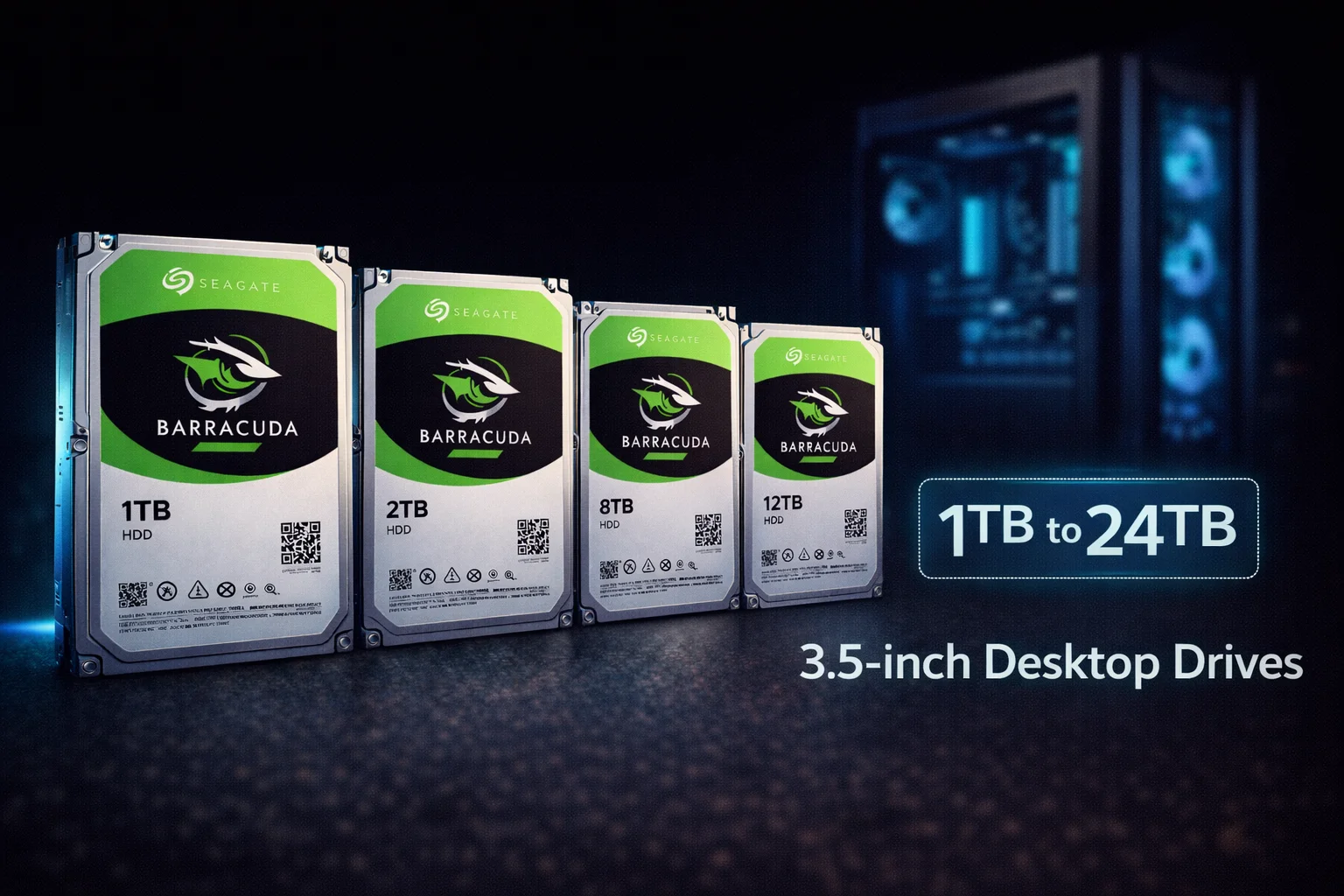
Quick Answer: The Seagate Barracuda 3.5-inch series is the desktop version of Seagate's popular consumer HDD line, available from 1TB ($45) to 24TB ($500). Models 2TB-8TB use SMR technology at 5400 RPM, while the 1TB uses CMR at 7200 RPM. The new 20TB+ HAMR models use CMR with 7200 RPM - the best of both worlds. Best for: secondary storage, game libraries, media archives. Not recommended for: NAS/RAID (use IronWolf) or boot drives (use SSD).
The Seagate Barracuda 3.5-inch series represents Seagate's mainstream desktop hard drive lineup. For over 30 years, the Barracuda name has been synonymous with reliable consumer storage, evolving from high-end SCSI drives to today's affordable mass storage workhorses.
In 2026, the 3.5″ Barracuda lineup spans an impressive range from 1TB to 24TB, with a mix of traditional SMR drives and cutting-edge HAMR technology at the high end. Understanding which model fits your needs is essential for making the right choice.
Seagate Barracuda 3.5″ Pricing
Browse all Seagate Barracuda 3.5-inch desktop drives:
Complete Barracuda 3.5″ Model Lineup
Standard Models (SMR Technology)
| Model | Capacity | RPM | Cache | Recording | Price |
|---|---|---|---|---|---|
| ST1000DM010 | 1TB | 7200 | 64MB | CMR | $45-55 |
| ST2000DM008 | 2TB | 7200 | 256MB | SMR | $50-75 |
| ST3000DM007 | 3TB | 5400 | 256MB | SMR | $70-110 |
| ST4000DM004 | 4TB | 5400 | 256MB | SMR | $91.99 |
| ST6000DM003 | 6TB | 5400 | 256MB | SMR | $110-150 |
| ST8000DM004 | 8TB | 5400 | 256MB | SMR | $175.00 |
HAMR Models (CMR Technology)
| Model | Capacity | RPM | Cache | Recording | Price |
|---|---|---|---|---|---|
| ST16000DM001 | 16TB | 7200 | 512MB | CMR (HAMR) | ~$350 |
| ST20000DM001 | 20TB | 7200 | 512MB | CMR (HAMR) | $399.00 |
| ST24000DM001 | 24TB | 7200 | 512MB | CMR (HAMR) | $499.95 |
Understanding the Technology Split
The Barracuda 3.5″ lineup uses two distinct technologies:
SMR Models (2TB-8TB)
- Shingled Magnetic Recording - overlapping tracks for higher density
- Lower cost per TB
- Slower write speeds during sustained operations
- Best for: read-heavy workloads (games, media, archives)
- Avoid for: NAS, RAID, boot drives, continuous writes
CMR Models (1TB and 16TB+)
- Conventional Magnetic Recording - non-overlapping tracks
- Consistent read/write performance
- The 1TB is the only affordable CMR Barracuda
- 16TB+ models use HAMR for high density with CMR benefits
- Best for: any workload including write-heavy tasks
⚠️ SMR vs CMR Quick Guide
| Capacity | Recording | RPM | Recommendation |
|---|---|---|---|
| 1TB | CMR | 7200 | ✅ Good for any use |
| 2TB-8TB | SMR | 5400-7200 | ⚠️ Storage only, no NAS |
| 16TB-24TB | CMR (HAMR) | 7200 | ✅ Good for any use |
Barracuda 3.5″ vs Alternatives
Barracuda 3.5″ vs IronWolf
| Feature | Barracuda 3.5″ | IronWolf |
|---|---|---|
| Target Use | Desktop/Single drive | NAS/RAID |
| Recording (4TB) | SMR | CMR |
| NAS Optimized | No | Yes (AgileArray) |
| Vibration Sensors | No | Yes |
| Workload Rating | 55 TB/year | 180 TB/year |
| Warranty | 2 years | 3 years |
| Price (4TB) | $91.99 | $99.99 |
Verdict: Barracuda for desktop single-drive use. IronWolf for NAS/RAID - the $8 premium at 4TB is worth it.
Barracuda 3.5″ vs WD Blue
| Feature | Seagate Barracuda | WD Blue |
|---|---|---|
| Max Capacity | 24TB | 8TB |
| RPM (2TB) | 7200 | 5400 |
| Recording | Mixed (SMR/CMR) | Mixed (SMR/CMR) |
| Price (4TB) | $91.99 | $99.99 |
Verdict: Barracuda offers more capacity options and the 2TB model is faster (7200 RPM). For standard capacities, buy whichever is cheaper. See our detailed comparison.
Best Use Cases by Capacity
1TB-2TB: Entry-Level Storage
- Best for: Documents, light media, secondary drive
- Note: 1TB is CMR (good), 2TB is SMR but 7200 RPM (fast)
- Recommendation: Consider 1TB SSD at similar price
4TB: Sweet Spot Value
- Best for: Game libraries, media storage, backups
- Capacity: 50+ games, 400 HD movies
- Price point: Under $100 for meaningful storage
- See: Barracuda 4TB Guide
8TB: Maximum SMR Capacity
- Best for: Large media servers, extensive archives
- Capacity: 800 HD movies, 160+ games
- Note: Largest traditional Barracuda before HAMR
- See: Barracuda 8TB Guide
20TB+: HAMR High Capacity
- Best for: Users who need massive storage with CMR reliability
- Technology: HAMR enables high density without SMR drawbacks
- Best value: 20TB at $19.95/TB
- See: Barracuda 20TB Guide
Physical Specifications
| Specification | 1TB-4TB | 6TB-8TB | 16TB-24TB |
|---|---|---|---|
| Height | 20.17mm | 26.11mm | 26.11mm |
| Width | 101.6mm | 101.6mm | 101.6mm |
| Length | 146.99mm | 146.99mm | 146.99mm |
| Weight | 400-480g | 600-650g | ~720g |
| Platters | 1-2 | 3-4 | 10+ |
Note: 6TB and larger models are thicker (26.11mm vs 20.17mm). Verify case clearance before buying.
Installation Guide
Desktop PC Installation
- Power off PC and disconnect power cable
- Ground yourself by touching the metal case
- Mount drive in 3.5″ bay using screws or tool-less brackets
- Connect SATA data cable (motherboard to drive)
- Connect SATA power cable (PSU to drive)
- Close case and power on
- Initialize in Disk Management (Windows) or Disk Utility (Mac)
Formatting Recommendations
- Partition style: GPT (required for drives over 2TB)
- File system: NTFS (Windows), ext4 (Linux), APFS (Mac)
- Allocation unit: Default 4096 bytes
Reliability & Warranty
| Specification | Standard Models | HAMR Models |
|---|---|---|
| Warranty | 2 years | 2 years |
| Workload Rating | 55 TB/year | 120 TB/year |
| Load/Unload Cycles | 600,000 | 600,000 |
| Expected Lifespan | 3-5+ years | 3-5+ years |
Troubleshooting Common Issues
Slow Write Speeds (SMR Models)
- Let drive idle 15-30 minutes for background reorganization
- Keep capacity below 80%
- Transfer large files in batches
Drive Not Detected
- Check SATA data and power connections
- Try different SATA port
- Verify in BIOS/UEFI
- Test with different cable
Clicking Sounds
- Soft periodic clicks: Normal head parking
- Loud repetitive clicking: Back up immediately - potential failure
Barracuda 3.5″ Price History & Trends
Desktop HDD pricing has remained relatively stable while SSD prices have dropped:
| Year | 4TB Price | 8TB Price | Notes |
|---|---|---|---|
| 2020 | $85-95 | $150-170 | Pandemic pricing |
| 2022 | $80-90 | $140-160 | Normalized |
| 2024 | $85-95 | $150-170 | Slight increase |
| 2026 | $91.99 | $175.00 | Current |
Trend analysis: HDD prices have plateaued while capacity growth continues (HAMR enables 20TB+). The value proposition increasingly favors larger capacities where SSDs remain expensive.
Barracuda vs Competitors Summary
| Drive | Best For | Avoid For |
|---|---|---|
| Barracuda | Desktop storage, budget builds | NAS, RAID, boot drives |
| IronWolf | NAS, RAID, 24/7 operation | Overkill for simple desktop |
| WD Blue | Desktop storage (similar to Barracuda) | NAS, RAID |
| Toshiba X300 | Desktop performance (7200 RPM CMR) | Louder than competitors |
Buying Guide: Which Barracuda 3.5″ to Choose
Under $50 Budget
Recommendation: 1TB Barracuda ($45-55) or consider a 500GB SSD for better performance.
$50-100 Budget
Recommendation: 4TB Barracuda ($91.99) offers the best value in this range. Sweet spot for most users.
$100-200 Budget
Recommendation: 8TB Barracuda ($175) for maximum SMR capacity, or consider the entry-level IronWolf for better technology.
$200+ Budget
Recommendation: Skip to the 20TB HAMR Barracuda ($399) for best $/TB with CMR technology. This is the future of high-capacity storage.
Barracuda 3.5″ in External Enclosures
Desktop drives can be used externally with the right enclosure:
USB 3.0/3.1 Enclosures
- Requires external power (12V) for 3.5″ drives
- Look for enclosures with cooling fans for 8TB+
- UASP support improves performance
- Tool-free designs simplify drive swaps
Docking Stations
- Great for multiple drives or frequent swaps
- Hot-swap capability for backup rotation
- Some support both 2.5″ and 3.5″ drives
HAMR Technology: The Future of Barracuda
The introduction of HAMR (Heat-Assisted Magnetic Recording) in 16TB+ Barracuda models represents a significant evolution:
Benefits of HAMR Barracuda
- CMR technology: No SMR write penalties
- Higher capacity: 20TB+ in consumer drives
- 7200 RPM: Faster than 5400 RPM SMR models
- Better $/TB: $19.95/TB at 20TB
HAMR Roadmap
- 2024-2025: 20TB, 24TB consumer drives
- 2026: 28TB external drives available
- Future: 30TB+ expected
Data Migration Tips
When upgrading to a larger Barracuda:
- Clone existing drive: Use Seagate DiscWizard or Macrium Reflect
- Fresh install: Clean Windows installation for best performance
- Data-only migration: Install OS on SSD, move data to Barracuda
Frequently Asked Questions
What's the difference between Barracuda 3.5″ and 2.5″?
The 3.5-inch Barracuda is designed for desktop PCs with higher capacities (up to 24TB), faster speeds, and larger caches. The 2.5-inch Barracuda is for laptops and portables with lower power draw but limited to 5TB and slower speeds. Desktop drives offer better value per TB.
Which Barracuda 3.5″ models use CMR?
Only the 1TB (ST1000DM010) and the 16TB+ HAMR models use CMR. All other capacities (2TB-8TB) use SMR. If you need CMR technology, consider the 1TB, 20TB HAMR, or switch to IronWolf.
Can I use Barracuda 3.5″ in a NAS?
Not recommended for SMR models (2TB-8TB) - they can cause RAID rebuild failures. The HAMR models (16TB+) use CMR and may work, but lack NAS-specific features. For NAS, use IronWolf or WD Red Plus.
What's the best value Barracuda 3.5″?
The 4TB ($91.99, $23/TB) offers the best balance of capacity and price for most users. For maximum value per TB, the 20TB HAMR ($399, $19.95/TB) is best if budget allows.
Should I buy Barracuda 3.5″ or an SSD?
Use SSD for your boot drive and applications - the speed difference is dramatic. Use Barracuda for bulk storage where capacity matters more than speed (games, media, backups). The ideal setup combines both: NVMe SSD for OS + Barracuda for storage.
Related Guides
Barracuda by Capacity:
- Barracuda 1TB (CMR)
- Barracuda 2TB
- Barracuda 4TB
- Barracuda 8TB
- Barracuda 20TB (HAMR)
Compare:
- Barracuda 2.5-inch (Laptop)
- Barracuda vs IronWolf
- Barracuda vs WD Blue
- CMR vs SMR Explained
Alternatives:
Last updated: February 2026. Prices subject to change. Check our Price Per TB calculator for current deals.