
Quick Answer+
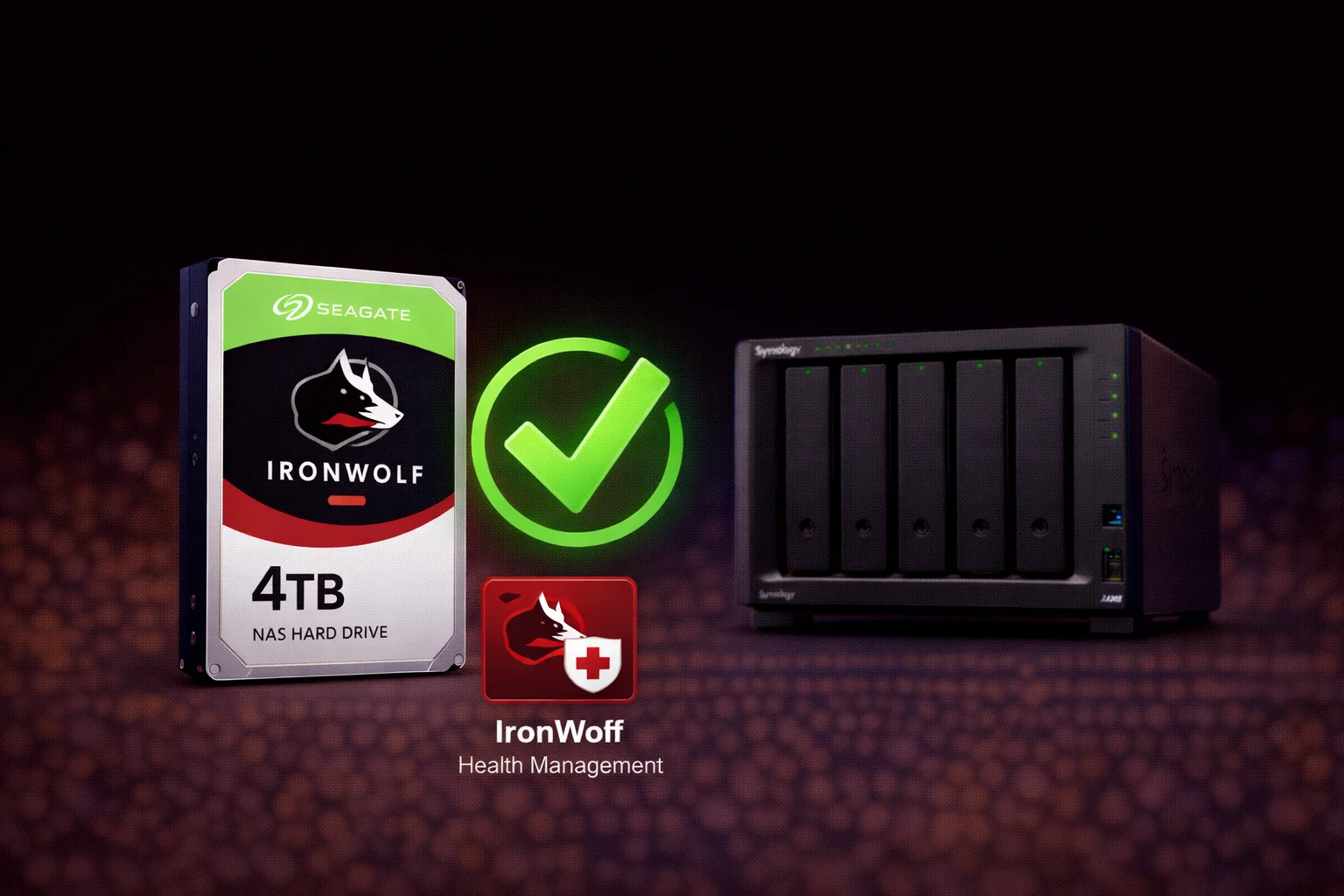
Quick Answer:Seagate IronWolf drives are fully compatible with all Synology NAS models and feature built-in IronWolf Health Management (IHM) that integrates directly with DSM. The 8TB ST8000VN004 (~$160) offers the best value with slightly better performance than WD Red Plus thanks to 7200 RPM. All IronWolf drives use CMR technology for reliable NAS operation. DSM 7.3 allows dismissing any compatibility warnings.
The Seagate IronWolf series is purpose-built for NAS environments and offers a key advantage over competitors: IronWolf Health Management (IHM) integration with Synology DSM. This guide covers complete Synology compatibility, all available capacities, performance specifications, and how IronWolf compares to WD Red Plus.
Seagate IronWolf Synology Compatibility
Seagate IronWolf drives are fully compatible with all Synology NAS models.
DSM Compatibility Status
While not on Synology’s official compatibility list, IronWolf drives work perfectly:
- ✅ All RAID types supported (SHR, RAID 0/1/5/6/10)
- ✅ S.M.A.R.T. monitoring works fully
- ✅ Hot-swap replacement supported
- ✅ IronWolf Health Management integrates with DSM
- ✅ DSM 7.3 allows dismissing compatibility warnings
IronWolf Health Management (IHM)
IronWolf’s exclusive advantage is IronWolf Health Management — deep integration with Synology DSM that provides:
- Preventive monitoring: Analyzes 200+ drive parameters beyond standard S.M.A.R.T.
- Workload analysis: Tracks read/write patterns to predict issues
- Environment monitoring: Temperature and vibration tracking
- Early warnings: Alerts before drive failure
- Data recovery: 3 years of Rescue Data Recovery Services included (IronWolf Pro)
To enable IHM, install the Seagate IronWolf Health Management package from Synology Package Center.
Seagate IronWolf Product Lineup
| Product | Capacity | Price | $ / TB | Price Drop | Brand | Interface |
|---|---|---|---|---|---|---|
| Seagate 6TB IronWolf NAS SATA 6Gb/s NCQ 128MB Cache 3.5-Inch Internal Hard Drive (ST6000VN0041) (Renewed) | 6.00 TB | $169.99 | $28.33 | +0% | Seagate | SATA |
| Seagate IronWolf 2TB NAS Internal Hard Drive HDD – 3.5 Inch SATA 6Gb/s 7200 RPM 256MB Cache for RAID Network Attached Storage (ST2000VN004) (Renewed) | 2.00 TB | $129.00 | $64.50 | +0% | Seagate | SATA |
IronWolf Specifications by Capacity
| Model | Capacity | RPM | Cache | Price | $/TB |
|---|---|---|---|---|---|
| ST1000VN008 | 1TB | 5400 | 64MB | ~$55 | $55.00 |
| ST2000VN003 | 2TB | 5400 | 64MB | ~$70 | $35.00 |
| ST3000VN006 | 3TB | 5400 | 64MB | ~$80 | $26.67 |
| ST4000VN006 | 4TB | 5400 | 64MB | ~$95 | $23.75 |
| ST6000VN006 | 6TB | 5400 | 256MB | ~$130 | $21.67 |
| ST8000VN004 | 8TB | 7200 | 256MB | ~$160 | $20.00 |
| ST10000VN000 | 10TB | 7200 | 256MB | ~$190 | $19.00 |
| ST12000VN0008 | 12TB | 7200 | 256MB | ~$210 | $17.50 |
| ST16000VN001 | 16TB | 7200 | 256MB | ~$280 | $17.50 |
Prices as of February 2026. All models use CMR recording technology.
Best IronWolf by Use Case
Best Value: IronWolf 8TB (ST8000VN004)
Seagate IronWolf 8TB (ST8000VN004)
8TB | 7200 RPM | CMR | 256MB Cache | 180TB/year Workload
The sweet spot for most Synology users. 7200 RPM delivers faster performance than competing 5640 RPM drives. 8TB provides excellent capacity at the best price-per-TB. IronWolf Health Management integration monitors drive health directly in DSM.
Why 8TB IronWolf is the best choice:
- Best $/TB: $20.00/TB — slightly better than WD Red Plus
- 7200 RPM: ~10-15% faster than 5640 RPM competitors
- 256MB cache: Large buffer for smooth operation
- IHM integration: Enhanced health monitoring in DSM
Best for Budget Builds: IronWolf 4TB (ST4000VN006)
Seagate IronWolf 4TB (ST4000VN006)
4TB | 5400 RPM | CMR | 64MB Cache | 180TB/year Workload
Affordable entry point for 2-bay NAS builds. 4TB provides enough space for documents, photos, and a small media collection. Quieter 5400 RPM operation is ideal for living spaces.
Best for Large Libraries: IronWolf 12TB (ST12000VN0008)
Seagate IronWolf 12TB (ST12000VN0008)
12TB | 7200 RPM | CMR | 256MB Cache | 180TB/year Workload
Best price-per-TB in the IronWolf lineup. 12TB drives in a 4-bay NAS deliver 36TB usable with SHR. Perfect for large Plex libraries, photographers, and content creators.
Maximum Capacity: IronWolf 16TB (ST16000VN001)
Seagate IronWolf 16TB (ST16000VN001)
16TB | 7200 RPM | CMR | 256MB Cache | 180TB/year Workload
Largest capacity IronWolf for maximum storage density. 16TB drives in a 4-bay NAS provide 48TB usable with SHR. Consider SHR-2 for drives this large due to extended rebuild times.
IronWolf vs IronWolf Pro
| Feature | IronWolf | IronWolf Pro |
|---|---|---|
| Target Use | Home/SOHO (1-8 bays) | Business (1-24 bays) |
| Max Bays Supported | 8 | 24 |
| Workload Rating | 180 TB/year | 300 TB/year |
| Warranty | 3 years | 5 years |
| Data Recovery | Not included | 3 years Rescue included |
| Rotational Vibration Sensors | Basic | Advanced |
| Price (8TB) | ~$160 | ~$220 |
| Recommendation | Most home users | Business/multi-bay |
Choose IronWolf Pro if: You run 8+ bay systems, need the 5-year warranty, want included data recovery services, or have heavy 24/7 workloads.
IronWolf Technical Specifications
| Specification | IronWolf |
|---|---|
| Recording Technology | CMR (Conventional Magnetic Recording) |
| Interface | SATA 6 Gb/s |
| Workload Rating | 180 TB/year |
| MTBF | 1,000,000 hours |
| Warranty | 3 years |
| IronWolf Health Management | Yes |
| AgileArray Technology | Yes |
| Rotational Vibration Sensors | Yes |
AgileArray Technology
Seagate’s NAS-specific optimizations include:
- RAID optimization: Firmware tuned for multi-drive environments
- Power management: Balanced for 24/7 operation
- Error recovery: Prevents timeouts and false drive ejections
- Dual-plane balance: Reduces vibration in multi-bay enclosures
IronWolf vs WD Red Plus
| Feature | Seagate IronWolf 8TB | WD Red Plus 8TB |
|---|---|---|
| Model | ST8000VN004 | WD80EFPX |
| Price | ~$160 | ~$170 |
| RPM | 7200 | 5640 |
| Cache | 256MB | 256MB |
| Workload | 180 TB/year | 180 TB/year |
| Warranty | 3 years | 3 years |
| Health Software | IronWolf Health Management | WD Dashboard |
| Sequential Speed | ~210 MB/s | ~185 MB/s |
| Noise | Louder (7200 RPM) | Quieter (5640 RPM) |
| DSM Integration | Better (IHM) | Standard |
Choose IronWolf if: You want faster performance, better DSM integration via IHM, or prefer the lower price point.
Choose WD Red Plus if: Noise is a concern (quieter 5640 RPM), or you prefer WD’s reliability track record.
IronWolf Synology Configurations
2-Bay NAS (DS224+, DS223)
| Configuration | Raw | Usable (SHR) | Cost |
|---|---|---|---|
| 2× ST4000VN006 (4TB) | 8TB | 4TB | ~$190 |
| 2× ST8000VN004 (8TB) | 16TB | 8TB | ~$320 |
| 2× ST12000VN0008 (12TB) | 24TB | 12TB | ~$420 |
4-Bay NAS (DS423+, DS923+)
| Configuration | Raw | Usable (SHR) | Cost |
|---|---|---|---|
| 4× ST4000VN006 (4TB) | 16TB | 12TB | ~$380 |
| 4× ST8000VN004 (8TB) | 32TB | 24TB | ~$640 |
| 4× ST12000VN0008 (12TB) | 48TB | 36TB | ~$840 |
| 4× ST16000VN001 (16TB) | 64TB | 48TB | ~$1,120 |
Installing IronWolf in Synology
Step 1: Physical Installation
- Power off NAS and disconnect power
- Remove drive trays from NAS
- Secure IronWolf drives to trays with screws
- Insert trays until they click into place
- Reconnect power and boot NAS
Step 2: Initialize in DSM
- Log into DSM and open Storage Manager
- Dismiss any compatibility warnings (DSM 7.3+)
- Create Storage Pool with SHR or RAID 5
- Create Volume with Btrfs file system
Step 3: Enable IronWolf Health Management
- Open Package Center
- Search for “IronWolf Health Management”
- Click Install
- Open IHM from main menu
- View detailed drive health metrics
IronWolf Performance
| Model | Sequential Read | Sequential Write |
|---|---|---|
| ST4000VN006 (4TB) | ~180 MB/s | ~180 MB/s |
| ST8000VN004 (8TB) | ~210 MB/s | ~210 MB/s |
| ST12000VN0008 (12TB) | ~250 MB/s | ~250 MB/s |
| ST16000VN001 (16TB) | ~260 MB/s | ~260 MB/s |
Note: 1GbE network caps at ~115 MB/s. 10GbE required to realize full drive speeds.
Reliability & Warranty
IronWolf comes with a 3-year limited warranty. Based on the 1,000,000 hour MTBF:
- Typical home use: 5-7+ years expected lifespan
- Heavy NAS use: 3-5 years expected lifespan
- IronWolf Pro: 5-year warranty + 3 years Rescue data recovery
Frequently Asked Questions
Yes, fully compatible. IronWolf works with all Synology NAS models. While not on the official compatibility list, all features work correctly including RAID, S.M.A.R.T., and hot-swap. DSM 7.3 allows dismissing compatibility warnings. IronWolf Health Management provides additional monitoring.
IronWolf Health Management (IHM) is Seagate’s proprietary monitoring software that integrates with Synology DSM. It analyzes 200+ drive parameters beyond standard S.M.A.R.T., tracks workload patterns, monitors temperature and vibration, and provides early failure warnings. Install it free from Package Center.
Both are excellent. IronWolf offers faster 7200 RPM speeds, better DSM integration via IHM, and typically lower prices. WD Red Plus is quieter (5640 RPM) and some prefer WD’s reliability reputation. Choose IronWolf for performance, WD Red Plus for quiet operation.
IronWolf is sufficient for most home users with 1-8 bay NAS systems. Choose IronWolf Pro for: 8+ bay systems, heavy 24/7 workloads, 5-year warranty requirement, or if you want included Rescue Data Recovery Services. The extra cost is worth it for business-critical data.
8TB (ST8000VN004) offers the best value at ~$20/TB with 7200 RPM performance. Choose 4TB for budget builds, 8TB for most users, 12TB for large libraries, or 16TB for maximum density. Consider SHR-2 for 12TB+ drives due to long rebuild times.
IronWolf 8TB+ drives run at 7200 RPM, which is louder than 5400/5640 RPM drives like WD Red Plus. The difference is noticeable in quiet rooms. For noise-sensitive environments (bedroom, living room), consider WD Red Plus or IronWolf 4TB/6TB models which run at 5400 RPM.
Conclusion
Seagate IronWolf is an excellent choice for Synology NAS — offering faster performance than WD Red Plus, integrated health monitoring via IHM, and competitive pricing. The 8TB ST8000VN004 is our top recommendation for most users, providing the best balance of capacity, performance, and value.
Related Resources
- Synology Compatible Drives Database
- WD Red Plus Synology Guide
- Best Synology NAS 2026
- IronWolf vs WD Red Plus Comparison
- Synology RAID Guide
Last Updated: February 2026