Seagate SkyHawk Synology Compatibility: Surveillance Station Setup

Quick Answer+
Quick Answer:Yes, Seagate SkyHawk drives work perfectly with Synology NAS and are an excellent choice for Surveillance Station. After DSM 7.3, all SkyHawk models are fully compatible. The Seagate SkyHawk 8TB ($139) offers the best value with included Rescue Data Recovery service. For AI analytics, choose SkyHawk AI ($285/8TB).
Seagate SkyHawk 8TB (ST8000VX010)
8TB | 7200 RPM | CMR | 256MB Cache | 180TB/year | ImagePerfect | 3-Year Rescue Service
Excellent surveillance drive for Synology with included 3-year Rescue Data Recovery service (worth $500+). ImagePerfect firmware prevents dropped frames. Best value for home surveillance.
Seagate SkyHawk drives are purpose-built for surveillance and work excellently with Synology’s Surveillance Station. This guide covers compatibility, setup, and the key differences between SkyHawk and SkyHawk AI models.
Table of Contents
- SkyHawk Synology Compatibility
- Why SkyHawk for Surveillance Station
- SkyHawk Models for Synology
- SkyHawk vs WD Purple
- Setup Guide
- Capacity Planning
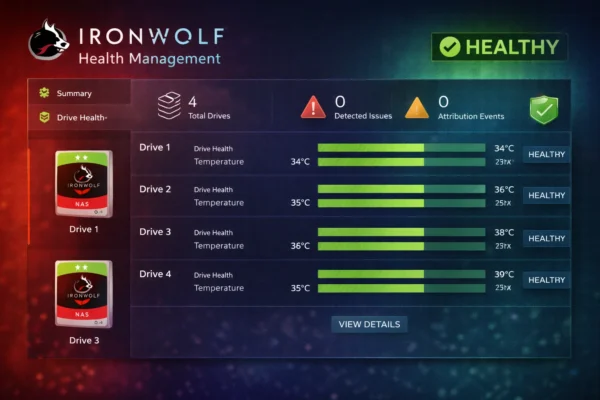
- SkyHawk Health Management
- Troubleshooting
- FAQ
SkyHawk Synology Compatibility (February 2026)
| SkyHawk Model | Synology Compatible | Surveillance Station | SkyHawk Health (DSM) |
|---|---|---|---|
| SkyHawk (Standard) | ✓ Fully Compatible | ✓ Optimized | ✓ Supported |
| SkyHawk AI | ✓ Fully Compatible | ✓ Optimized | ✓ Supported |
Synology Model Compatibility
| Synology Series | SkyHawk Compatible | Free Licenses |
|---|---|---|
| Plus Series (DS224+, DS423+, DS923+, DS925+) | ✓ Yes | 2 included |
| Value Series (DS223j, DS423) | ✓ Yes | 2 included |
| 2025 Series (DS925+, DS1525+) | ✓ Yes (DSM 7.3+) | 2 included |
Note: For 2025 Synology models, ensure DSM 7.3+ is installed.
Why SkyHawk for Surveillance Station?
ImagePerfect Technology
- Minimizes dropped frames during 24/7 recording
- Optimized for sequential writes (video recording pattern)
- Support for up to 64 cameras per drive
Included Rescue Data Recovery
- 3-year in-house recovery service included ($500+ value)
- Covers physical damage, accidental deletion, corruption
- 95% success rate for data recovery
- Major advantage over WD Purple (which doesn’t include recovery)
SkyHawk Health Management (SHM)
- Integrates with Synology DSM for enhanced monitoring
- Prevention: Monitors drive health indicators
- Intervention: Suggests actions when issues detected
- Recovery: Integrates with Rescue service
SkyHawk Models for Synology (2026 Pricing)
SkyHawk Standard
| Model | Capacity | RPM | Workload | Price | Best For |
|---|---|---|---|---|---|
| ST4000VX016 | 4TB | 5400 | 180TB/yr | $85 | 2-4 cameras |
| ST6000VX009 | 6TB | 5400 | 180TB/yr | $109 | 4-6 cameras |
| ST8000VX010 | 8TB | 7200 | 180TB/yr | $139 | 8-12 cameras |
| ST10000VX0004 | 10TB | 7200 | 180TB/yr | $179 | 10-16 cameras |
| ST12000VX0008 | 12TB | 7200 | 180TB/yr | $209 | 16-24 cameras |
Seagate SkyHawk 8TB (ST8000VX010)
8TB | 7200 RPM | CMR | 256MB Cache | 180TB/year | ImagePerfect | 3-Year Rescue
Best value surveillance drive with included Rescue service. ImagePerfect firmware prevents dropped frames. 7200 RPM for fast playback. Ideal for home Synology surveillance.
SkyHawk AI (Enterprise/Analytics)
| Model | Capacity | Workload | AI Streams | Price |
|---|---|---|---|---|
| ST8000VE001 | 8TB | 550TB/yr | 32 | $285 |
| ST12000VE001 | 12TB | 550TB/yr | 32 | $339 |
| ST16000VE002 | 16TB | 550TB/yr | 32 | $399 |
| ST20000VE002 | 20TB | 550TB/yr | 32 | $469 |
| ST24000VE002 | 24TB | 550TB/yr | 32 | $549 |
Seagate SkyHawk AI 12TB (ST12000VE001)
12TB | 7200 RPM | CMR | 256MB Cache | 550TB/year | 32 AI Streams | 5-Year Warranty
Enterprise surveillance with AI analytics support. 550TB/year workload and 32 AI stream support for deep learning NVR. 5-year warranty with Rescue service for business reliability.
SkyHawk vs SkyHawk AI
| Feature | SkyHawk | SkyHawk AI |
|---|---|---|
| Workload rating | 180TB/year | 550TB/year |
| AI stream support | No | 32 streams |
| Max cameras | 64 | 64 + AI |
| Warranty | 3 years | 5 years |
| MTBF | 1M hours | 2M hours |
| Price (8TB) | $139 | $285 |
| Best for | Home/SMB | Enterprise/AI |
Choose SkyHawk AI when: AI-enabled cameras, video analytics, 16+ cameras, enterprise SLA requirements.
Related:SkyHawk Complete Guide | SkyHawk vs SkyHawk AI
SkyHawk vs WD Purple for Synology
| Feature | SkyHawk 8TB | WD Purple 8TB | Winner |
|---|---|---|---|
| Price | $139 | $145 | SkyHawk (-$6) |
| Workload | 180TB/yr | 360TB/yr | Purple |
| Data Recovery | 3-yr Rescue included | Not included | SkyHawk |
| Health Monitoring | SHM (DSM integration) | Standard SMART | SkyHawk |
| RPM | 7200 | 5640 | SkyHawk (faster) |
| Frame Prevention | ImagePerfect | AllFrame AI | Tie |
Choose SkyHawk if:
- Data recovery service is important (Rescue included)
- You want SkyHawk Health Management in DSM
- Budget is a priority (slightly cheaper)
- Faster playback preferred (7200 RPM)
Choose WD Purple if:
- Higher workload rating needed (360TB/yr vs 180TB/yr)
- More cameras (12+ at high bitrate)
- Prefer WD brand
Our verdict: For most home Synology surveillance users, SkyHawk offers better value due to the included Rescue service and DSM health integration. For heavy workloads, WD Purple’s higher rating is advantageous.
Related:WD Purple vs Seagate SkyHawk Comparison
Complete Setup Guide: SkyHawk in Synology
Step 1: Physical Installation
- Power off your Synology NAS completely
- Remove drive tray from the bay you want to use
- Mount the SkyHawk drive using included screws or tool-free clips
- Slide tray back into the bay until it clicks
- Lock the tray if your model has security locks
- Power on the NAS and wait for boot sequence
Step 2: Initialize in DSM
- Log into DSM web interface
- Open Storage Manager
- Verify SkyHawk appears in HDD/SSD section
- Click Create > Create Storage Pool
- Select RAID type:
- SHR — Recommended for flexibility
- SHR-2 — Two-drive redundancy for critical footage
- RAID 5 — If you need RAID portability
- Select your SkyHawk drive(s)
- Choose Btrfs file system
- Complete wizard and wait for initialization
Step 3: Enable SkyHawk Health Management
- In Storage Manager, go to HDD/SSD
- Select your SkyHawk drive
- Click Health Info
- SkyHawk Health Management should auto-detect
- Review enhanced health metrics
- Configure alert thresholds as needed
Step 4: Configure Surveillance Station
- Install Surveillance Station from Package Center
- Launch Surveillance Station
- Add cameras via IP Camera > Add
- Configure recording settings:
- Set encoding (H.265 recommended)
- Choose frame rate (15-30fps)
- Configure recording schedule
- Set retention period
Step 5: Optimize for SkyHawk
DSM Settings:
- Disable HDD Hibernation for surveillance volumes
- Enable Write Cache for better performance
- Configure email alerts for SkyHawk Health warnings
Surveillance Station Settings:
- Recording format: H.265 (50% storage savings)
- Frame rate: 15fps standard, 30fps for detail
- Pre-recording: 5-10 seconds
- Motion detection: Enable to reduce writes
Capacity Planning
Storage Calculator
| Cameras | Resolution | FPS | 30-Day Storage | Recommended SkyHawk |
|---|---|---|---|---|
| 2 | 1080p | 15 | ~500GB | 4TB |
| 4 | 1080p | 15 | ~1TB | 4TB |
| 8 | 1080p | 15 | ~2TB | 4-8TB |
| 8 | 1080p | 30 | ~4TB | 8TB |
| 16 | 1080p | 15 | ~4TB | 8TB |
| 8 | 4K | 15 | ~8TB | 12TB |
| 16 | 4K | 15 | ~16TB | SkyHawk AI 20TB |
Retention Period Examples
For 8 cameras at 1080p, 15fps (~4Mbps each):
| Configuration | Usable Capacity | Approx. Retention |
|---|---|---|
| 2x SkyHawk 4TB (SHR) | 4TB | ~45 days |
| 2x SkyHawk 8TB (SHR) | 8TB | ~90 days |
| 4x SkyHawk 8TB (SHR) | 24TB | ~270 days |
| 4x SkyHawk 12TB (SHR) | 36TB | ~400+ days |
Synology Model + SkyHawk Configurations
| Synology | Cameras | SkyHawk Config | Usable | Approx Cost |
|---|---|---|---|---|
| DS224+ | 2-8 | 2x SkyHawk 8TB | 8TB | ~$578 |
| DS423+ | 8-16 | 4x SkyHawk 8TB | 24TB | ~$1,006 |
| DS923+ | 8-16 | 4x SkyHawk 8TB | 24TB | ~$1,155 |
| DS1522+ | 16-32 | 5x SkyHawk AI 12TB | 48TB | ~$2,395 |
Understanding SkyHawk Health Management
Key Metrics Monitored
| Metric | What It Monitors | Warning Threshold |
|---|---|---|
| Command Timeout Count | Drive response failures | Any increase |
| Reallocated Sector Count | Bad sectors replaced | >5 sectors |
| Pending Sector Count | Sectors awaiting reallocation | >0 sectors |
| Operating Temperature | Drive temperature | >45°C sustained |
| Workload Indicator | Annual TB written | Near 180TB/year |
SHM Benefits in DSM
- Early failure prediction — Warnings before data loss
- Integrated alerts — DSM notifications and email
- Trend analysis — Track drive health over time
- Rescue integration — Streamlined recovery process if needed
Setting Up SHM Alerts
- Open Control Panel > Notification
- Configure email settings
- Enable notifications for storage warnings
- Download Synology DS Finder app for push notifications
Troubleshooting
Drive Not Detected
Solutions:
- Update DSM to 7.3+ for 2025 Synology models
- Reseat the drive — Remove and reinsert firmly
- Try different bay — Rule out bay issues
- Test in PC — Verify drive functions
- Check power — Ensure PSU can handle all drives
SkyHawk Health Management Not Showing
Solutions:
- Verify drive is genuine SkyHawk (check serial with Seagate)
- Update DSM to latest version
- Rescan drives in Storage Manager
- Contact Seagate support if issue persists
Dropped Frames in Recordings
Solutions:
- Check network bandwidth to cameras
- Reduce camera bitrate if bandwidth limited
- Enable hardware acceleration in Surveillance Station
- Verify drive isn’t at capacity (keep below 80%)
- Check for SMART warnings in Storage Manager
Drive Running Hot
Solutions:
- Ensure NAS fans are functioning
- Clean dust from vents and fans
- Improve ambient cooling
- Target operating temp below 45°C
Using Seagate Rescue Service
If you experience data loss:
- Visit Seagate’s Rescue portal online
- Create a recovery case with your drive serial
- Ship drive to Seagate facility (prepaid label provided)
- Seagate attempts recovery (95% success rate)
- Recovered data returned on new drive or media
Coverage includes: Physical damage, electrical failure, accidental deletion, corruption, natural disasters.
Technical Deep Dive: SkyHawk Technology
ImagePerfect Technology Explained
ImagePerfect is Seagate’s surveillance optimization that makes SkyHawk ideal for Surveillance Station:
How ImagePerfect works:
- Write caching optimization: Prioritizes frame writes over other operations
- Error recovery management: Handles write errors without dropping frames
- ATA streaming support: Efficient sequential video writes
- RV sensors: Vibration tolerance for multi-drive NAS systems
Real-world benefit: ImagePerfect reduces frame drops to near-zero even during heavy multi-camera recording, ensuring complete security footage.
Rescue Data Recovery Service Deep Dive
The included Rescue service is SkyHawk’s major competitive advantage:
What’s covered (3-year plan):
- Physical damage: Dropped drives, water/fire damage
- Logical failures: Corruption, accidental deletion, virus damage
- Electronic failures: PCB damage, head crashes
- Natural disasters: Flood, earthquake, power surge
How it works:
- Contact Seagate when data loss occurs
- Create recovery case with drive serial number
- Ship drive to Seagate facility (prepaid label)
- Professional recovery attempt (95% success rate)
- Data returned on new drive or media of choice
- No additional cost — included with purchase
Value calculation:
- Professional data recovery typically costs $500-$1,500
- SkyHawk includes this FREE for 3 years
- Effectively adds $500+ value per drive
AgileArray Technology
SkyHawk includes Seagate’s AgileArray for NAS environments:
- Dual-plane balancing: Reduces vibration in multi-drive systems
- RAID optimization: Firmware tuned for RAID/SHR operations
- Error Recovery Control: Prevents drive drops from arrays
- Low power operation: Reduces heat in 24/7 systems
Cost Analysis: SkyHawk Value Proposition
Effective Cost with Rescue Service
| Drive | Purchase Price (4x 8TB) | Rescue Value | Effective Cost |
|---|---|---|---|
| SkyHawk 8TB | $556 | +$2,000 (4 drives) | -$1,444 effective |
| WD Purple 8TB | $580 | Not included | $580 |
| WD Red Plus 8TB | $596 | Not included | $596 |
Value analysis: When factoring Rescue service value, SkyHawk offers exceptional value for users who care about data protection.
4-Year Total Cost Comparison
| Scenario | SkyHawk | WD Purple | Desktop Drive |
|---|---|---|---|
| Initial purchase (4x 8TB) | $556 | $580 | $400 |
| Expected replacements | $139 (1) | $145 (1) | $200 (2) |
| Data recovery (if needed) | $0 | $500+ | $500+ |
| Best case total | $695 | $725 | $600 |
| Worst case total | $695 | $1,225 | $1,100 |
Migration and Expansion
Adding SkyHawk to Existing Synology
- Check available bays in your Synology model
- Purchase matching or larger capacity SkyHawk
- Hot-add if supported (most Plus models), or power down
- Install drive in available bay
- Expand storage pool via Storage Manager
- Wait for expansion to complete
Migrating from WD Purple to SkyHawk
Both drives work identically — migration is simple:
- Replace one drive at a time in RAID/SHR
- Wait for rebuild between each swap
- No configuration changes needed
- Gain SkyHawk Health Management + Rescue service
Migrating from Desktop Drives
If experiencing issues with desktop drives:
- Back up critical footage immediately
- Replace drives systematically (one at a time for RAID)
- Monitor for improvements in frame drops and performance
- Enable SkyHawk Health Management after migration
SkyHawk Warranty Details
Coverage Summary
| Model | Hardware Warranty | Rescue Service | Workload Limit |
|---|---|---|---|
| SkyHawk (Standard) | 3 years | 3 years included | 180TB/year |
| SkyHawk AI | 5 years | 3 years included | 550TB/year |
Warranty Claim Process
- Visit Seagate Support website
- Enter drive serial for warranty verification
- Create RMA request
- Ship drive (prepaid label provided)
- Receive replacement (typically 5-7 business days)
Advanced Configuration Tips
Dedicated Surveillance Volume
For best performance, create a dedicated volume for Surveillance Station:
- Create separate storage pool with SkyHawk drives
- Create dedicated volume for surveillance
- Configure Surveillance Station to use only this volume
- Disable unnecessary services on surveillance volume
Benefits:
- Surveillance writes isolated from other activities
- Easier capacity monitoring for cameras
- Optimized performance for recording workload
Network Optimization for Surveillance
Camera network recommendations:
- Use wired connections — WiFi causes dropped frames
- Dedicated VLAN for camera traffic
- PoE switches for simplified deployment
- Sufficient bandwidth: 1Gbps to NAS minimum
Bandwidth calculation:
- 1080p @ 15fps ≈ 4 Mbps per camera
- 4K @ 15fps ≈ 15 Mbps per camera
- 8 cameras at 1080p = 32 Mbps (easily fits gigabit)
- 16 cameras at 4K = 240 Mbps (consider 2.5GbE)
Expansion Considerations
| Synology Model | Expansion Unit | Additional Bays | Notes |
|---|---|---|---|
| DS923+ | DX517 | +5 | eSATA connection |
| DS925+ | DX525 | +5 | USB-C connection |
| DS1522+ | DX517 (x2) | +10 | Up to 15 total |
Best practice: Use matching SkyHawk drives in expansion units for consistent performance and health monitoring.
SkyHawk vs Competition for Synology
| Feature | SkyHawk | WD Purple | IronWolf (NAS) |
|---|---|---|---|
| Surveillance Optimized | ✓ ImagePerfect | ✓ AllFrame AI | ✗ No |
| Price (8TB) | $139 | $145 | $159 |
| Workload (8TB) | 180TB/year | 360TB/year | 180TB/year |
| Data Recovery | ✓ 3-year Rescue | ✗ Not included | ✓ 3-year Rescue |
| DSM Health Integration | ✓ SkyHawk Health | Standard SMART | ✓ IronWolf Health |
| Best For | Value + protection | Heavy surveillance | General NAS |
Our recommendation:
- Budget + data protection: SkyHawk (best value with Rescue)
- Heavy surveillance (12+ cameras): WD Purple (higher workload)
- Mixed NAS + surveillance: IronWolf (flexible)
Common Questions About SkyHawk in Synology
Can I use SkyHawk for general NAS storage?
Yes, but it’s not optimal. SkyHawk is optimized for sequential surveillance writes. For general file storage with mixed read/write, Seagate IronWolf provides better performance. However, SkyHawk will work adequately for light general use alongside surveillance.
Is SkyHawk AI worth the premium?
For most home users, standard SkyHawk is sufficient. SkyHawk AI is worth considering when:
- You have AI-enabled cameras with analytics
- More than 16 cameras
- Need video analytics processing
- Enterprise requirements or 5-year warranty needed
Should I register my Rescue service?
Registration is automatic via serial number. However, it’s good practice to:
- Create a Seagate account
- Register your drives for easier tracking
- Keep purchase receipts as backup proof
Frequently Asked Questions
Yes, fully compatible. SkyHawk works with all Synology models and includes SkyHawk Health Management integration with DSM. After DSM 7.3, there are no third-party drive restrictions.
SkyHawk offers better value for most users due to included Rescue Data Recovery service and DSM health integration. Choose WD Purple if you need higher workload rating (360TB/yr vs 180TB/yr) for heavy surveillance use.
SkyHawk Health Management (SHM) is Seagate’s drive monitoring system that integrates with Synology DSM . It provides enhanced health monitoring, early failure warnings, and connects to Seagate’s Rescue service. It’s included with all SkyHawk drives.
Standard SkyHawk is sufficient for most home surveillance (up to 12 cameras). Choose SkyHawk AI for AI-enabled cameras, video analytics, more than 16 cameras, or enterprise requirements needing 5-year warranty.
Yes. The 3-year Rescue Data Recovery service included with SkyHawk covers data loss from physical damage, corruption, or accidental deletion — regardless of whether the drive was in a Synology NAS or other system.
Technical Deep Dive: SkyHawk in Synology
ImagePerfect Technology Explained
Seagate’s ImagePerfect is the surveillance optimization that makes SkyHawk ideal for Surveillance Station:
How ImagePerfect works:
- Write caching optimization — Prioritizes frame writes over other operations
- Error recovery management — Handles write errors without dropping frames
- Streaming command support — Uses ATA streaming for efficient video writes
- Vibration tolerance — RV sensors maintain performance in multi-drive NAS
Real-world benefit: ImagePerfect reduces frame drops to near-zero even when recording from many cameras simultaneously, ensuring complete security footage.
Rescue Data Recovery Service Deep Dive
The included Rescue service is SkyHawk’s major advantage:
What’s covered:
- Physical damage — Dropped drives, water damage, fire damage
- Logical failures — Corruption, accidental deletion, virus damage
- Electronic failures — PCB damage, head crashes
- Natural disasters — Flood, earthquake, power surge damage
How it works:
- Contact Seagate when data loss occurs
- Ship drive to Seagate recovery facility
- Professional recovery attempt (95% success rate)
- Data returned on new drive or media of choice
- No additional cost — included with drive purchase
Value calculation:
- Professional data recovery typically costs $500-$1,500
- SkyHawk includes this service FREE for 3 years
- Effectively adds $500+ value to each drive purchase
AgileArray Technology
SkyHawk includes Seagate’s AgileArray for NAS environments:
- Dual-plane balancing — Reduces vibration in multi-drive systems
- RAID optimization — Firmware tuned for RAID/SHR operations
- Streaming support — Handles multiple simultaneous streams
- Low power operation — Reduces heat in 24/7 systems
Advanced SkyHawk Health Management
SHM Metrics Explained
| Metric | What It Monitors | Action Threshold |
|---|---|---|
| Command Timeout | Drive response failures | Any increase — investigate |
| Reallocated Sectors | Bad sectors replaced | >5 — plan replacement |
| Pending Sectors | Sectors awaiting reallocation | Any — monitor closely |
| Temperature | Operating temperature | >45°C — improve cooling |
| Workload | TB written/read | Approaching annual limit |
Setting Up SHM Alerts in DSM
- Open Storage Manager > HDD/SSD
- Select your SkyHawk drive
- Click Health Info
- Enable SkyHawk Health Management
- Go to Control Panel > Notification
- Configure email alerts for drive warnings
- Set up push notifications to mobile app
SkyHawk Configuration Best Practices
Optimal RAID Configuration
| Scenario | Drives | RAID Type | Why |
|---|---|---|---|
| Home (2-8 cams) | 2x SkyHawk | SHR | Simple redundancy |
| SMB (8-16 cams) | 4x SkyHawk | SHR | Capacity + redundancy |
| Business (16+ cams) | 5x SkyHawk AI | SHR-2 | Two-drive fault tolerance |
Recording Optimization
For maximum SkyHawk lifespan:
- Use H.265 encoding — 50% less writes than H.264
- Enable motion detection — Reduces continuous recording
- Set appropriate retention — Don’t overfill drives
- Keep drives below 80% capacity — Maintains performance
Network Optimization
To get the most from SkyHawk in Surveillance Station:
- Use wired connections for all cameras (not WiFi)
- Dedicated VLAN for camera traffic
- PoE switches for simplified cabling
- Gigabit minimum to NAS (2.5GbE better)
Cost Comparison: SkyHawk vs Alternatives
4-Year Total Cost of Ownership
| Drive | 4x 8TB Cost | Rescue Value | Effective Cost |
|---|---|---|---|
| SkyHawk 8TB | $556 | +$500 included | $56 effective |
| WD Purple 8TB | $580 | Not included | $580 |
| WD Red Plus 8TB | $596 | Not included | $596 |
Value proposition: When you factor in the Rescue service value, SkyHawk offers the best overall value for Synology surveillance users who want data protection.
Migrating to SkyHawk
From Desktop Drives
If experiencing issues with desktop drives:
- Back up critical footage immediately
- Replace one drive at a time (wait for rebuild)
- Verify recordings after each replacement
- Enable SkyHawk Health Management after migration
From WD Purple
Both drives work identically — simple drive replacement:
- Same RAID/SHR compatibility
- Same Surveillance Station integration
- Gain SkyHawk Health Management + Rescue service
Final Recommendations
Choose Seagate SkyHawk if:
- Data recovery service is important (Rescue included)
- You want SkyHawk Health Management integration in DSM
- Budget is a priority (slightly cheaper than WD Purple)
- You prefer faster playback (7200 RPM)
- Home or small business surveillance (up to 12 cameras)
Choose SkyHawk AI if:
- AI-enabled cameras with video analytics
- More than 16 cameras
- Enterprise requirements with 5-year warranty
- Heavy workload (550TB/year rating)
Consider WD Purple instead if:
- Higher workload rating needed (360TB/year vs 180TB/year)
- 12+ cameras at high bitrates
- Data recovery is not a priority
Related Guides
Seagate Guides
- Seagate SkyHawk Complete Guide
- Seagate SkyHawk AI Guide
- SkyHawk vs SkyHawk AI Comparison
- WD Purple vs Seagate SkyHawk
Synology Guides
- Synology NAS Storage Guide
- Synology HDD Compatibility 2026
- Synology Surveillance NAS Guide
- Synology Compatible Drives Database
- Best Synology NAS 2026
Surveillance Guides
- Complete Surveillance Drives Guide
- Surveillance Storage Calculator
- WD Purple Synology Guide
- Best NVR Hard Drive Guide
Last updated: February 2026. Prices and compatibility verified against current DSM 7.3+ and retailer listings.