Surveillance Drive Lifespan: How Long Do WD Purple & SkyHawk Last?

Quick Answer+
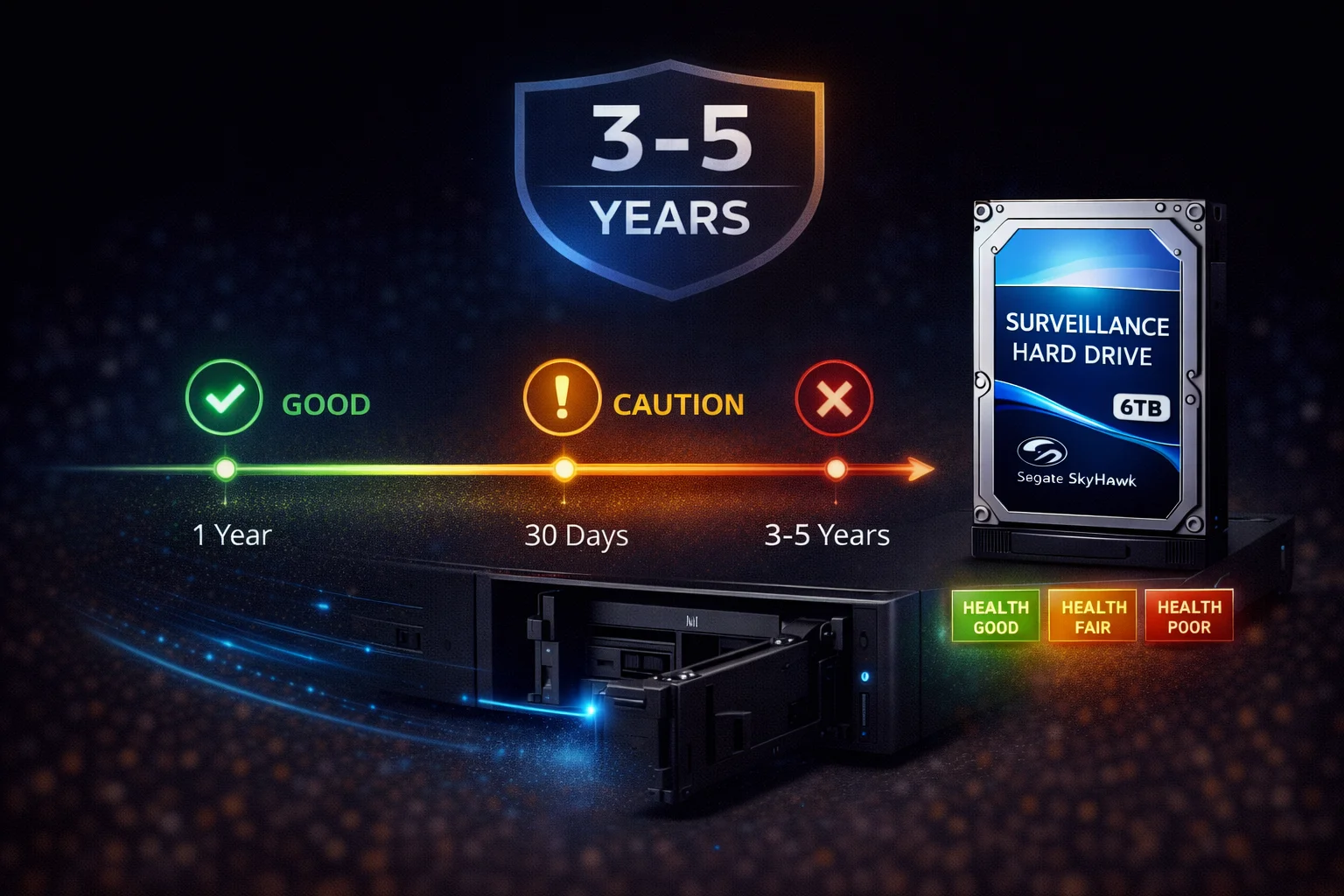
Quick Answer: Surveillance hard drives typically last 3-5 years in 24/7 DVR/NVR operation. WD Purple has a 1 million hour MTBF; Purple Pro reaches 2.5 million hours. These are statistical measures, not guarantees — individual drives can fail earlier or last longer. For critical systems, plan proactive replacement at 3-4 years. Monitor S.M.A.R.T. data and watch for warning signs like increasing errors, slow performance, or unusual sounds.
WD Purple 8TB (WD85PURZ)
8TB Capacity | CMR Recording | 360TB/year Workload | 1 Million Hour MTBF | AllFrame Technology | 3-Year Warranty
Designed for 24/7 surveillance with 1 million hour MTBF. The 360TB/year workload rating on 8TB+ models provides extra reliability headroom for demanding systems.
One of the most common questions about surveillance storage is “How long will my hard drive last?” The answer depends on several factors, including drive quality, operating conditions, and workload. This guide explains what to expect from surveillance drives, how to maximize lifespan, and when to replace them.
Expected Lifespan by Drive Type
| Drive Type | MTBF Rating | Typical Lifespan (24/7) | Warranty |
|---|---|---|---|
| WD Purple | 1.0M hours | 3-5 years | 3 years |
| Seagate SkyHawk | 1.0M hours | 3-5 years | 3 years |
| Toshiba S300 | 1.0M hours | 3-5 years | 3 years |
| WD Purple Pro (12TB+) | 2.5M hours | 4-7 years | 5 years |
| SkyHawk AI | 2.0M hours | 4-6 years | 5 years |
| Desktop drives (not recommended) | ~0.5M hours | 6-18 months | 2 years |
Key insight: Surveillance drives last 3-5x longer than desktop drives in 24/7 applications. The premium is worth it.
Understanding MTBF
What MTBF Really Means
MTBF (Mean Time Between Failures) is often misunderstood:
- It’s NOT a guarantee of how long your specific drive will last
- It’s a statistical measure across a large population of drives
- 1 million hours ≈ 114 years — obviously no single drive lasts that long
What MTBF actually tells you: The relative reliability compared to other drives. Higher MTBF = better quality components and design.
MTBF in Practice
| MTBF Rating | Interpretation | Expected Failure Rate |
|---|---|---|
| 500,000 hours | Consumer-grade | Higher |
| 1,000,000 hours | Standard surveillance | Moderate |
| 2,000,000 hours | Enterprise-class | Lower |
| 2,500,000 hours | Premium enterprise | Lowest |
Real-world translation: A drive with 2.5M MTBF (like WD Purple Pro) is roughly 2.5x more reliable than one with 1M MTBF — better components, tighter tolerances, more robust design.
Factors That Affect Drive Lifespan
1. Temperature
The single biggest factor in hard drive longevity:
| Temperature | Effect on Lifespan | Action |
|---|---|---|
| 25-35°C | Optimal — maximum lifespan | Ideal range |
| 35-45°C | Acceptable — normal lifespan | Monitor |
| 45-55°C | Elevated — reduced lifespan | Improve cooling |
| 55°C+ | Dangerous — accelerated failure | Immediate action |
Rule of thumb: For every 10°C above optimal, failure rate roughly doubles.
Solutions for high temperatures:
- Add case fans to NVR enclosure
- Ensure adequate ventilation around NVR
- Don’t stack equipment on top of NVR
- Consider air conditioning for server rooms
- Mount NVR away from heat sources
2. Workload
Drives are rated for specific annual workloads:
| Drive | Workload Rating | Typical Usage | Impact on Life |
|---|---|---|---|
| Desktop drives | 55 TB/year | Light use | Fail quickly in surveillance |
| WD Purple (2-6TB) | 180 TB/year | ~0.5 TB/day | Normal wear |
| WD Purple (8TB+) | 360 TB/year | ~1 TB/day | Normal wear |
| SkyHawk | 180 TB/year | ~0.5 TB/day | Normal wear |
| Purple Pro / SkyHawk AI | 550 TB/year | ~1.5 TB/day | AI workloads OK |
Exceeding workload rating: Accelerates wear and voids warranty. Size your drive appropriately.
3. Power Quality
Unstable power damages drives:
- Power surges: Can damage electronics instantly
- Brownouts: Cause head parking/unparking stress
- Sudden shutoffs: Risk of data corruption and head crash
Solutions:
- Use a UPS (Uninterruptible Power Supply)
- Install surge protectors
- Ensure stable voltage supply
- Enable NVR’s graceful shutdown on power loss
4. Vibration
Physical vibration affects drive accuracy:
- Multi-drive systems: Drives vibrate each other
- Loose mounting: Causes resonance
- External sources: HVAC, foot traffic, machinery
Why surveillance drives handle this better:
- RV (Rotational Vibration) sensors compensate in real-time
- Tarnish-resistant components handle harsh environments
- Designed for multi-bay NVR enclosures
5. Power Cycles
Starting and stopping stresses drives:
| Specification | WD Purple | Desktop Drive |
|---|---|---|
| Load/Unload Cycles | 300,000 | ~50,000 |
| Start/Stop Cycles | Designed for 24/7 | Limited |
Best practice: Leave surveillance systems running 24/7 rather than frequently powering on/off.
Warning Signs of Drive Failure
Early Warning Signs (Action: Plan Replacement)
- Increasing S.M.A.R.T. errors — Check regularly with monitoring tools
- Occasional slow performance — Sectors taking longer to read/write
- Intermittent “drive not found” — Connection issues or electronics failing
- NVR reporting “bad sectors” — Physical media deteriorating
- Corrupted video files — Write errors occurring
Imminent Failure Signs (Action: Replace Immediately)
- Clicking sounds — Head crash in progress
- Grinding/scraping — Physical damage to platters
- Frequent disconnects — Electronics failing
- Extremely slow performance — Massive sector issues
- S.M.A.R.T. status “Caution” or “Bad” — Drive predicting own failure
S.M.A.R.T. Attributes to Monitor
| Attribute | What It Means | Warning Threshold |
|---|---|---|
| Reallocated Sector Count | Bad sectors replaced with spares | Any value > 0 |
| Current Pending Sector | Sectors awaiting reallocation | Any value > 0 |
| Uncorrectable Sector Count | Sectors that couldn’t be recovered | Any value > 0 |
| Spin Retry Count | Failed spin-up attempts | Any increase |
| Reported Uncorrectable Errors | Read/write errors | Any value > 0 |
| Temperature | Current operating temp | > 50°C sustained |
Maximizing Drive Lifespan
Installation Best Practices
- Use all mounting screws — Prevents vibration damage
- Quality SATA cables — Cheap cables cause connection issues
- Don’t overfill enclosure — Maintain airflow
- Proper orientation — Horizontal preferred, but vertical works
Operating Best Practices
- Keep temps below 45°C — Add cooling if needed
- Use UPS — Prevent sudden power loss
- Don’t fill drive to 100% — Keep 10-15% free
- Stay within workload rating — Size drive appropriately
- Run 24/7 — Avoid frequent power cycling
Monitoring Best Practices
- Check S.M.A.R.T. monthly — Use CrystalDiskInfo or similar
- Monitor NVR logs — Look for drive errors
- Track temperature trends — Rising temps indicate problems
- Test playback periodically — Verify recordings are accessible
When to Replace Surveillance Drives
Proactive Replacement Schedule
| System Criticality | Replace At | Rationale |
|---|---|---|
| Critical (business, legal) | 3 years | Before typical failure window |
| Important (home security) | 4 years | Balance cost vs risk |
| Non-critical (secondary) | 5+ years or at failure | Run until issues appear |
Replace Immediately If:
- S.M.A.R.T. shows any reallocated or pending sectors
- Clicking, grinding, or unusual sounds
- Frequent drive errors in NVR logs
- Corrupted recordings appearing
- Drive exceeding 5 years in 24/7 use
Consider Replacement If:
- Drive approaching 4 years old
- Upgrading to larger capacity anyway
- Temperature consistently high
- Workload has increased (more cameras)
Cost of Replacement vs Failure
| Scenario | Cost | Downtime |
|---|---|---|
| Proactive replacement | ~$145 (8TB drive) | 30 minutes |
| Failure without backup | $145 + lost footage | Hours to days |
| Failure with data recovery | $500-2,000+ | Days to weeks |
Conclusion: Proactive replacement is always cheaper than failure.
Recommended Replacement Drives
Standard Surveillance
| Drive | MTBF | Price | Best For |
|---|---|---|---|
| WD Purple 8TB | 1M hours | ~$145 | Most systems |
| SkyHawk 8TB | 1M hours | ~$139 | Budget + Rescue |
| WD Purple 12TB | 1M hours | ~$199 | Higher capacity |
Maximum Reliability
| Drive | MTBF | Price | Best For |
|---|---|---|---|
| WD Purple Pro 18TB | 2.5M hours | ~$380 | Critical systems, AI |
| SkyHawk AI 16TB | 2.0M hours | ~$285 | AI + Rescue service |
Frequently Asked Questions
WD Purple drives typically last 3-5 years in 24/7 surveillance operation. The 1 million hour MTBF rating indicates good reliability. Actual lifespan depends on temperature, workload, and power stability. Monitor S.M.A.R.T. data and replace proactively after 3-4 years for critical systems.
Seagate SkyHawk drives have similar longevity to WD Purple — expect 3-5 years in 24/7 use. SkyHawk’s advantage is the included Rescue Data Recovery service, which can recover footage if a drive does fail during the 3-year coverage period.
MTBF (Mean Time Between Failures) is a statistical reliability measure, not a lifespan guarantee. 1 million hours (~114 years) doesn’t mean your drive will last that long. It means across a large population of drives, failures would average out to one every 1 million hours of combined operation. Higher MTBF = better reliability.
For critical systems, replace proactively at 3 years. For standard use, 4 years is reasonable. Replace immediately if you see S.M.A.R.T. errors (reallocated sectors), hear clicking sounds, or experience frequent drive errors. Don’t wait for complete failure.
Yes, significantly. Surveillance drives are designed for 24/7 operation with 180-550TB/year workload ratings. Desktop drives (WD Blue, Barracuda) are rated for ~55TB/year and 8-12 hour daily use. In surveillance applications, desktop drives typically fail within 6-18 months, while surveillance drives last 3-5 years.
Yes, dramatically. Keep drives below 45°C for optimal lifespan. Above 50°C, failure rates increase significantly. For every 10°C above optimal, failure rate roughly doubles. Ensure adequate ventilation, consider adding fans, and monitor temperatures with S.M.A.R.T. tools.
Related Guides
Troubleshooting:
Drive Reviews:
Buying Guides:
Last updated: February 2026. Lifespan estimates based on typical 24/7 surveillance operation with proper cooling and power stability.