
Quick Answer+
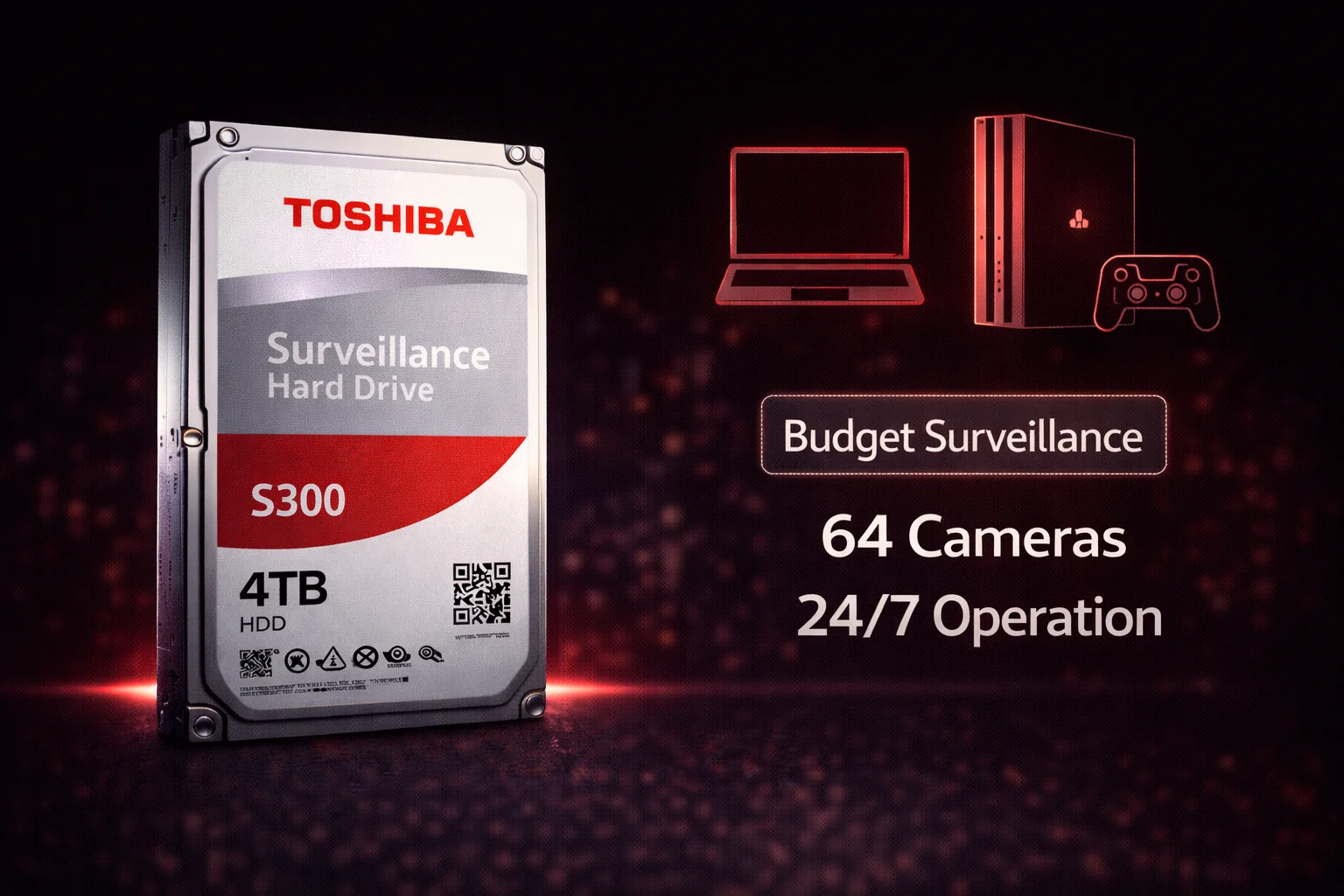
Quick Answer: The Toshiba S300 is the budget-friendly surveillance drive option, offering 24/7 operation, up to 64 camera support, and CMR technology at prices 10-20% below WD Purple and Seagate SkyHawk. Available in standard S300 (up to 6TB, 110-180TB/year workload) and S300 Pro (6-10TB, 7200 RPM, 300TB/year). Best value: The S300 4TB at ~$89 ($22.25/TB) for budget home systems. Best for: Cost-conscious buyers with smaller camera counts (under 16) where premium features aren’t needed. For larger or busier systems, WD Purple or SkyHawk are better choices.
Toshiba S300 4TB (HDWT140UZSVA)
4TB Capacity | 5400 RPM | 128MB Cache | CMR | 180TB/year Workload | Up to 64 Cameras | 3-Year Warranty
Budget-friendly surveillance drive with 24/7 operation support and CMR recording. Proper surveillance firmware at a lower price point than WD Purple or SkyHawk. Ideal for home systems with up to 8 cameras.
Not everyone needs the premium features of WD Purple or Seagate SkyHawk. The Toshiba S300 fills an important niche: reliable surveillance storage at a lower price point. For home security systems with 4-8 cameras where budget matters more than enterprise features, the S300 delivers the essentials.
Toshiba may not have the marketing presence of WD or Seagate in surveillance, but they’ve been making reliable hard drives for decades. The S300 series offers proper surveillance optimization — 24/7 operation, CMR technology, and multi-camera support — without the premium pricing.
Toshiba S300 vs Desktop Drives
Like all surveillance drives, the S300 differs fundamentally from desktop drives:
| Feature | Toshiba S300 | Desktop Drives |
|---|---|---|
| 24/7 Operation | ✓ Designed for continuous use | ✗ 8-12 hours/day typical |
| Workload Rating | 110-300TB/year | 55TB/year typical |
| Firmware | Surveillance-optimized | General purpose |
| Camera Support | Up to 64 HD streams | Not optimized |
| Error Handling | Reduced retries | Multiple retries |
| Recording Tech | CMR | Often SMR |
| RV Sensors | Yes | Usually no |
Bottom line: Even budget surveillance drives like S300 are significantly better than desktop drives for DVR/NVR use.
Toshiba S300 Current Prices
Browse all Toshiba S300 surveillance drives with current pricing:
| Product | Capacity | Price | $ / TB | Price Drop | Brand | Interface |
|---|
S300 vs S300 Pro: Two Tiers
Toshiba offers two surveillance tiers:
| Feature | S300 (Standard) | S300 Pro |
|---|---|---|
| Capacities | 2TB, 4TB, 6TB | 6TB, 8TB, 10TB |
| Workload | 110-180TB/year | 300TB/year |
| RPM | 5400 | 7200 |
| Cache | 128-256MB | 512MB |
| Camera Support | 32-64 | 64 |
| MTTF | 1.0M hours | 1.2M hours |
| Best For | Home systems | Small business |
Toshiba S300 Key Features
Dynamic Cache Technology
Toshiba’s approach to surveillance optimization:
- Buffer management: Optimizes cache for video write patterns
- Sustained performance: Maintains speed during continuous recording
- Multi-stream support: Handles multiple camera feeds efficiently
Rotational Vibration (RV) Sensors
- Multi-bay support: Compensates for vibration in DVRs with multiple drives
- Consistent accuracy: Prevents seek errors in vibration-prone environments
- Enterprise-derived: Technology from Toshiba’s enterprise drives
24/7 Operation Design
- Continuous recording: Rated for always-on surveillance use
- CMR technology: No SMR write penalties
- Thermal design: Manages heat in enclosed DVR chassis
Toshiba S300 Full Specifications
S300 Standard
| Capacity | Model | Workload | Cache | Cameras | Price | $/TB |
|---|---|---|---|---|---|---|
| 2TB | HDWT720UZSVA | 110TB/yr | 128MB | 32 | $55 | $27.50 |
| 4TB ★ | HDWT140UZSVAR | 110TB/yr | 128MB | 32 | $89 | $22.25 |
| 6TB | HDWT860UZSVA | 180TB/yr | 256MB | 64 | $119 | $19.83 |
S300 Pro
| Capacity | Model | Workload | Cache | RPM | Price | $/TB |
|---|---|---|---|---|---|---|
| 6TB | HDWTA60UZSVA | 300TB/yr | 512MB | 7200 | $149 | $24.83 |
| 8TB | HDWTA80UZSVAR | 300TB/yr | 512MB | 7200 | $179 | $22.38 |
| 10TB | HDWTA100UZSVAR | 300TB/yr | 512MB | 7200 | $199 | $19.90 |
★ Best budget value — S300 4TB offers affordable entry into proper surveillance storage.
Common Specifications
| Specification | S300 Standard | S300 Pro |
|---|---|---|
| Form Factor | 3.5-inch | 3.5-inch |
| Interface | SATA 6Gb/s | SATA 6Gb/s |
| RPM | 5400 | 7200 |
| Recording | CMR | CMR |
| MTTF | 1.0M hours | 1.2M hours |
| Warranty | 3 years | 3 years |
S300 vs WD Purple vs SkyHawk
How does the budget option compare to the premium brands?
| Feature | Toshiba S300 | WD Purple | SkyHawk |
|---|---|---|---|
| Workload (4TB) | 110TB/yr | 180TB/yr | 180TB/yr |
| Workload (8TB) | 300TB/yr (Pro) | 360TB/yr | 180TB/yr |
| Camera Support | 32-64 | 64 | 64 |
| Data Recovery | Not included | Not included | Rescue included ✓ |
| Health Monitoring | Basic | WDDA | SkyHawk Health Mgmt |
| Price (4TB) | ~$89 ✓ | ~$79 | ~$79 |
| Max Capacity | 10TB | 14TB | 12TB |
| Warranty | 3 years | 3 years | 3 years |
Choose Toshiba S300 if:
- Budget is the primary concern
- Running fewer than 16 cameras
- Home or light commercial use
- Don’t need advanced health monitoring
- Workload under 110-180TB/year
Choose WD Purple or SkyHawk if:
- Running 16+ cameras
- Need higher workload rating (especially WD Purple 8TB+ at 360TB/yr)
- Want advanced health monitoring
- Value included data recovery (SkyHawk)
- Need larger capacity (up to 14TB)
When S300 Makes Sense
Ideal Use Cases
- Home security: 2-8 cameras, motion-triggered recording
- Small retail: Basic surveillance without AI
- Budget-conscious builds: Where price trumps premium features
- Secondary/backup DVR: Non-critical redundant systems
- Entry-level NVR kits: Pre-packaged home security systems
When to Spend More
- 16+ cameras: Higher workload demands WD Purple or SkyHawk
- 4K recording: Larger data volumes benefit from higher-spec drives
- AI analytics: Requires WD Purple Pro or SkyHawk AI
- Critical footage: Business/legal requirements warrant premium drives
- Multi-drive RAID: Better vibration handling in premium brands
DVR/NVR Compatibility
Toshiba S300 works with all major DVR and NVR systems:
- Hikvision — Compatible
- Dahua — Compatible
- Lorex — Compatible
- Reolink — Compatible
- Amcrest — Compatible
- Swann — Compatible
- Synology Surveillance Station — Compatible
- QNAP Surveillance Station — Compatible
- Blue Iris — Compatible
Note: Any NVR/DVR using standard SATA drives will work with S300. No special compatibility requirements.
Capacity Planning
| System Size | Cameras | 30-Day Storage | Recommended |
|---|---|---|---|
| Home Basic | 2-4 | ~500GB | S300 2TB |
| Home Standard | 4-8 | ~1-2TB | S300 4TB |
| Home Advanced | 8-12 | ~2-3TB | S300 6TB |
| Small Business | 12-16 | ~4TB | S300 Pro 8TB |
| Larger Systems | 16+ | 6TB+ | Consider WD Purple |
Estimates based on 1080p, 15fps, H.265, motion-triggered recording.
Installation Tips
Physical Installation
- Secure mounting: Use all four screws
- Ventilation: Ensure airflow around drive
- Quality cables: Use good SATA cables
- Temperature: Keep DVR in ventilated location
Configuration
- Format: Let DVR handle formatting
- Overwrite: Enable auto-overwrite when full
- Recording mode: Motion-triggered saves space
- Monitor health: Check SMART data periodically
Model Number Reference
| Model | Series | Capacity | Notes |
|---|---|---|---|
| HDWT720UZSVA | S300 | 2TB | Entry-level |
| HDWT140UZSVAR | S300 | 4TB | Best budget value |
| HDWT860UZSVA | S300 | 6TB | 64 camera support |
| HDWTA60UZSVA | S300 Pro | 6TB | 7200 RPM upgrade |
| HDWTA80UZSVAR | S300 Pro | 8TB | Pro mid-range |
| HDWTA100UZSVAR | S300 Pro | 10TB | Pro max capacity |
Final Verdict: Should You Buy Toshiba S300?
The Toshiba S300 is the right choice when budget matters most and your system doesn’t demand premium features.
Buy Toshiba S300 if:
- Budget is your primary concern
- Running fewer than 16 cameras
- Home or light commercial surveillance
- Motion-triggered recording (not continuous)
- Don’t need advanced health monitoring or data recovery
Consider alternatives if:
- Running 16+ cameras — WD Purple has better workload ratings
- Want data recovery service — SkyHawk includes Rescue
- Need higher capacity — WD Purple goes to 14TB, SkyHawk to 12TB
- Using AI analytics — need Purple Pro or SkyHawk AI
Frequently Asked Questions
All Toshiba S300 drives use CMR (Conventional Magnetic Recording) . This is essential for surveillance — SMR causes severe performance issues under constant video writing. You don’t need to worry about SMR problems with S300.
S300 is a tier below in features but still a proper surveillance drive. S300 disadvantages: Lower workload rating (110-180TB vs 180-360TB), smaller max capacity (10TB vs 14TB), less advanced health monitoring. S300 advantages: Lower price, Toshiba reliability heritage. For budget home systems under 16 cameras, S300 is adequate. For busier systems, WD Purple or SkyHawk are better.
S300 Standard: 5400 RPM, 110-180TB/year workload, up to 6TB. S300 Pro: 7200 RPM, 300TB/year workload, 6-10TB, 512MB cache, 1.2M hour MTTF. Choose S300 Pro for busier systems or when you need the higher workload rating.
Yes, S300 works in NAS systems, but Toshiba N300 is better optimized for general NAS use. S300’s firmware is tuned for video recording. For NAS running Surveillance Station exclusively, S300 is fine. For mixed NAS use, choose N300.
Related Guides
Surveillance Drives:
- All Surveillance Drives — Complete buying guide
- WD Purple — Premium alternative
- Seagate SkyHawk — Premium alternative
Comparisons:
Toshiba Lineup:
- Toshiba N300 — NAS drives
- All Toshiba Drives
Capacity Guides:
Last updated: February 2026. Prices subject to change. Check current deals on our Surveillance Drives page.