
Quick Answer+
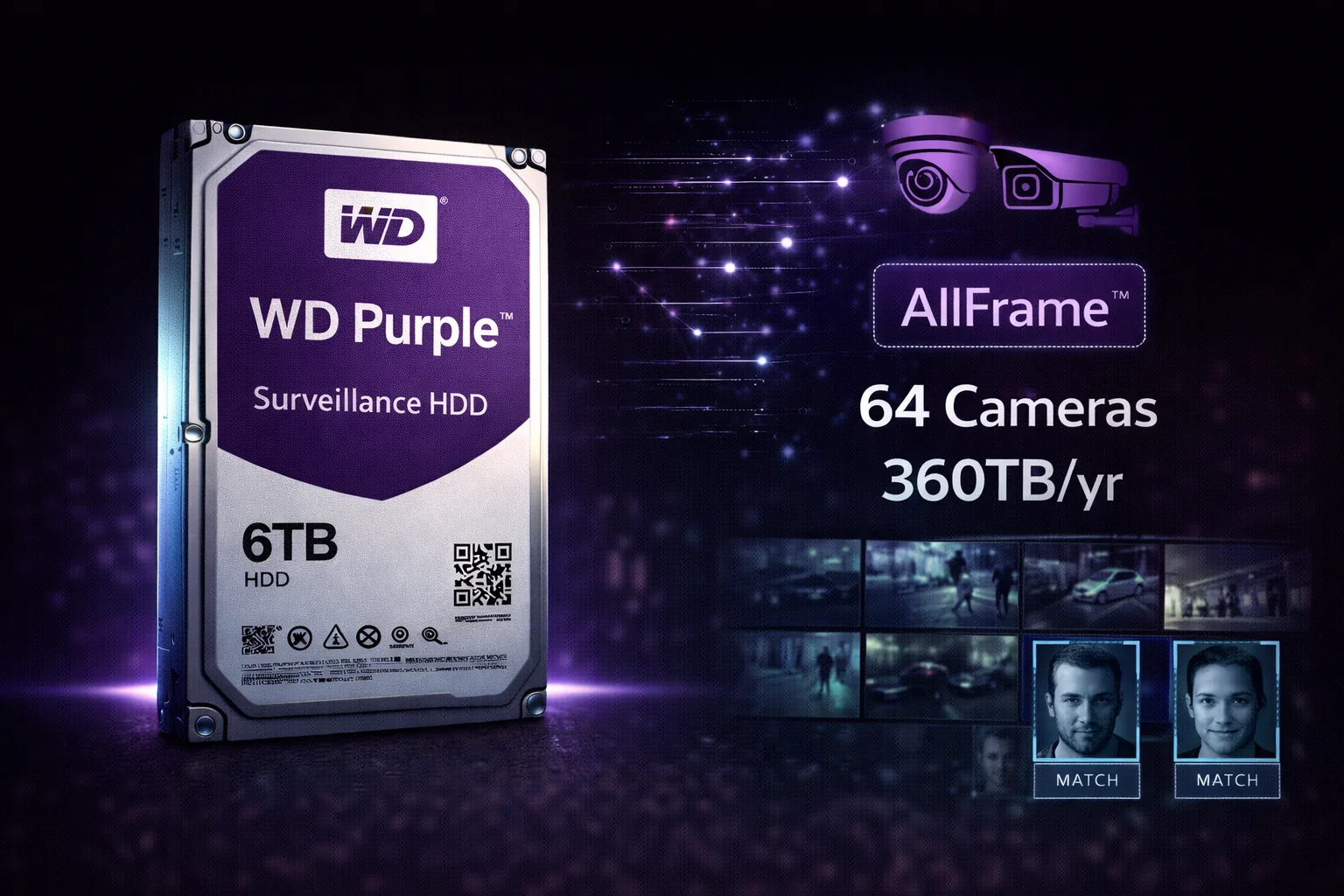
Quick Answer: The WD Purple is Western Digital’s mainstream surveillance hard drive, trusted by security professionals worldwide. With AllFrame technology for smooth video recording, workload ratings up to 360TB/year (8TB+), and support for 64 HD cameras, WD Purple is the industry standard for DVR and NVR systems. Best value: The WD Purple 8TB at ~$145 ($18.13/TB) offers the best balance of capacity, workload rating, and price. Key advantage: WD Purple 8TB+ has double the workload rating (360TB/year) of competing Seagate SkyHawk (180TB/year) at similar prices.
WD Purple 8TB (WD85PURZ)
8TB Capacity | 5640 RPM | 256MB Cache | CMR | 360TB/year Workload | Up to 64 Cameras | 3-Year Warranty
Industry-standard surveillance drive with AllFrame technology for smooth video recording. The 8TB model jumps to 360TB/year workload — double the competition. Ideal for busy systems with many cameras or 4K recording.
The WD Purple series has become the de facto standard for surveillance storage, installed in millions of DVR and NVR systems worldwide. Western Digital designed these drives specifically for the unique demands of security recording: continuous 24/7 operation, multiple simultaneous camera streams, and the specialized write patterns of video surveillance.
What sets WD Purple apart from its primary competitor (Seagate SkyHawk) is the workload rating jump on larger capacities. While SkyHawk maintains 180TB/year across all sizes, WD Purple 8TB and above jumps to 360TB/year — double the rated endurance at similar prices.
WD Purple vs Desktop Drives: Why It Matters
Using desktop drives (WD Blue, Barracuda) for surveillance is a recipe for failure:
| Feature | WD Purple | Desktop Drives |
|---|---|---|
| 24/7 Operation | ✓ Designed for continuous use | ✗ 8-12 hours/day typical |
| Workload Rating | 180-360TB/year | 55TB/year typical |
| Firmware | AllFrame (video-optimized) | General purpose |
| Camera Support | Up to 64 HD streams | Not optimized |
| Error Handling | Skips retries (prevents frame drops) | Multiple retries (causes stuttering) |
| Recording Tech | CMR | Often SMR |
| Multi-Bay | Tarnish-resistant, vibration-tolerant | Standard components |
Bottom line: Desktop drives fail prematurely and cause dropped frames. The 10-20% premium for WD Purple is essential for reliable surveillance.
WD Purple Current Prices
Browse all WD Purple surveillance drives with current pricing:
| Product | Capacity | Price | $ / TB | Price Drop | Brand | Interface |
|---|
WD Purple Key Features
AllFrame Technology
The cornerstone of WD Purple’s surveillance optimization:
- ATA streaming support: Reduces frame loss and improves playback quality
- Optimized for write operations: Handles the continuous sequential writes of video recording
- Multi-stream management: Efficiently handles up to 64 simultaneous camera streams
- Reduced pixelation: Smooth video even under heavy recording loads
Workload Rating Advantage
WD Purple offers class-leading workload ratings on larger capacities:
| Capacity | WD Purple Workload | SkyHawk Workload |
|---|---|---|
| 2-6TB | 180TB/year | 180TB/year |
| 8TB+ | 360TB/year ✓ | 180TB/year |
Translation: WD Purple 8TB+ can handle twice the data writes per year, making it better suited for busy systems with many cameras or 4K recording.
IntelliPower Technology
WD’s balanced approach to drive speed:
- Variable RPM: 5400-5640 RPM based on workload
- Power efficiency: Lower power consumption than fixed 7200 RPM
- Reduced heat: Cooler operation extends drive life
- Quieter operation: Good for living room DVRs
Tarnish-Resistant Components
Surveillance environments can be harsh:
- Protected internals: Resists corrosion in DVR enclosures
- Extended reliability: Maintains performance in less-than-ideal conditions
- Industrial environments: Handles dust and temperature variations
WD Purple Full Specifications
| Capacity | Model | Workload | Cache | Price | $/TB |
|---|---|---|---|---|---|
| 2TB | WD22PURZ | 180TB/yr | 256MB | $59 | $29.50 |
| 4TB | WD43PURZ | 180TB/yr | 256MB | $79 | $19.75 |
| 6TB | WD64PURZ | 180TB/yr | 256MB | $109 | $18.17 |
| 8TB ★ | WD85PURZ | 360TB/yr | 256MB | $145 | $18.13 |
| 10TB | WD102PURZ | 360TB/yr | 256MB | $179 | $17.90 |
| 12TB | WD121PURZ | 360TB/yr | 256MB | $199 | $16.58 |
| 14TB | WD140PURZ | 360TB/yr | 512MB | $249 | $17.79 |
★ Best overall value — 8TB offers optimal balance of capacity, 360TB/year workload, and price. 12TB offers lowest $/TB.
Common Specifications (All Models)
| Specification | Value |
|---|---|
| Form Factor | 3.5-inch |
| Interface | SATA 6Gb/s |
| RPM | IntelliPower (5400-5640) |
| Recording Technology | CMR |
| Camera Support | Up to 64 HD cameras |
| MTBF | 1 million hours |
| Operating Temp | 0°C to 65°C |
| Power (Operating) | 5-6W typical |
| Warranty | 3 years |
WD Purple vs Seagate SkyHawk
The two dominant surveillance drive brands compared:
| Feature | WD Purple | Seagate SkyHawk |
|---|---|---|
| Workload (8TB) | 360TB/year ✓ | 180TB/year |
| Firmware | AllFrame | ImagePerfect |
| Data Recovery | Not included | Rescue included ✓ |
| Health Monitoring | WDDA (limited) | SkyHawk Health Mgmt |
| Price (8TB) | ~$145 | ~$139 ✓ |
| $/TB (8TB) | $18.13 | $17.38 ✓ |
| Warranty | 3 years | 3 years |
Choose WD Purple if:
- You need the higher 360TB/year workload rating
- Running more cameras (16+) or 4K recording
- System has heavy write demands
- Already in WD ecosystem
Choose Seagate SkyHawk if:
- You value included Rescue Data Recovery
- Price is the primary factor
- Your workload is under 180TB/year (most home systems)
- Using Hikvision/Dahua with SkyHawk Health Management
For a detailed comparison, see our WD Purple vs Seagate SkyHawk guide.
WD Purple vs WD Purple Pro
WD offers two surveillance lines: standard Purple and Purple Pro:
| Feature | WD Purple (Standard) | WD Purple Pro |
|---|---|---|
| Workload | 180-360TB/year | 550TB/year |
| Camera Support | 64 HD cameras | 64 HD + 32 AI streams |
| RPM | 5400-5640 | 7200 |
| AI Analytics | Limited | Full support |
| MTBF | 1M hours | 2.5M hours |
| Warranty | 3 years | 5 years |
| Price (8TB) | $145 | $199 |
| Best For | Traditional DVR/NVR | AI-enabled systems |
Stick with standard WD Purple if:
- Traditional motion-triggered recording
- No AI analytics beyond basic motion detection
- Budget is a concern
- Fewer than 32 cameras
Upgrade to WD Purple Pro if:
- Your NVR runs AI analytics (facial recognition, object detection)
- Processing video for license plate recognition
- Operating 32+ cameras with heavy loads
- Need maximum reliability (2.5M MTBF, 5-year warranty)
Capacity Planning: Which Size Do You Need?
| System Size | Cameras | 30-Day Storage | Recommended |
|---|---|---|---|
| Home Basic | 2-4 | ~1TB | WD Purple 2-4TB |
| Home Advanced | 4-8 | ~2TB | WD Purple 4-6TB |
| Small Business | 8-16 | ~4TB | WD Purple 8TB (360TB/yr) |
| Medium Business | 16-32 | ~8TB | WD Purple 10-12TB |
| Large/4K/AI | 32-64 | 12TB+ | WD Purple Pro |
Estimates based on 1080p, 15fps, H.265 compression, continuous recording. Motion-only recording reduces needs by 50-70%.
Key insight: If you’re borderline between capacity sizes, choose 8TB+ to get the higher 360TB/year workload rating — it’s a significant reliability upgrade.
DVR/NVR Compatibility
WD Purple drives work with all major DVR and NVR systems:
Verified Compatible Brands
- Hikvision — On official compatibility list
- Dahua — Compatible
- Lorex — Compatible
- Reolink — Compatible
- Amcrest — Compatible
- Swann — Compatible
- Synology Surveillance Station — On compatibility list
- QNAP Surveillance Station — Compatible
- Blue Iris — Community favorite
- Milestone — Compatible
- Ubiquiti UniFi Protect — Compatible
Note: WD Purple is particularly popular with Blue Iris users due to proven reliability in that community.
Installation Tips
Physical Installation
- Secure mounting: Use all four screws to minimize vibration
- Airflow: Ensure the drive has adequate cooling
- Cable quality: Use quality SATA cables, avoid strain
- Temperature: Keep ambient temps below 35°C for optimal lifespan
System Configuration
- Format: Let your DVR/NVR handle formatting
- Overwrite: Enable automatic overwrite when full
- Recording mode: Configure continuous vs motion-triggered
- SMART monitoring: Use WD Dashboard or DVR tools to monitor health
Troubleshooting Common Issues
Drive Not Detected
- Check SATA and power connections
- Try different SATA port
- Verify PSU can handle startup current
- Update DVR/NVR firmware
Dropped Frames
- Confirm you’re using WD Purple (not WD Blue)
- Check SMART data for drive health
- Reduce camera count or resolution if overloaded
- Ensure adequate ventilation
Slow Performance
- Check if drive is nearing capacity (keep 10-15% free)
- Verify 360TB/year workload isn’t exceeded on smaller models
- Monitor temperature — overheating causes throttling
Model Number Reference
| Model Number | Capacity | Workload | Notes |
|---|---|---|---|
| WD22PURZ | 2TB | 180TB/yr | Entry-level |
| WD43PURZ | 4TB | 180TB/yr | Home systems |
| WD64PURZ | 6TB | 180TB/yr | |
| WD85PURZ | 8TB | 360TB/yr | Best value |
| WD102PURZ | 10TB | 360TB/yr | |
| WD121PURZ | 12TB | 360TB/yr | Lowest $/TB |
| WD140PURZ | 14TB | 360TB/yr | 512MB cache |
Final Verdict: Should You Buy WD Purple?
WD Purple is the industry-standard choice for surveillance storage with a key advantage in workload rating.
Buy WD Purple if:
- You need reliable 24/7 surveillance recording
- You want the higher 360TB/year workload (8TB+)
- Your system has up to 64 cameras without AI
- You’re a Blue Iris user (community favorite)
- You prioritize proven reliability over added features
Consider alternatives if:
- You want included data recovery — SkyHawk includes Rescue service
- You need AI analytics support — get WD Purple Pro
- Budget is extremely tight — Toshiba S300 is cheaper
Frequently Asked Questions
All WD Purple drives use CMR (Conventional Magnetic Recording) . This is essential for surveillance — SMR drives cause severe performance problems under constant video writing. Unlike the SMR controversy with WD Red (now resolved), WD Purple has always been CMR.
Both are excellent. WD Purple advantages: Higher workload rating (360TB/year on 8TB+), proven reliability, popular with Blue Iris community. SkyHawkadvantages: Included Rescue Data Recovery, lower price, SkyHawk Health Management. For most systems, choose based on current price and workload needs.
Yes, WD Purple works in NAS systems, but WD Red Plus is better optimized for general NAS use. WD Purple’s AllFrame firmware prioritizes video recording. For NAS running Surveillance Station exclusively, WD Purple is ideal. For mixed NAS use, choose Red Plus.
WD Purple: 180-360TB/year workload, 64 cameras, 3-year warranty — for traditional DVR/NVR. WD Purple Pro: 550TB/year workload, 64 cameras + 32 AI streams, 7200 RPM, 5-year warranty, 2.5M MTBF — for AI-enabled NVRs. Choose based on whether your system uses AI analytics.
WD Purple drives typically last 3-5 years under 24/7 surveillance operation. The 1 million hour MTBF and up to 360TB/year workload rating support reliable operation within spec. Temperature, workload intensity, and power quality affect lifespan. Monitor SMART data and replace proactively after 3-4 years for critical systems.
Related Guides
WD Surveillance Lineup:
- WD Purple Pro — For AI-enabled systems
- All Surveillance Drives — Complete buying guide
Comparisons:
Alternatives:
- Seagate SkyHawk — Main competitor
- Toshiba S300 — Budget option
- WD Red Plus — For NAS use
Capacity Guides:
Last updated: February 2026. Prices subject to change. Check current deals on our Surveillance Drives page.