CMR vs SMR for Surveillance: Why Recording Technology Matters (2026)

Quick Answer+
Quick Answer: For surveillance systems, always choose CMR (Conventional Magnetic Recording) drives. SMR (Shingled Magnetic Recording) drives cause severe write slowdowns, dropped frames, and premature wear in 24/7 DVR/NVR applications. All major surveillance drives — WD Purple, Seagate SkyHawk, Toshiba S300 — use CMR technology. Desktop drives (WD Blue 2TB+, Barracuda 2-8TB) often use SMR and should be avoided for surveillance.
WD Purple 8TB (WD85PURZ)
8TB Capacity | CMR Recording | 360TB/year Workload | AllFrame Technology | Up to 64 Cameras | 3-Year Warranty
All WD Purple drives use CMR recording technology, ensuring consistent write performance for 24/7 surveillance. No SMR slowdowns or write penalties — just reliable video recording.
If you’ve ever experienced mysteriously slow hard drive performance, dropped frames in your security footage, or a drive that starts fast then crawls to a halt during large transfers, you may have encountered the SMR problem. Understanding the difference between CMR and SMR recording technology is essential for anyone building or maintaining a surveillance system.
This guide explains what these technologies are, why SMR fails in surveillance applications, and how to ensure you’re buying the right drives.
What Are CMR and SMR?
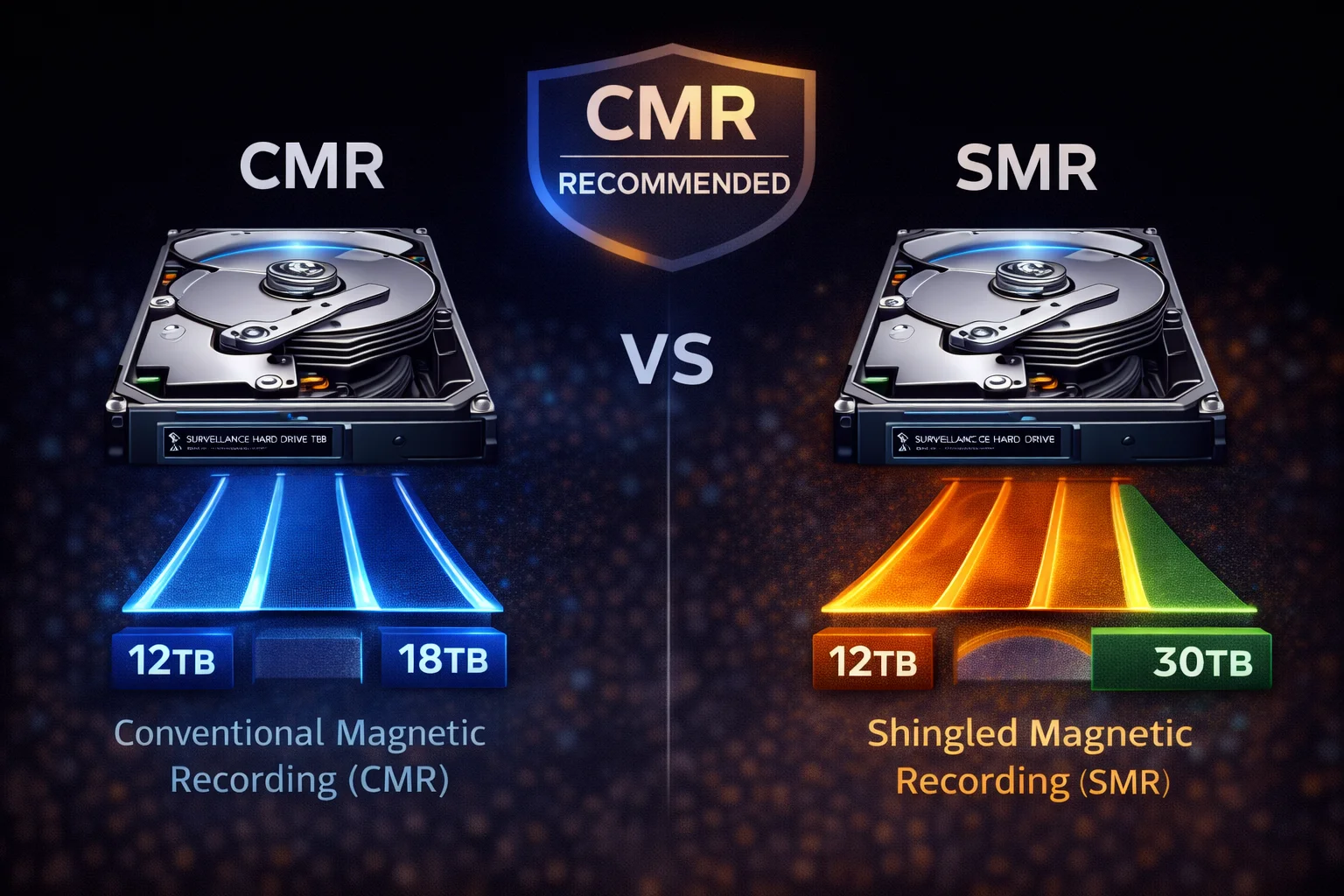
CMR (Conventional Magnetic Recording) and SMR (Shingled Magnetic Recording) are two different methods hard drives use to write data to platters.
CMR (Conventional Magnetic Recording)
The traditional approach used in hard drives for decades:
- Track layout: Data tracks are written side-by-side with gaps between them
- Write method: Each track can be written independently
- Performance: Consistent read and write speeds
- Rewrite behavior: Any sector can be overwritten without affecting neighbors
Analogy: Like writing in a notebook with clearly separated lines — you can erase and rewrite any line without affecting others.
SMR (Shingled Magnetic Recording)
A newer technique that increases storage density:
- Track layout: Data tracks overlap like shingles on a roof
- Write method: Tracks must be written sequentially in “zones”
- Performance: Fast reads, but writes can be very slow
- Rewrite behavior: Changing one track requires rewriting entire zones
Analogy: Like writing on overlapping sticky notes — changing one note means repositioning all the notes that overlap it.
How SMR Works (And Why It’s a Problem)
The SMR Write Process
| Phase | What Happens | Performance |
|---|---|---|
| Initial writes | Data goes to CMR cache area | Fast (150-190 MB/s) |
| Cache fills up | After 20-50GB, cache is full | Slowing… |
| Direct SMR writes | Must write to shingled zones | Slow (20-50 MB/s) |
| Background shuffle | Drive reorganizes data internally | Very slow, high latency |
Why This Destroys Surveillance Performance
Surveillance systems create the worst-case scenario for SMR:
- Continuous writes: Video streams write constantly, quickly filling the CMR cache
- No idle time: 24/7 recording means no time for background reorganization
- Multiple streams: Several cameras writing simultaneously compounds the problem
- Overwrites: Old footage being overwritten triggers zone rewrites
Result: Dropped frames, stuttering playback, corrupted footage, and premature drive failure.
CMR vs SMR: Direct Comparison
| Characteristic | CMR | SMR |
|---|---|---|
| Write Performance | Consistent 150-200 MB/s | Fast then slow (20-50 MB/s) |
| Sustained Writes | ✓ Excellent | ✗ Very poor |
| Random Writes | ✓ Good | ✗ Terrible |
| 24/7 Operation | ✓ Designed for it | ✗ Causes problems |
| Surveillance Use | ✓ Recommended | ✗ Avoid |
| NAS Use | ✓ Recommended | ✗ Avoid (especially RAID) |
| Cost per TB | Slightly higher | Lower (that’s the point) |
| Storage Density | Standard | ~25% higher potential |
| Read Performance | Fast | Fast (equal to CMR) |
| Best Use Case | Active storage, surveillance, NAS | Archive, backup, cold storage |
Real-World SMR Problems in Surveillance
Symptom 1: Dropped Frames
What happens: Your DVR/NVR shows gaps in recordings or “no video” periods.
Why: When SMR zones need reorganization, write latency spikes to several seconds. The NVR can’t buffer that long, so frames are dropped.
Symptom 2: “100% Disk Usage” But Slow
What happens: Task Manager shows 100% disk activity, but transfers crawl at 10-30 MB/s.
Why: The drive is doing internal SMR zone management, consuming all I/O bandwidth while accomplishing little actual data transfer.
Symptom 3: Stuttering Playback
What happens: Recorded video plays back with pauses and stutters.
Why: Read operations are interrupted by ongoing write zone management, causing playback delays.
Symptom 4: Premature Drive Failure
What happens: Drive fails in 6-18 months instead of 3-5 years.
Why: Constant zone rewrites dramatically increase write amplification, wearing out the drive faster than rated.
Which Drives Are CMR vs SMR?
Surveillance Drives (All CMR ✓)
All purpose-built surveillance drives use CMR:
| Brand | Series | Recording | Status |
|---|---|---|---|
| WD | Purple | CMR ✓ | All capacities |
| WD | Purple Pro | CMR ✓ | All capacities |
| Seagate | SkyHawk | CMR ✓ | All capacities |
| Seagate | SkyHawk AI | CMR ✓ | All capacities |
| Toshiba | S300 | CMR ✓ | All capacities |
| Toshiba | S300 Pro | CMR ✓ | All capacities |
Bottom line: If you buy a drive marketed as “surveillance,” it’s CMR. Manufacturers know SMR doesn’t work for this application.
Desktop Drives (Mixed — Check Carefully!)
This is where people get into trouble:
| Drive | Capacity | Recording | Surveillance? |
|---|---|---|---|
| WD Blue | 1TB | CMR | Marginal |
| WD Blue | 2-6TB | SMR ✗ | No |
| Seagate Barracuda | 1TB | CMR | Marginal |
| Seagate Barracuda | 2-8TB | SMR ✗ | No |
| Seagate Barracuda | 16TB+ (HAMR) | CMR | Marginal |
| Toshiba P300 | 1-2TB | CMR | Marginal |
| Toshiba P300 | 3-6TB | SMR ✗ | No |
Key insight: Most desktop drives in the 2-8TB “sweet spot” use SMR. This is precisely the capacity range people often buy for surveillance, leading to problems.
NAS Drives (Mostly CMR Now)
After the 2020 SMR controversy, NAS drives have largely returned to CMR:
| Drive | Recording | Surveillance Use? |
|---|---|---|
| WD Red Plus | CMR ✓ | Acceptable (not ideal) |
| WD Red Pro | CMR ✓ | Acceptable |
| WD Red (non-Plus) | SMR ✗ | No |
| Seagate IronWolf | CMR ✓ | Acceptable |
| Seagate IronWolf Pro | CMR ✓ | Acceptable |
Note: While NAS drives are CMR, surveillance drives have video-optimized firmware that’s better suited for recording applications.
How to Identify CMR vs SMR
Method 1: Check Manufacturer Specs
Look for “Recording Technology” in specifications:
- CMR = Conventional Magnetic Recording ✓
- PMR = Perpendicular Magnetic Recording (same as CMR) ✓
- SMR = Shingled Magnetic Recording ✗
- DM-SMR = Device-Managed SMR ✗
Method 2: Check WD/Seagate Product Pages
Both manufacturers now clearly list recording technology after the 2020 controversy.
Method 3: Known SMR Model Numbers
WD Blue SMR models:
- WD20EZAZ (2TB)
- WD30EZAZ (3TB)
- WD40EZAZ (4TB)
- WD60EZAZ (6TB)
Seagate Barracuda SMR models:
- ST2000DM008 (2TB)
- ST3000DM007 (3TB)
- ST4000DM004 (4TB)
- ST6000DM003 (6TB)
- ST8000DM004 (8TB)
Method 4: Performance Test
If you already have a drive and aren’t sure:
- Copy a large file (50GB+) to the drive
- Watch transfer speed over time
- CMR: Maintains 150+ MB/s throughout
- SMR: Starts fast, drops to 20-50 MB/s after 20-50GB
The 2020 SMR Controversy
In 2020, it was discovered that WD had been shipping SMR drives labeled as “WD Red” NAS drives without disclosure. This caused RAID rebuild failures and performance problems for many users.
What changed:
- WD created “WD Red Plus” (CMR) separate from “WD Red” (SMR)
- Both manufacturers now clearly disclose recording technology
- Increased awareness about CMR vs SMR importance
Lesson: Always verify recording technology before purchase, especially for NAS or surveillance use.
When SMR Is Actually Fine
SMR drives aren’t inherently bad — they’re just wrong for surveillance:
Acceptable SMR Use Cases
- Cold storage/archive: Data written once, rarely changed
- Backup drives: Periodic large writes with idle time between
- Media storage: Movies, music stored and played back (read-heavy)
- Secondary PC storage: Games, downloads, documents
Never Use SMR For
- Surveillance/DVR/NVR: Continuous writes fail
- NAS (especially RAID): Rebuild failures
- Database servers: Random writes are terrible
- Virtual machines: Mixed workloads suffer
- Boot drives: Write patterns cause slowdowns
Recommended CMR Drives for Surveillance
Best Overall
| Drive | Capacity | Price | Best For |
|---|---|---|---|
| WD Purple 8TB | 8TB | ~$145 | Most systems (8-12 cameras) |
| SkyHawk 8TB | 8TB | ~$139 | Budget + Data Recovery |
| WD Purple 12TB | 12TB | ~$199 | 4K systems, longer retention |
For AI Systems
| Drive | Capacity | Price | Best For |
|---|---|---|---|
| WD Purple Pro 18TB | 18TB | ~$380 | AI NVRs, enterprise |
| SkyHawk AI 16TB | 16TB | ~$285 | AI NVRs + Rescue service |
Budget Option
| Drive | Capacity | Price | Best For |
|---|---|---|---|
| Toshiba S300 4TB | 4TB | ~$113 | Small home systems |
Frequently Asked Questions
All WD Purple drives use CMR (Conventional Magnetic Recording) . This has always been the case — WD Purple is specifically designed for surveillance and would never use SMR technology that fails in 24/7 recording applications.
All Seagate SkyHawk drives use CMR technology . Like WD Purple, SkyHawk is purpose-built for surveillance and requires the consistent write performance that only CMR provides.
No. SMR drives will cause dropped frames, stuttering recordings, and premature failure in surveillance applications. The continuous write workload of 24/7 recording is the worst-case scenario for SMR technology. Always use CMR surveillance drives.
SMR allows ~25% more storage density on the same platters, reducing manufacturing costs. For archive and backup applications where data is written once and rarely changed, SMR works fine. The problem is when SMR drives are used for write-intensive applications they weren’t designed for.
Check the manufacturer’s specifications for “Recording Technology” — look for CMR/PMR (good) vs SMR (avoid). You can also test by copying a 50GB+ file: CMR maintains speed throughout, while SMR drops to 20-50 MB/s after the cache fills.
No. Most Seagate Barracuda drives (2-8TB) use SMR technology and aren’t designed for 24/7 operation. They also lack surveillance-optimized firmware. Use Seagate SkyHawk instead — it’s CMR with ImagePerfect firmware designed for DVR/NVR systems.
Related Guides
Surveillance Drive Reviews:
- WD Purple Complete Guide (CMR)
- Seagate SkyHawk Complete Guide (CMR)
- Toshiba S300 Guide (CMR)
Troubleshooting:
Buying Guides:
Last updated: February 2026. Always verify recording technology in manufacturer specifications before purchase.