Quick Answer+
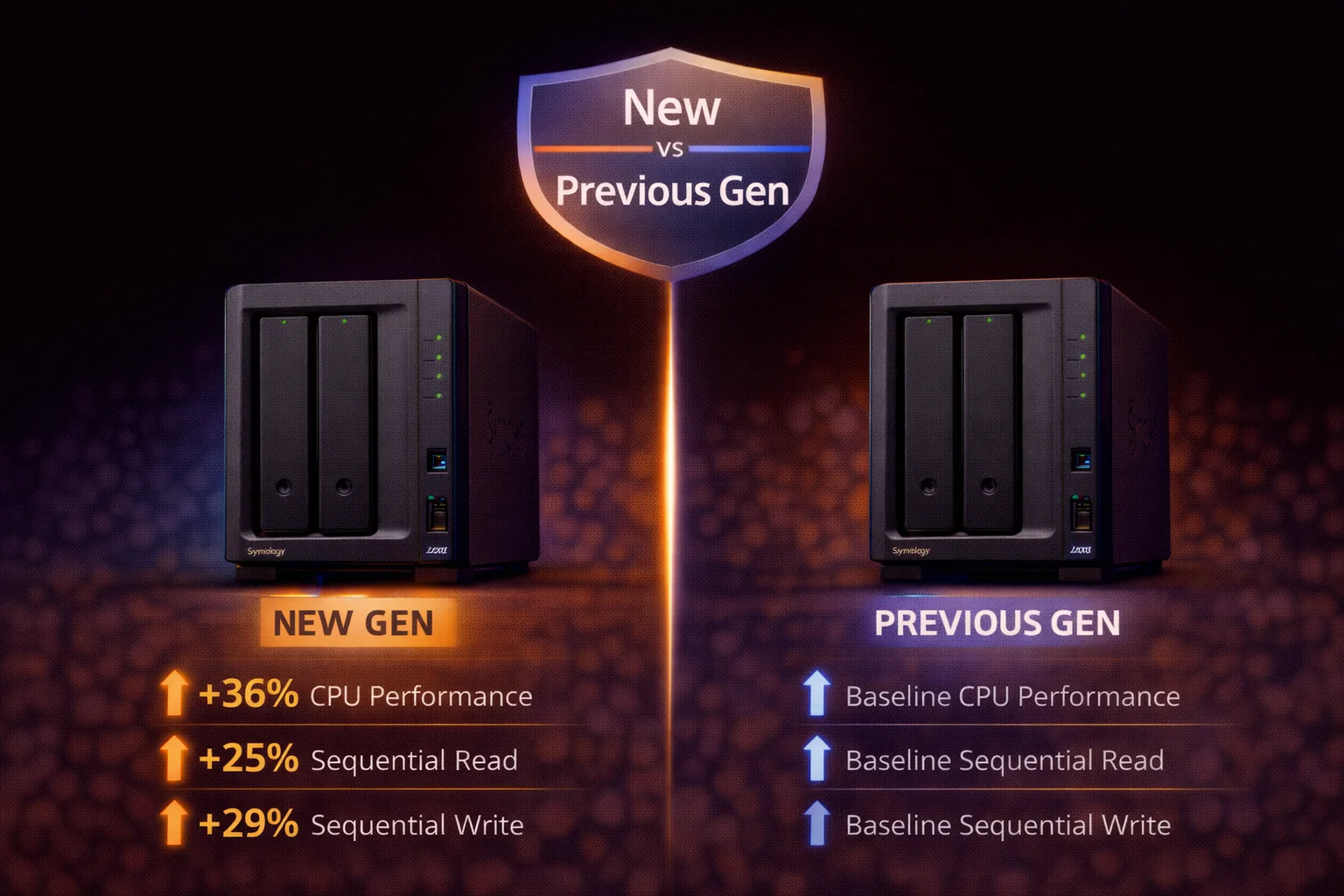
Quick Answer: The DS224+ replaces the DS220+ with a quad-core CPU (vs dual-core) delivering 62% better web app performance. New buyers: Get DS224+ - it's the current model. DS220+ owners: No urgent upgrade needed unless you want faster photo indexing. Plex transcoding is identical on both. Both are excellent 2-bay NAS units with Intel Quick Sync.
The Synology DS224+ replaced the popular DS220+ in late 2023. This refresh focuses on CPU improvements and software optimization rather than dramatic hardware changes. Let's examine what changed, what stayed the same, and whether DS220+ owners should upgrade.
Specifications Comparison
| Specification | DS224+ (2023) | DS220+ (2020) |
|---|---|---|
| Price | ~$300 | Discontinued (~$200 used) |
| Drive Bays | 2 | 2 |
| CPU | Intel Celeron J4125 (4-core) | Intel Celeron J4025 (2-core) |
| CPU Cores | 4 cores / 4 threads | 2 cores / 2 threads |
| Base/Burst Clock | 2.0 / 2.7 GHz | 2.0 / 2.9 GHz |
| Hardware Transcoding | ✅ Intel Quick Sync | ✅ Intel Quick Sync |
| RAM | 2GB DDR4 (max 6GB) | 2GB DDR4 (max 6GB) |
| M.2 NVMe Slots | ❌ None | ❌ None |
| 1GbE Ports | 2 | 2 |
| USB Ports | 3× USB 3.2 | 2× USB 3.0 |
| eSATA | ❌ None | 1× eSATA |
| File System | Btrfs, ext4 | Btrfs, ext4 |
| Plex Transcoding | 2-3 streams (1080p) | 2-3 streams (1080p) |
| Power (Access) | 20W | 15W |
| Warranty | 3 years | 3 years |
What Changed: DS224+ Improvements
1. CPU Upgrade: 4 Cores vs 2 Cores
The most significant change - doubling from 2 to 4 CPU cores:
- J4125 (DS224+): 4 cores, 2.0/2.7 GHz
- J4025 (DS220+): 2 cores, 2.0/2.9 GHz
Impact: Significantly better multi-threaded performance for file indexing, thumbnail generation, and concurrent operations. Single-thread performance is similar.
2. 62% Faster Web Applications
Synology claims 62% improvement in web application responses per second from:
- Quad-core CPU utilization
- DSM firmware optimizations
- Improved memory management
Real-world benefits: Faster Synology Photos indexing, snappier DSM interface, better multi-user handling.
3. Extra USB Port
- DS224+: 3× USB 3.2 Gen 1
- DS220+: 2× USB 3.0
One additional port for external drives or UPS connections.
4. eSATA Removed
DS220+ had an eSATA port; DS224+ does not. eSATA is obsolete - USB 3.0+ has replaced it. Most users won't notice.
What Stayed the Same
Plex Transcoding (Identical)
Both use Intel UHD Graphics 600 with Quick Sync:
- 2-3 simultaneous 1080p transcodes
- 1-2 4K→1080p transcodes
- HDR tone mapping supported
- H.264, H.265/HEVC, VP9 hardware decode
Plex performance is essentially identical between models. The GPU handles transcoding, not the CPU cores - so doubling cores doesn't help here.
Storage & Networking
- 2 drive bays (same)
- No expansion capability (same)
- 2× Gigabit Ethernet with link aggregation (same)
- No 10GbE upgrade option (same)
- No M.2 NVMe cache slots (same)
- RAM: 2GB stock, expandable to 6GB (same)
- Hot-swappable drive bays (same)
- SHR and RAID 0/1/JBOD support (same)
Software Features
- Full DSM 7.x support (both receive same updates)
- Btrfs file system with snapshots
- Docker/Container Manager
- Snapshot Replication
- All Synology packages (Photos, Drive, Video Station, etc.)
- QuickConnect remote access
- Active Backup for Business
Performance Comparison
Benchmark Results
| Test | DS224+ | DS220+ | Difference |
|---|---|---|---|
| Web App Responses/sec | ~1,620 | ~1,000 | +62% |
| Multi-thread CPU | ~2,800 | ~1,400 | +100% |
| Single-thread CPU | ~850 | ~900 | -5% |
| Photo indexing (10K) | ~90 min | ~150 min | -40% |
| Synology Drive sync | Faster | Baseline | +30-40% |
| Plex 1080p transcode | 2-3 streams | 2-3 streams | Same |
| File transfer (1GbE) | ~115 MB/s | ~115 MB/s | Same |
| Encrypted transfer | ~115 MB/s | ~115 MB/s | Same |
Where You'll Notice the Difference
The quad-core advantage shows in these real-world scenarios:
- Synology Photos: Faster AI face detection and indexing
- Synology Drive: Quicker file indexing during initial setup
- DSM Interface: More responsive when running multiple packages
- Multi-user access: Better handling of concurrent connections
- Background tasks: Faster completion of scheduled operations
Where You Won't Notice the Difference
- Plex streaming: Both handle transcoding identically via GPU
- File transfers: Network speed is the bottleneck, not CPU
- Single-user scenarios: Light usage feels similar on both
- Backup operations: Disk I/O limited, not CPU limited
Should DS220+ Owners Upgrade?
This is the key question for existing DS220+ owners. Let's break it down:
Upgrade If:
- Photo indexing speed bothers you - DS224+ is 40% faster for Synology Photos
- DSM feels sluggish with multiple services - Quad-core handles concurrency better
- You need an extra USB port - 3 vs 2 ports
- Your DS220+ is having hardware issues - Good time to upgrade
- Running many Docker containers - More cores help with multiple containers
- Multiple family members use it simultaneously - Better multi-user performance
Don't Upgrade If:
- DS220+ works fine for your needs - It's still an excellent NAS
- Plex is your main use - Transcoding is identical on both
- Budget is a concern - $300 for incremental improvement
- You're a light user - Differences are subtle for basic file storage
- Waiting for next generation - Future models may have bigger improvements
- No performance complaints - If it ain't broke, don't fix it
Upgrade Cost Analysis
If you sell your DS220+ and buy a DS224+:
- DS224+ cost: ~$338.99
- DS220+ resale value: ~$180-220
- Net upgrade cost: ~$80-120
At $80-120 net cost, the upgrade becomes more reasonable - but only if you actually need the performance improvements.
Upgrade Verdict
Generally not worth upgrading unless you're experiencing specific pain points. The DS220+ remains a highly capable NAS that will receive DSM updates for years to come. The improvements, while real, aren't transformative enough to justify the cost for most users who are satisfied with their current setup.
For New Buyers: DS224+ vs Used DS220+
If you're buying fresh, should you save money with a used DS220+?
Buy New DS224+ (~$338) If:
- You want full 3-year warranty - Peace of mind for hardware issues
- Better multi-threaded performance matters - Heavy Synology Photos/Drive use
- You prefer current-generation hardware - Latest and greatest
- Longer software support timeline - More years of DSM updates
- Price difference is small (<$75) - Not worth the risk for minimal savings
- You don't want to deal with used electronics - Unknown history concerns
Consider Used DS220+ (~$180-220) If:
- Significant savings (>$100) - Money better spent on drives
- Plex is your primary use - Transcoding performance is identical
- You're comfortable with used electronics - Can assess condition properly
- Light usage patterns - Won't push the CPU hard
- Buying from trusted source - Known seller with good reputation
Our recommendation for new buyers: Get the DS224+. The current-generation hardware, full warranty, and better performance justify the price. Only consider used DS220+ if you find an excellent deal with significant savings.
Migration: DS220+ to DS224+
If you do decide to upgrade, migration is straightforward. Synology makes it easy to move between same-tier models:
Option 1: Direct Drive Migration (Recommended)
- Backup your configuration - Control Panel → Update & Restore → Configuration Backup
- Shut down DS220+ properly via DSM
- Remove drives - Note which drive is in which bay
- Install drives in DS224+ - Same positions (Bay 1 → Bay 1, etc.)
- Power on DS224+
- DSM detects and migrates automatically - Follow on-screen prompts
- Reinstall packages if prompted - Some may need reinstallation
- Verify everything works
Migration time: Typically 15-30 minutes. Your data, storage pool, shared folders, user accounts, and most settings are preserved.
Option 2: Fresh Install + Restore from Backup
For a completely clean slate:
- Backup configuration (Control Panel → Update & Restore)
- Backup all data via Hyper Backup to external drive
- Set up DS224+ with fresh drives
- Restore configuration backup
- Restore data from Hyper Backup
More time-consuming but gives you a clean start and lets you repurpose the old drives.
DS224+ vs DS723+: Alternative 2-Bay Comparison
Since we're discussing 2-bay options, here's how DS224+ compares to the more powerful DS723+:
| Feature | DS224+ (~$300) | DS723+ (~$450) |
|---|---|---|
| CPU | Intel Celeron J4125 | AMD Ryzen R1600 |
| Plex Transcoding | ✅ Excellent (Quick Sync) | ⚠️ Limited (1-2 streams) |
| 10GbE Option | ❌ No | ✅ Yes (E10G22-T1-Mini) |
| NVMe Slots | ❌ None | ✅ 2× M.2 (cache) |
| RAM Max | 6GB | 32GB ECC |
| Expansion | ❌ None | ✅ Up to 7 drives (DX517) |
| Best For | Plex, beginners, budget | Power users, 10GbE, Docker |
Quick decision:
- Choose DS224+ for Plex transcoding and straightforward home NAS use
- Choose DS723+ for 10GbE networking, expansion capability, or heavy Docker/VM workloads
Frequently Asked Questions
Is the DS224+ much better than DS220+?
The DS224+ offers 62% better web app performance and doubled CPU cores (4 vs 2). However, Plex transcoding and file transfers are similar. Improvements are most noticeable for photo indexing and multi-user scenarios - not transformative for light users.
Should I upgrade from DS220+ to DS224+?
For most users, no. The DS220+ remains excellent and will receive DSM updates for years. Upgrade only if you experience slow photo indexing, sluggish DSM, or need the extra USB port.
Is Plex performance better on DS224+?
No - Plex transcoding is essentially identical. Both use the same Intel UHD 600 GPU with Quick Sync, providing 2-3 simultaneous 1080p transcodes. CPU cores don't significantly impact hardware-accelerated transcoding.
Can I move my drives from DS220+ to DS224+?
Yes. Shut down DS220+, move drives to DS224+ in same positions, power on. DSM automatically detects and migrates. Your data and settings are preserved.
Will Synology stop supporting DS220+?
Not soon. Synology provides 5+ years of DSM updates. The DS220+ (launched 2020) will likely receive updates through 2026-2027 at minimum.
DS224+ vs DS723+: Which 2-bay should I buy?
DS224+ for Plex transcoding ($300, Intel Quick Sync). DS723+ for power users ($450, AMD Ryzen, 10GbE option, expansion to 7 drives, 32GB RAM max). Choose based on priorities: transcoding vs expandability.
Verdict
| Scenario | Recommendation |
|---|---|
| New buyer | DS224+ |
| DS220+ owner, satisfied | Keep DS220+ |
| DS220+ owner, wants faster indexing | Consider upgrade |
| Budget new buyer | Used DS220+ if >$75 savings |
| Need 10GbE/expansion | DS723+ instead |
Summary: The DS224+ is a solid iterative update. New buyers should get it; DS220+ owners can skip unless they have specific performance concerns. Plex users see no difference.
Related Resources
- Synology DS224+ Review
- Synology DS723+ Review
- Synology Plex Setup Guide
- Best Synology NAS 2026
- Synology Drive Compatibility Checker
Last Updated: February 2026