Quick Answer+
Quick Answer: The DS423+ (~$470) is worth the premium over the DS423 (~$350) for most users. The Plus model has an Intel CPU with hardware transcoding (excellent for Plex), more RAM, Btrfs support, and runs the full DSM feature set. The DS423 uses a Realtek CPU with no transcoding capability and limited features. Choose DS423+ for Plex, Docker, or full DSM features. Choose DS423 only for basic file storage on a tight budget.
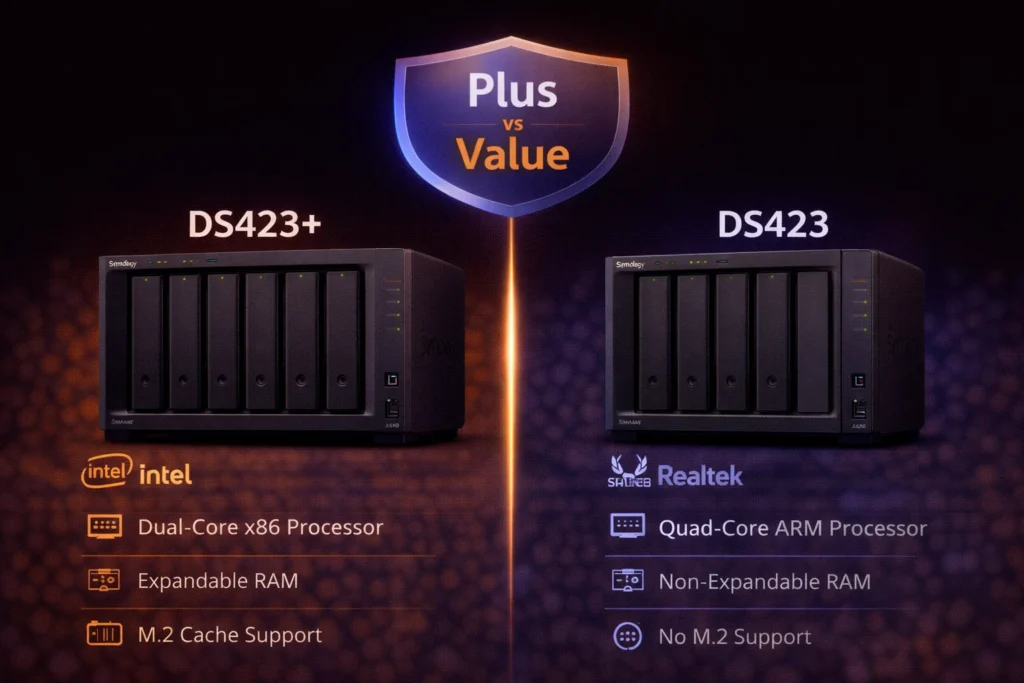
Synology offers two 4-bay NAS models with confusingly similar names: the DS423+ (Plus series) and DS423 (Value series). Despite the similar naming, these are fundamentally different products with different processors, feature sets, and target users.
This comparison explains the critical differences and helps you decide whether the ~$120 premium for the Plus model is justified.
Understanding Synology's Product Tiers
Before comparing specs, understand Synology's naming:
- Plus (+) Series: Premium home/SMB models with Intel/AMD CPUs, full DSM features, Btrfs support
- Value Series (no +): Budget models with ARM/Realtek CPUs, limited features, ext4 only
- xs+ Series: Enterprise models with maximum performance
The DS423 (no plus) is a Value series product - significantly different from the DS423+.
Specifications Comparison
| Specification | DS423+ (Plus) | DS423 (Value) |
|---|---|---|
| Price | ~$470 | ~$350 |
| Drive Bays | 4 | 4 |
| CPU | Intel Celeron J4125 (4-core, 2.0/2.7 GHz) | Realtek RTD1619B (4-core, 1.7 GHz) |
| CPU Architecture | x86-64 (Intel) | ARM (64-bit) |
| Hardware Transcoding | ✅ Intel Quick Sync | ❌ None |
| RAM | 2GB DDR4 (max 6GB) | 2GB DDR4 (not upgradeable) |
| M.2 NVMe Slots | ❌ None | ❌ None |
| 1GbE Ports | 2 | 2 |
| 10GbE Option | ❌ No | ❌ No |
| USB Ports | 2× USB 3.2 | 2× USB 3.2 |
| Expansion | ❌ None | ❌ None |
| File System | Btrfs, ext4 | ext4 only |
| Max IP Cameras | 30 | 20 |
| Docker Support | ✅ Container Manager | ❌ Not supported |
| Virtual Machine | ✅ Virtual Machine Manager | ❌ Not supported |
| Snapshot Replication | ✅ Supported | ❌ Not supported |
| SHR Support | ✅ Yes | ✅ Yes |
| Active Backup | ✅ Full support | ⚠️ Limited support |
| Warranty | 3 years | 2 years |
The Critical Differences Explained
1. Processor: Intel vs Realtek (ARM)
This is the most important difference:
DS423+ (Intel Celeron J4125):
- x86-64 architecture - runs all DSM packages
- Intel Quick Sync Video - hardware transcoding
- 4 cores at 2.0/2.7 GHz
- Excellent for Plex, Jellyfin, Emby
- Supports Docker and Virtual Machines
DS423 (Realtek RTD1619B):
- ARM architecture - limited package compatibility
- No hardware transcoding
- 4 cores at 1.7 GHz (slower)
- Cannot transcode video for Plex
- No Docker, no Virtual Machines
2. Plex & Media Server Performance
| Capability | DS423+ | DS423 |
|---|---|---|
| Direct Play | ✅ Unlimited | ✅ Unlimited |
| 1080p Transcode | ✅ 3-4 streams | ❌ ~1 stream (software) |
| 4K → 1080p Transcode | ✅ 2-3 streams | ❌ Not practical |
| HDR Tone Mapping | ✅ Supported | ❌ Not supported |
| Hardware Acceleration | ✅ Intel Quick Sync | ❌ None |
If Plex is important, the DS423+ is essential. The DS423 can only handle direct play reliably - any transcoding will struggle or fail with multiple users.
3. File System: Btrfs vs ext4
DS423+ supports Btrfs:
- Snapshot protection (instant file versioning)
- Data integrity checksums
- Self-healing with RAID
- Better protection against bit rot
- Required for some DSM features
DS423 supports ext4 only:
- Traditional Linux file system
- No native snapshots
- No checksumming
- Limited advanced features
Btrfs is a significant advantage for data protection and recovery options.
4. Docker & Virtualization
DS423+:
- ✅ Container Manager (Docker)
- ✅ Virtual Machine Manager
- Run Pi-hole, Home Assistant, Portainer, etc.
- Full home lab capability
DS423:
- ❌ No Docker support (ARM limitations)
- ❌ No Virtual Machine support
- Limited to Synology packages only
If you want to run any third-party applications via Docker, the DS423 is not an option.
5. RAM & Upgradability
- DS423+: 2GB stock, upgradeable to 6GB
- DS423: 2GB stock, NOT upgradeable
The DS423's soldered RAM limits its capabilities permanently.
6. Snapshot Replication
- DS423+: Full Snapshot Replication support - instant recovery, ransomware protection
- DS423: Not supported
Snapshots are one of the best data protection features in DSM - unavailable on the Value series.
7. Warranty
- DS423+: 3-year warranty
- DS423: 2-year warranty
The Plus model includes an extra year of coverage.
What the DS423 (Value) CAN Do
The DS423 isn't useless - it's a capable basic NAS:
- ✅ File storage and sharing (SMB, NFS, AFP)
- ✅ SHR and traditional RAID
- ✅ Synology Drive (file sync)
- ✅ Synology Photos (basic)
- ✅ Hyper Backup
- ✅ Time Machine backup
- ✅ Basic Plex (direct play only)
- ✅ QuickConnect remote access
- ✅ User management
- ✅ Mobile apps
For pure file storage without advanced features, the DS423 works fine.
What the DS423 (Value) CANNOT Do
- ❌ Plex transcoding (hardware or practical software)
- ❌ Docker containers
- ❌ Virtual machines
- ❌ Btrfs file system
- ❌ Snapshot Replication
- ❌ Some Synology packages (ARM incompatible)
- ❌ RAM upgrade
- ❌ Full Active Backup features
Pricing Analysis
The $120 Premium: Worth It?
The DS423+ costs approximately $120 more than the DS423. For that premium, you get:
- Intel CPU with hardware transcoding
- Docker and VM support
- Btrfs file system
- Snapshot Replication
- RAM upgradability (to 6GB)
- Extra year warranty
- 10 more IP cameras (30 vs 20)
- Full package compatibility
Verdict: The $120 is almost always worth it. The feature gap is enormous relative to the price difference.
Total Cost of Ownership
| Component | DS423+ Setup | DS423 Setup |
|---|---|---|
| NAS Unit | $470 | $350 |
| 4× 8TB Drives | $600 | $600 |
| RAM Upgrade (4GB) | $30 (optional) | N/A (not possible) |
| Total | $1,070-$1,100 | $950 |
The total system cost difference is $120-150 - a small percentage of the overall investment for significantly more capability.
Use Case Recommendations
Choose DS423+ If:
- You use Plex, Jellyfin, or Emby - Hardware transcoding is essential
- You want Docker - Home Assistant, Pi-hole, etc.
- Data protection matters - Btrfs snapshots and checksums
- You may need more RAM - Upgradeable to 6GB
- Future-proofing - Full DSM feature compatibility
- Longer warranty - 3 years vs 2 years
- Photo management - Synology Photos performs better on Intel
Choose DS423 (Value) If:
- Basic file storage only - No media server, no Docker
- Absolute minimum budget - Every dollar counts
- Simple backup target - Just receiving Time Machine/Hyper Backup
- Plex direct play only - All clients can play native formats
- No advanced features needed - Ever
Why Most People Should Buy the DS423+
The DS423 exists for a specific niche: users who need basic file storage and nothing else. But most people buying a 4-bay NAS have aspirations beyond basic storage:
- "Maybe I'll try Plex someday" → Need DS423+
- "I might want to run some containers" → Need DS423+
- "I want the best data protection" → Need DS423+ (Btrfs)
- "I don't want to replace my NAS in 2 years" → Need DS423+
The $120 premium insures against regret. Buying the DS423 and wishing you had transcoding or Docker means buying a new NAS - far more expensive than the $120 difference.
Performance Comparison
| Test | DS423+ | DS423 |
|---|---|---|
| Sequential Read | ~225 MB/s | ~200 MB/s |
| Sequential Write | ~220 MB/s | ~190 MB/s |
| Plex 1080p Transcode | 3-4 streams | ~1 stream (poor quality) |
| Photo Indexing (10K photos) | ~2 hours | ~6+ hours |
| Encryption Performance | ~220 MB/s | ~150 MB/s |
The Intel CPU in the DS423+ is significantly faster for compute-intensive tasks.
Frequently Asked Questions
What's the difference between DS423+ and DS423?
DS423+ is the Plus (premium) model with Intel CPU, hardware transcoding, Docker support, Btrfs, and full DSM features. DS423 is the Value (budget) model with ARM Realtek CPU, no transcoding, no Docker, ext4 only, and limited features. The $120 price difference buys significant capabilities.
Can the DS423 run Plex?
The DS423 can run Plex for direct play only - when clients play the original file format without conversion. It cannot effectively transcode video due to its ARM CPU lacking hardware acceleration. For Plex with transcoding, you need the DS423+ with Intel Quick Sync.
Does the DS423 support Docker?
No. The DS423's ARM-based Realtek CPU does not support Docker (Container Manager) or Virtual Machine Manager. These features require x86-64 processors found in Plus series models. For Docker, you need the DS423+ or another Plus/xs+ model.
Is the DS423 a good NAS?
For basic file storage, yes. The DS423 handles file sharing, backup, and simple tasks adequately. However, it lacks hardware transcoding, Docker, Btrfs, and many DSM features. Most users are better served by the DS423+ for its significantly greater capabilities at a modest premium.
Can I upgrade RAM in the DS423?
No. The DS423 has 2GB of soldered RAM that cannot be upgraded. The DS423+ ships with 2GB but can be upgraded to 6GB. This is another reason to choose the Plus model if you anticipate running multiple services.
DS423+ vs DS923+: Which should I buy?
Different use cases. DS423+ (Intel) is best for Plex transcoding and multimedia. DS923+ (AMD) is best for Docker, VMs, and 10GbE networking but has limited transcoding. For Plex: DS423+. For power user features (10GbE, expansion, more RAM): DS923+.
Verdict: DS423+ Is Worth the Premium
| Choose DS423+ (~$470) | Choose DS423 (~$350) |
|---|---|
| Plex/media server use | Basic file storage only |
| Want Docker containers | Absolute minimum budget |
| Need Btrfs protection | Simple backup destination |
| May upgrade RAM later | Direct play Plex only |
| Future-proof investment | No advanced features ever |
Our recommendation: The DS423+ is the right choice for almost everyone. The $120 premium unlocks hardware transcoding, Docker, Btrfs, and the full DSM experience. The DS423 is only appropriate for users who are absolutely certain they'll never need more than basic file storage - and that's a risky assumption for a multi-year investment.
Related Resources
- Synology DS423+ Review - Full Plus model review
- DS923+ vs DS423+ - AMD vs Intel 4-bay comparison
- Synology Plex Setup Guide
- Best Synology NAS 2026 - Complete buying guide
- Synology Drive Compatibility Checker
- RAID Calculator - Plan your storage
Last Updated: February 2026 | Prices and specifications verified