NAS hard drives UK Black Friday Deals 2026
Amazon UK · GBPAmazon sale dates · 19–30 November 2026US listings
Amazon Black Friday deals
As an Amazon Associate we earn from qualifying purchases. Prices and availability are accurate as of the time indicated and may change. The price and availability displayed on Amazon at the time of purchase apply.
| Product and offer | Amazon price |
|---|---|
 Amazon Black Friday Deal 3% off Seagate IronWolf Pro ST4000NT001 3.5" 4TB SATA | £191.09Was Buy on Amazon |
Regular listings
| Product and offer | Amazon price |
|---|---|
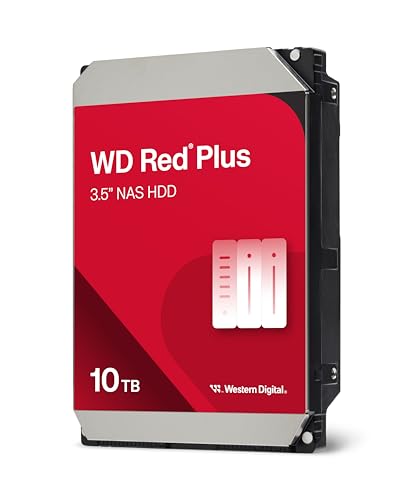
£668.20£23.86/TBChecked Buy on Amazon | |
£561.31New price Buy on Amazon | |
£154.98£25.83/TBChecked Buy on Amazon | |
£260.50£26.05/TBChecked Buy on Amazon | |
£317.48£26.46/TBChecked Buy on Amazon | |
£475.00£33.93/TBChecked Buy on Amazon | |
£378.99£37.90/TBChecked Buy on Amazon | |
£249.48£41.58/TBChecked Buy on Amazon | |
£175.00Was Buy on Amazon | |
£177.96£44.49/TBChecked Buy on Amazon | |
£155.00£51.67/TBChecked Buy on Amazon | |
£127.99£64.00/TBChecked Buy on Amazon | |
£145.00£72.50/TBChecked Buy on Amazon | |
£110.00£110.00/TBChecked Buy on Amazon |







Frequently asked questions
Can I use desktop drives in a NAS enclosure?
Desktop drives may function in some NAS units, but usually lack vibration resistance and are not rated for 24/7 multi-bay use, risking higher failure rates. Stick to NAS-rated models listed by your NAS manufacturer.
Do I need to buy all NAS drives at once?
For new NAS builds, buying identical drives together ensures matched age and performance, making RAID maintenance simpler. For expansions or replacements, always match or exceed the model and capacity in other bays.
Related Black Friday guides
36 guides
Hard drives
- Hard drives
- High-capacity hard drives
- Enterprise hard drives
- Refurbished enterprise hard drives
- Surveillance hard drives
- External hard drives
- SAS hard drives
- 2.5-inch SAS hard drives
- SATA hard drives
- 6 TB hard drives
- 8 TB hard drives
- 10 TB hard drives
- 12 TB hard drives
- 14 TB hard drives
- 16 TB hard drives
- 18 TB hard drives
- 20 TB hard drives
- 22 TB hard drives
- 24 TB hard drives
- 26 TB hard drives
- 28 TB hard drives
- Seagate Exos
- Seagate Exos X18
- Seagate Exos X20
- Seagate Exos X24
- Seagate IronWolf
- Seagate IronWolf Pro
- Toshiba MG
- Toshiba N300
- WD Gold
- WD Red
- WD Red Plus
- WD Red Pro
- WD Ultrastar
- WD Ultrastar HC550
- WD Ultrastar HC560