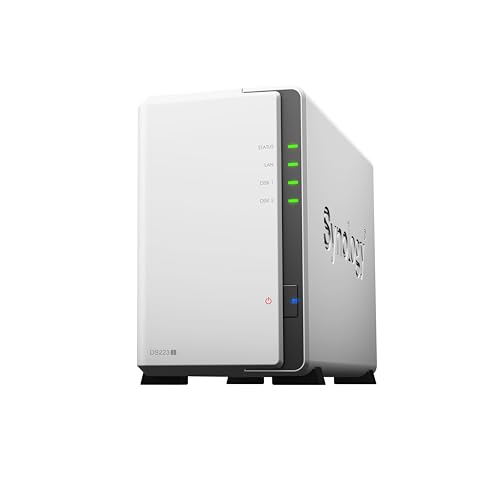
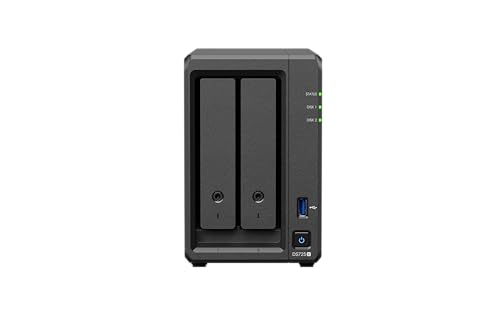
Synology DS224+ UK Black Friday Deals 2026

Amazon UK · GBPAmazon sale dates · 19–30 November 2026US listings

Amazon Black Friday deals

As an Amazon Associate we earn from qualifying purchases. Prices and availability are accurate as of the time indicated and may change. The price and availability displayed on Amazon at the time of purchase apply.

Amazon hasn’t reported a Black Friday deal for these listings. Check Amazon

Regular listings

Product and offerAmazon price
£109.20Checked
Buy on Amazon
£533.33Checked
Buy on Amazon
£543.69Checked
Buy on Amazon
£884.10Checked
Buy on Amazon

Related alternatives

Compare related models or capacities and check the exact specifications and fit before buying.

Product and offerAmazon price
Synology DS223J 2 Bay Desktop NAS, White

Regular listing · New · Amazon

£174.98Checked
Buy on Amazon
£319.99Was £369.97Checked
Buy on Amazon
Synology DiskStation DS124 1 Bay Desktop NAS

Regular listing · New · Amazon

£148.97Checked
Buy on Amazon
SYNOLOGY DS925NEO+ 4-Bay Plus Series Neo+ NAS server

Regular listing · New · Upgrade Central

£563.34Checked
Buy on Amazon
£489.98RRP £588.77Checked
Buy on Amazon
£322.14Was £358.97Checked
Buy on Amazon
SYNOLOGY Diskstation DS1825+

Regular listing · New · Amazon

£1,489.97Checked
Buy on Amazon
3% below reference
Synology DiskStation DS223J Network Storage Drive (White)

Regular listing · New · Amazon

£174.98Was £179.97Checked
Buy on Amazon
Synology DiskStation DS1525NEO+ | NAS Storage, DS1525NEO+

Regular listing · New · Upgrade Central

£833.91Checked
Buy on Amazon
6% below reference
Synology DS124 4TB 1 Bay NAS Solution installed with 1 x 4TB HAT3300 Drives

Regular listing · New · Upgrade Central

£395.75Was £419.02Checked
Buy on Amazon
SYNOLOGY Diskstation DS725+

Regular listing · New · Amazon

£799.97Checked
Buy on Amazon

Buying guide

The Synology DS224+ is a compact 2-bay network-attached storage (NAS) device aimed at home and small office users seeking reliable data sharing and backup. Making the right buying decision involves assessing model requirements, storage options and delivered offer details specific to the UK. This guide walks through the key technical choices and practical steps to make an informed purchase.

Evaluating Populated Versus Diskless Offers

Decide early whether you need a diskless DS224+ or a unit pre-populated with hard drives. Diskless options let you choose drives based on your capacity, speed and redundancy needs, while pre-populated units save setup time. Always check UK retailer listings for details on included drives, as capacity and drive model can vary widely between bundles, affecting final storage and pricing.

If you prefer your own drive selection, look for well-described diskless DS224+ offers. In the UK, pay attention to listings that state 'diskless' or specify the drives included. For pre-populated variants, verify the drive make and warranty terms, as these sometimes differ from drives bought separately. Reading the full specification sheet ensures you match your workload to the drives provided or planned.

Understanding Usable Storage and Redundancy

The DS224+ supports various RAID types. Using two drives, you can opt for RAID 1 for redundancy or RAID 0 for performance and full capacity. For example, with two 4TB drives in RAID 1, only 4TB is usable due to mirroring. Check product documentation or the Synology storage calculator to estimate available capacity after configuring redundancy.

Compare effective usable storage across offers by noting drive sizes and RAID configuration. Confirm with the listing and model documentation the maximum supported drive size for the DS224+. This prevents compatibility issues and ensures you get the expected capacity. Never assume all drives are supported—cross-reference approved drives on Synology's compatibility list for the best results in a real-world setup.

Ethernet, Network Setup and Compatibility

The DS224+ features dual Gigabit Ethernet ports, suitable for most UK broadband or office networks. Check your router or switch for spare Gigabit ports and appropriate Cat 5e or better cabling. Consider the number of network users and your speed needs—link aggregation is available, but only usable if your network switch supports it.

Before purchasing, read the NAS's connectivity section in product specs to confirm suitability for your environment. If you plan remote access, ensure your internet connection supports port forwarding or VPN, and review UK ISP restrictions on external connections. For direct media streaming, check DLNA or Plex server support, depending on your display or player, by referencing Synology’s official documentation.

Working Example and Buying Considerations

Suppose you want secure backup and shared folders for a family. You shortlist the diskless Synology DS224+, add two 6TB NAS-rated drives, and set up RAID 1. Check listing images for exact kit contents and review seller delivery charges and VAT-inclusive pricing. Confirm warranty coverage, especially for UK buyers, by reading the seller terms for NAS units and included drives.

Compare the pound-per-terabyte cost against similarly equipped models such as the DS220+ to assess value. Read through user reviews for UK delivery and support experiences. Use Synology’s web resources to check for required software or hardware updates. Buying at a stable price is wise if your current needs are urgent or if your backup solution is nearing storage capacity limits.

Frequently asked questions

Can I upgrade memory in the Synology DS224+ myself?

Yes, the DS224+ has a user-accessible memory slot for upgrades. Always check compatibility using the official Synology memory list and ensure that you buy from a reputable UK source for warranty purposes.

Is the DS224+ suitable for Plex media streaming?

The DS224+ supports Plex Media Server but reserves performance for SD or some HD transcodes. For heavier or 4K workloads, research Plex requirements and confirm capability with Synology guidance before purchase.

Related Black Friday guides

Browse all Black Friday categories