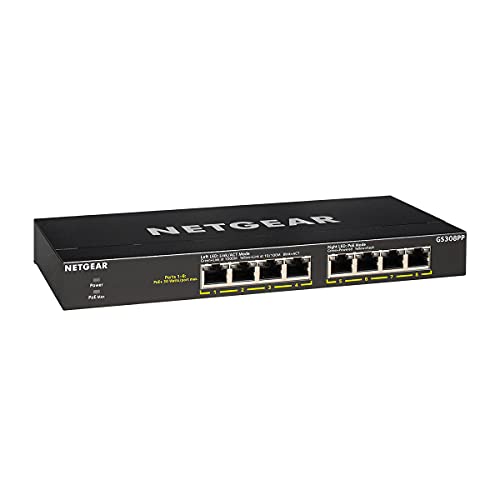
PoE switches Cyber Monday Deals 2026

Amazon.com · USDCyber Monday · November 30, 2026United KingdomDeutschlandFranceBlack Friday

Amazon Cyber Monday deals

As an Amazon Associate we earn from qualifying purchases. Prices and availability are accurate as of the time indicated and may change. The price and availability displayed on Amazon at the time of purchase apply.

Product and offerAmazon price
$27.93List Price $49.99Checked
Buy on Amazon
$170.99List Price $289.99Checked
Buy on Amazon
$30.99List Price $51.99Checked
Buy on Amazon
$131.79List Price $209.99Checked
Buy on Amazon
$101.15List Price $159.99Checked
Buy on Amazon
$139.89List Price $185.99Checked
Buy on Amazon
$52.79Typical price $65.99Checked
Buy on Amazon
$33.59List Price $41.99Checked
Buy on Amazon
$31.99Typical price $39.99Checked
Buy on Amazon
$63.74List Price $78.99Checked
Buy on Amazon
$49.99Typical price $59.99Checked
Buy on Amazon
$22.93Typical price $26.98Checked
Buy on Amazon
$21.24Typical price $24.99Checked
Buy on Amazon

Regular listings

Buying guide

Considering a PoE (Power over Ethernet) switch for your network? This guide details what to verify before selecting a PoE switch on Amazon.com. Easily compare device power needs, port numbers, and delivery totals by SKU. Be sure to check compatibility of all connected gear and confirm that the product, warranty, and accessories match your expectations on Cyber Monday.

Power Budget and Device Requirements

A PoE switch supplies power over network cables to compatible devices like access points, cameras, or phones. First, total the wattage needed by all connected devices and check that it falls below the switch’s stated power budget. For instance, several PoE cameras may exhaust a budget faster than lower-power devices like phones.

Compare the port count and the maximum wattage per port, as offered by the Amazon listing and manufacturer. Some lower-cost switches provide PoE on only half of their ports, or offer 'PoE+' with higher power per port for certain devices. Double-check each device’s requirements before proceeding to checkout.

Verify Cable and Endpoint Compatibility

PoE uses standard Ethernet cabling, but not all devices receive power the same way. Confirm that your existing devices support IEEE PoE or PoE+ standards, and verify that your cabling is Cat5e or better for gigabit speeds.

Some legacy endpoints may require external splitters or specialize in passive PoE, which is not universally supported. Read both the switch listing and device manuals for exact standard support to prevent power delivery issues. Confirm your endpoints’ connector types and ensure ports will align physically and electrically with the switch.

Compare Listings and Delivery Totals

Amazon may display similar PoE switches with different port counts or power budgets under separate SKUs. Review weekend and current lists for pack or single unit differentiation. Evaluate any accessory changes, like included rack-mount hardware or software. Calculate delivered totals including taxes and ensure that warranty support details are specified on the listing.

Double-check the Amazon Total, not just the listed price, before purchasing. If a bundle expires or power specs change mid-day, read all current listings carefully and match them to your real device requirements so you are not left with an insufficient switch.

Buy or Wait? Deciding Actions

If the switch fully meets your power, port, and compatibility needs, and the Amazon delivered price aligns with your budget, it’s smart to buy before potential sellouts. Many PoE switches have supply fluctuations, especially for higher-wattage models.

Should your desired listing expire or the total price rises above your target, reassess your device needs and check viable alternatives for similar features. If your current non-PoE switch suffices, you may wait and track prices for another opportunity, especially if new device rollout can be deferred.

Frequently asked questions

How do I ensure my PoE switch can power all devices?

Add the power requirements for each connected device and confirm the total and per-port budget listed on the switch meets or exceeds your sum before purchasing.

Can I mix PoE and non-PoE devices?

Yes. Most PoE switches support standard devices as well. Confirm each port's specs and use device documentation to confirm compatibility with your switch’s PoE standard.

Related category guides

Browse all Cyber Monday categories