Storage Cyber Monday Deals 2026
Amazon.com · USDCyber Monday · November 30, 2026United KingdomDeutschlandFranceBlack Friday
Latest Amazon deal updates
As an Amazon Associate we earn from qualifying purchases. Prices and availability are accurate as of the time indicated and may change. The price and availability displayed on Amazon at the time of purchase apply.
| Product and offer | Amazon price |
|---|---|
$149.59Typical price Buy on Amazon | |
$161.49Typical price Buy on Amazon | |
$148.74List Price Buy on Amazon | |
$144.49Typical price Buy on Amazon | |
$699.99List Price Buy on Amazon | |
$90.09List Price Buy on Amazon |


Amazon listings by category
As an Amazon Associate we earn from qualifying purchases. Prices and availability are accurate as of the time indicated and may change. The price and availability displayed on Amazon at the time of purchase apply.
Hard drives
View category guide| Product and offer | Amazon price |
|---|---|
$30.59Typical price Buy on Amazon | |
 Amazon Cyber Monday Deal 15% off UnionSine 1TB Ultra Slim Portable External Hard Drive HDD-USB 3.0 | for PC, Mac, Laptop, PS4, Xbox one, Xbox 360-(Black) | $72.01Typical price Buy on Amazon |
$549.99List Price Buy on Amazon | |
$119.99Typical price Buy on Amazon | |
$272.74$34.09/TBChecked Buy on Amazon |




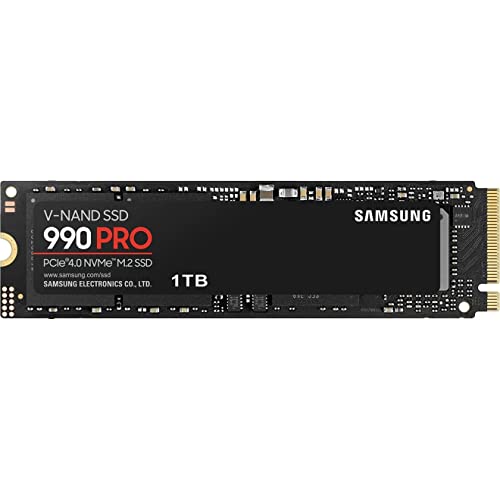
SSDs and flash
View category guide| Product and offer | Amazon price |
|---|---|
$209.99List Price Buy on Amazon | |
$699.99List Price Buy on Amazon | |
 Amazon Cyber Monday Deal 35% off Kingston NV3 1TB M.2 2280 NVMe SSD | PCIe 4.0 Gen 4x4 | Up to 6000 MB/s | SNV3S/1000G | $139.99List Price Buy on Amazon |
$384.99List Price Buy on Amazon | |
$248.00List Price Buy on Amazon |


NAS, DAS and enclosures
View category guide| Product and offer | Amazon price |
|---|---|
$199.99List Price Buy on Amazon | |
$639.99List Price Buy on Amazon | |
$527.99List Price Buy on Amazon | |
$379.99List Price Buy on Amazon | |
$949.99Checked Buy on Amazon |


Networking and security
View category guide| Product and offer | Amazon price |
|---|---|
$7.99List Price Buy on Amazon | |
$122.99List Price Buy on Amazon | |
$254.89Typical price Buy on Amazon | |
$249.99Checked Buy on Amazon | |
$101.26Checked Buy on Amazon |


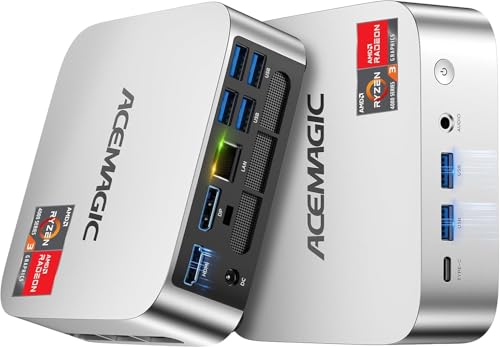
Mini PCs and memory
View category guide| Product and offer | Amazon price |
|---|---|
$439.99List Price Buy on Amazon | |
$322.00List Price Buy on Amazon | |
$199.99Typical price Buy on Amazon | |
$999.99Checked Buy on Amazon | |
$539.99Checked Buy on Amazon |



Homelab, servers and power
View category guide| Product and offer | Amazon price |
|---|---|
$99.95List Price Buy on Amazon | |
$189.49List Price Buy on Amazon | |
$149.99List Price Buy on Amazon | |
$36.99Checked Buy on Amazon | |
$79.99List Price Buy on Amazon |


Frequently asked questions
How do I confirm a hard drive’s usable capacity?
Check the exact drive model and refer to vendor documentation to find the formatted capacity in TiB, not just advertised TB. Adjust for RAID overhead if using mirroring or parity to estimate usable space.
Should I buy pre-populated NAS or diskless for flexibility?
Pre-populated NAS offers convenience and ensures compatibility, while diskless units provide freedom to select drives and customize RAID but require more initial setup and planning.
All categories
Hard drives
- Hard drives
- High-capacity hard drives
- Enterprise hard drives
- Refurbished enterprise hard drives
- NAS hard drives
- Surveillance hard drives
- External hard drives
- SAS hard drives
- 2.5-inch SAS hard drives
- SATA hard drives
- 6 TB hard drives
- 8 TB hard drives
- 10 TB hard drives
- 12 TB hard drives
- 14 TB hard drives
- 16 TB hard drives
- 18 TB hard drives
- 20 TB hard drives
- 22 TB hard drives
- 24 TB hard drives
- 26 TB hard drives
- 28 TB hard drives
- Seagate Exos
- Seagate Exos X18
- Seagate Exos X20
- Seagate Exos X24
- Seagate IronWolf
- Seagate IronWolf Pro
- Toshiba MG
- Toshiba N300
- WD Gold
- WD Red
- WD Red Plus
- WD Red Pro
- WD Ultrastar
- WD Ultrastar HC550
- WD Ultrastar HC560
SSDs and flash
- SSDs
- NVMe SSDs
- SATA SSDs
- Portable and external SSDs
- Magnetic phone SSDs
- PS5 SSDs
- M.2 2230 SSDs
- PCIe 4.0 SSDs
- PCIe 5.0 SSDs
- Enterprise NVMe SSDs
- Enterprise SATA SSDs
- U.2 SSDs
- High-endurance microSD cards
- 1 TB SSDs
- 1.92 TB SSDs
- 2 TB SSDs
- 3.84 TB SSDs
- 4 TB SSDs
- 7.68 TB SSDs
- 8 TB SSDs
- 15.36 TB SSDs
- Crucial SSDs
- Ediloca SSDs
- Fanxiang SSDs
- Fikwot SSDs
- KingSpec SSDs
- Kingston SSDs
- Kingston FURY Renegade G5
- Kingston KC3000
- Kingston XS2000
- Lexar NM1090 PRO
- Lexar NM790
- Micron enterprise SSDs
- ORICO SSDs
- OWC Envoy Ultra
- Samsung SSDs
- Samsung 870 EVO
- Samsung 870 QVO
- Samsung 9100 PRO
- Samsung 980 PRO
- Samsung 990 EVO Plus
- Samsung 990 PRO
- Samsung T5 EVO
- Samsung T7 Shield
- SanDisk Extreme Portable V2
- Solidigm enterprise SSDs
- SSK SSDs
- WD_BLACK SSDs
- WD_BLACK SN7100
- WD_BLACK SN8100
- WD_BLACK SN850X
- WD Red SN700
- Nintendo Switch 2 microSD Express Cards
NAS, DAS and enclosures
- NAS hardware
- 2-bay NAS
- 4-bay NAS
- 6-bay NAS
- 8-bay NAS
- 10GbE NAS
- All-flash NAS
- Rackmount NAS
- ASUSTOR NAS
- ASUSTOR AS5402T
- ASUSTOR AS5404T
- ASUSTOR AS6702T
- ASUSTOR AS6704T
- QNAP NAS
- QNAP TS-253E
- QNAP TS-264
- QNAP TS-453E
- QNAP TS-464
- QNAP TS-664
- QNAP TS-673A
- QNAP TS-832PX
- QNAP TS-873A
- QNAP TS-932PX
- Synology NAS
- Synology DS1525+
- Synology DS1825+
- Synology DS223
- Synology DS224+
- Synology DS225+
- Synology DS423
- Synology DS423+
- Synology DS425+
- Synology DS620slim
- Synology DS725+
- Synology DS923+
- Synology DS925+
- TerraMaster NAS
- TerraMaster F4-425
- TerraMaster F6-425 Pro
- UGREEN NAS
- UGREEN DH2300
- UGREEN DXP2800
- UGREEN DXP2800 GT
- UGREEN DXP4800 GT
- UGREEN DXP4800 Plus
- UGREEN DXP4800 Pro
- UGREEN DXP480T Plus
- UGREEN DXP6800 Pro
- UGREEN DXP6800 Ultra
- UGREEN DXP8800 Plus
- UGREEN DXP8800 Ultra
- Drive enclosures
- Sabrent drive enclosures
- NVMe enclosures
- Direct-attached storage
- 4-bay DAS
- 5-bay DAS
- QNAP TR-004
- TerraMaster D4-320
- Mac mini docks
- Mac mini Thunderbolt 5 docks
Networking and security
- Networking hardware
- Ethernet switches
- Managed switches
- PoE switches
- 2.5GbE switches
- NETGEAR switches
- Network adapters
- 10GbE networking
- 10GbE network cards
- 25GbE networking
- 100GbE networking
- Wi-Fi 7 routers and mesh
- Mesh Wi-Fi
- eero mesh Wi-Fi
- Ubiquiti UniFi
- GL.iNet routers
- Firewall appliances
- Security cameras
- PoE cameras
- Reolink cameras