Samsung 980 PRO Cyber Monday Deals 2026

Amazon.com · USDCyber Monday · November 30, 2026United KingdomDeutschlandFranceBlack Friday

Amazon Cyber Monday deals

As an Amazon Associate we earn from qualifying purchases. Prices and availability are accurate as of the time indicated and may change. The price and availability displayed on Amazon at the time of purchase apply.

Amazon hasn’t reported a Cyber Monday deal for these listings. Check Amazon

Regular listings

Product and offerAmazon price
$349.99$175.00/TBChecked
Buy on Amazon
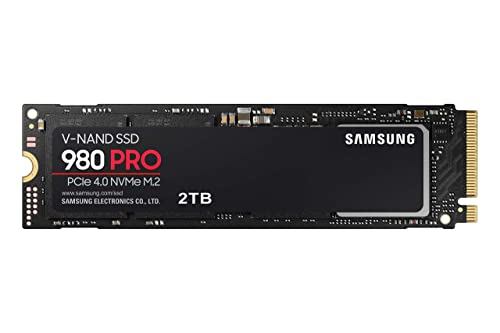
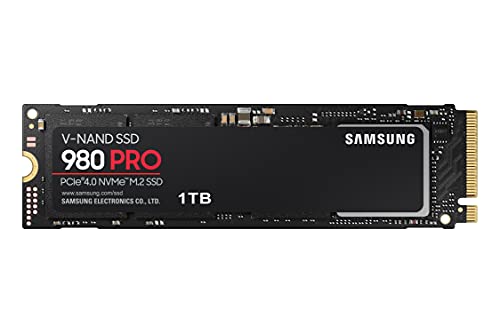
Samsung 980 PRO 1TB PCIe 4.0 NVME M.2 SSD (MZ-V8P1T0BW)

Used · OdysseyComputersMD Warehouse · 1 TB

$225.00$225.00/TBChecked
Buy on Amazon
$489.00$489.00/TBChecked
Buy on Amazon

Related alternatives

Compare related models or capacities and check the exact specifications and fit before buying.

Product and offerAmazon price
$349.99List Price $679.97$175.00/TBChecked
Buy on Amazon
$179.99List Price $229.99$179.99/TBChecked
Buy on Amazon
$384.99List Price $639.99$192.50/TBChecked
Buy on Amazon
Amazon Cyber Monday Deal 35% off
Kingston NV3 1TB M.2 2280 NVMe SSD | PCIe 4.0 Gen 4x4 | Up to 6000 MB/s | SNV3S/1000G

New · Amazon.com · 1 TB · Ends

$139.99List Price $215.99$139.99/TBChecked
Buy on Amazon
$209.99List Price $339.99$209.99/TBChecked
Buy on Amazon
$699.99List Price $1,099.99$175.00/TBChecked
Buy on Amazon
$159.99Typical price $189.00$159.99/TBChecked
Buy on Amazon
$109.99$219.98/TBChecked
Buy on Amazon
$148.74List Price $179.99$148.74/TBChecked
Buy on Amazon
$248.00List Price $319.99$248.00/TBChecked
Buy on Amazon
$192.95$192.95/TBChecked
Buy on Amazon
$379.90List Price $579.99$189.95/TBChecked
Buy on Amazon

Buying guide

The Samsung 980 PRO is a high-performance PCIe Gen4 NVMe SSD popular in desktops, laptops, and PS5 consoles. Choosing the right capacity and model on Amazon.com requires close attention to interface, cooling, and warranted endurance. This guide explains how to compare listings and sort real Cyber Monday deals from weekend prices. (52 words)

Check Interface and Slot Compatibility

Before purchasing a Samsung 980 PRO, verify that your system supports PCIe Gen4 x4 NVMe drives. Older desktops and laptops may only support PCIe Gen3 or SATA slots. Carefully read the product model documentation—Samsung 980 PRO models use the M.2 2280 form factor, which must fit in your motherboard’s or laptop’s available M.2 slot. Check your device's manual for compatibility details. (60 words)

Also, distinguish between the Samsung 980 PRO and other Samsung 980 series drives. Only the PRO offers PCIe 4.0 speeds. For PlayStation 5 owners, ensure your system’s firmware and drive slot are updated to utilize PCIe Gen4 speeds and fully access the 980 PRO’s performance. Installation guides for your device can confirm the required protocol and slot configuration. (61 words)

Review Listings and Compare Part Numbers

When browsing Amazon, confirm you are looking at genuine Samsung 980 PRO SKUs and not similar-sounding models or third-party bundles. The drive should list an MZ-V8Pxxxx model number and clearly specify capacities of 250GB, 500GB, 1TB, or 2TB in the title and the detailed specifications section. Mislabeling can lead to incompatible purchases or misleading performance expectations. (62 words)

Check delivered totals, including taxes and shipping, in your Amazon cart before checkout. Compare these to the prices listed over the weekend to ensure you are getting a real discount. If an offer expires, track price changes to see if the listing returns to your target price, or consider alternative models or capacities with similar endurance ratings. (60 words)

Understand Performance, Endurance, and Cooling

Capacity and endurance are crucial for PCIe 4.0 SSDs like the 980 PRO. Endurance is measured in terabytes written (TBW). For example, a 1TB 980 PRO is rated around 600 TBW, which is ideal for heavy read/write workloads or gaming. Always check the endurance figure in the official documentation to compare lasting value between Cyber Monday listings. (59 words)

Some 980 PRO offers on Amazon include factory-installed heatsinks, required for some PS5 slots and recommended for high-intensity PC use. Carefully review whether a drive includes a heatsink or not—and consider the cooling requirement of your system. Drives without heatsinks may require aftermarket thermal solutions for sustained performance and warranty protection in demanding workloads. (58 words)

Decide When to Buy and What to Double-Check

After confirming model, capacity, and compatibility, compare Amazon Cyber Monday discounts with historic prices using trackers or your weekend screenshots. If totals remain unchanged or differ by only a few dollars, patience may yield future price drops. Bundles and multipacks should divide to the lowest per-unit delivered price for your needs, but check warranty terms across single and pack listings. (61 words)

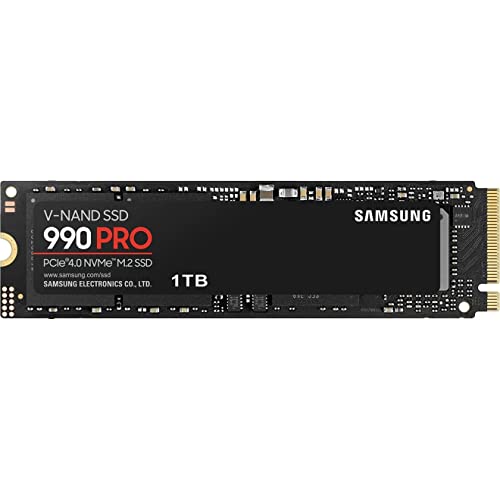
Pay attention to the return policy and seller reputation for storage products. Amazon’s Authorized Samsung listings are usually eligible for limited manufacturer warranties after registration. If a deal expires, check whether alternative capacities or the newer Samsung 990 series offer similar application compatibility and support. Always review the warranty procedure before ordering, including documentation for proof of purchase. (60 words)

Frequently asked questions

Can I use the Samsung 980 PRO in the PlayStation 5?

Yes, but you must choose a 980 PRO with a heatsink or add one, and the drive must be PCIe Gen4. Confirm space clearance and firmware version before purchase.

What distinguishes the 980 PRO from standard Samsung 980 drives?

The 980 PRO features PCIe 4.0 NVMe speeds and higher endurance. Standard 980 models are slower and may not meet demanding gaming or workstation needs.

Related category guides

Browse all Cyber Monday categories