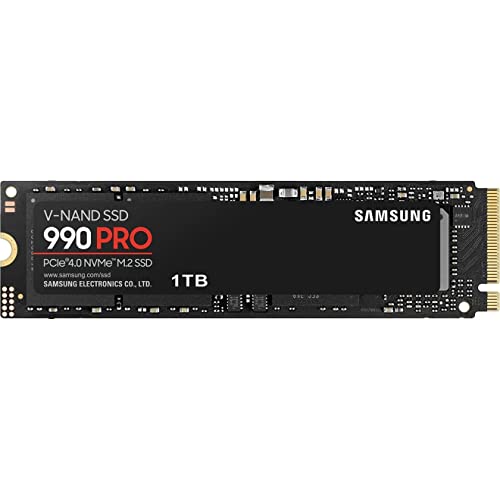
Samsung 990 EVO Plus Cyber Monday Deals 2026

Amazon.com · USDCyber Monday · November 30, 2026United KingdomDeutschlandFranceBlack Friday

Amazon Cyber Monday deals

As an Amazon Associate we earn from qualifying purchases. Prices and availability are accurate as of the time indicated and may change. The price and availability displayed on Amazon at the time of purchase apply.

Amazon hasn’t reported a Cyber Monday deal for these listings. Check Amazon

Regular listings

Amazon hasn’t returned regular prices for these listings. Browse Amazon

Related alternatives

Compare related models or capacities and check the exact specifications and fit before buying.

Product and offerAmazon price
$349.99List Price $679.97$175.00/TBChecked
Buy on Amazon
$179.99List Price $229.99$179.99/TBChecked
Buy on Amazon
$384.99List Price $639.99$192.50/TBChecked
Buy on Amazon
$699.99List Price $1,099.99$175.00/TBChecked
Buy on Amazon
Amazon Cyber Monday Deal 35% off
Kingston NV3 1TB M.2 2280 NVMe SSD | PCIe 4.0 Gen 4x4 | Up to 6000 MB/s | SNV3S/1000G

New · Amazon.com · 1 TB · Ends

$139.99List Price $215.99$139.99/TBChecked
Buy on Amazon
$159.99Typical price $189.00$159.99/TBChecked
Buy on Amazon
$209.99List Price $339.99$209.99/TBChecked
Buy on Amazon
$148.74List Price $179.99$148.74/TBChecked
Buy on Amazon
$109.99$219.98/TBChecked
Buy on Amazon
$248.00List Price $319.99$248.00/TBChecked
Buy on Amazon
$349.99Typical price $444.43$175.00/TBChecked
Buy on Amazon
$238.88$119.44/TBChecked
Buy on Amazon
$192.95$192.95/TBChecked
Buy on Amazon
$193.99$193.99/TBChecked
Buy on Amazon
$45.64Typical price $62.97$178.28/TBChecked
Buy on Amazon

Buying guide

The Samsung 990 EVO Plus is a modern NVMe SSD supporting PCIe Gen4 and backward-compatible Gen3 hosts. Reviewing Amazon listings for real Cyber Monday deals requires checking slot fit, endurance, and the model documentation. This guide offers specific steps for evaluating live offers, deciding on upgrade paths, and comparing delivered prices to weekend values. (55 words)

Match Form Factor and Host Support

Before buying a Samsung 990 EVO Plus, verify your system supports the M.2 2280 form factor and NVMe protocol. Check your laptop's or motherboard's model documentation for M.2 slot type (PCIe Gen3 or Gen4) and supported SSD lengths. Installing a Gen4 drive in a Gen3 slot works but limits speed, offering only incremental gains compared to true Gen4 platforms. (61 words)

If you plan to upgrade an ultrabook, workstation, or desktop, confirm firmware and BIOS support for the Samsung 990 EVO Plus. Carefully review compatibility notes in the device manual or vendor documentation. Using an unsupported slot or out-of-date firmware may prevent the host from recognizing the SSD or achieving full endurance and speed benefits. (58 words)

Decode Amazon Listings and Model Numbers

Samsung 990 EVO Plus SSDs on Amazon should clearly state the MZ-V9Pxxxx model number. Differentiate between EVO, EVO Plus, and other Samsung product lines to avoid compatibility errors or slower performance. Focus on listings that show exact storage capacity, interface specification, and included items—avoid third-party packs or bare drives with missing manufacturer warranty details. (59 words)

Always check the full delivered price in your Amazon cart, factoring in taxes and shipping. If the Cyber Monday offer has expired or totals more than the weekend price, use Amazon price tracking tools to identify patterns and consider waiting. Comparing model documentation ensures you avoid last-generation drives re-listed as 990 EVO Plus SSDs. (60 words)

Assess Endurance, Workload, and Value

Endurance is critical, especially for larger capacities. A 1TB Samsung 990 EVO Plus is typically rated for several hundred TBW, suitable for daily workstation or gaming use. Double-check the endurance specification in the official datasheet before committing—Amazon listings sometimes omit this detail, and choosing based on price alone may result in a less durable drive for heavy workloads. (60 words)

If upgrading from an older SATA SSD or a budget NVMe model, the 990 EVO Plus offers significantly improved sustained write speeds and better thermal management. Check for listings that mention built-in or optional heatsinks; heavy sequential loads can throttle non-cooled drives. Evaluate whether you will need additional aftermarket cooling for your chassis and install environment. (56 words)

Optimize Purchase Time and Warranty Coverage

Compare Cyber Monday deal prices with screenshots from the weekend to ensure the discount is genuine. For multi-pack offers, divide the total price by the number of drives to determine real dollars per TB. Cross-check warranty support between single and bundled listings—the latter may have different return policies and warranty activation requirements. (58 words)

Always buy from Amazon listings that specify “Ships from and sold by Amazon.com” or an authorized dealer to secure Samsung’s warranty. After purchase, register your SSD with Samsung using the serial number for warranty support. If a price or offer expires, evaluate whether the next-best model or capacity meets your need, or wait for price reversion or future sales. (59 words)

Frequently asked questions

Can I install the 990 EVO Plus in a PCIe Gen3 M.2 slot?

Yes, but it will operate at Gen3 speeds. For full performance, you need a Gen4 M.2 slot and motherboard firmware support.

Does the Samsung 990 EVO Plus include a heatsink?

Most 990 EVO Plus listings are bare drives. Check for specific mention of a heatsink in the product title or detail section if thermal management is needed.

Related category guides

Browse all Cyber Monday categories