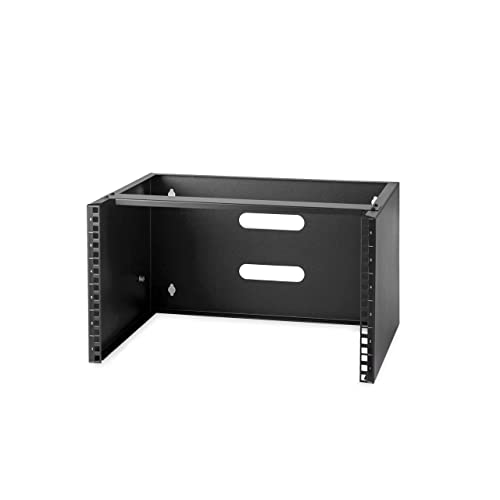
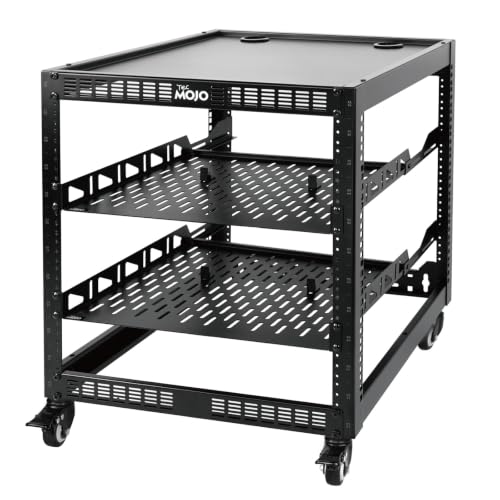
Choosing the right rack for your server or network gear keeps your hardware organized and manageable. Use this guide to compare Amazon.com listings for server and network racks. Confirm exact measurements, mounting hardware, airflow strategy, and weight capacity before selecting a solution for your space and equipment.
Confirm Rack Size and Mounting Requirements
Measure your available installation space and read your hardware’s mounting depth before browsing. A 42U 4-post rack accommodates most enterprise servers, but shallow 2-post designs suit lighter devices. Match your devices’ rail kits to the rack type and read the mounting pattern (square or round holes) in both product and accessory documentation to avoid incompatible rails or screws.
Read the detailed listing for included hardware and dimensions. Some affordable Amazon racks ship without mounting hardware or with metric threads instead of standard U.S. rack screws. Compare rack unit sizing (U) and overall height in small server rooms. Double-check with manufacturer rail compatibility charts, as mismatched rails are a common mistake.
Understand Airflow, Cable Management, and Cooling
Airflow is critical to hardware health and performance. Look for racks with proper venting, perforated doors, or open-frame construction. For example, an enclosed rack is best in dusty environments, while open frames offer easier device access and less airflow resistance. Plan for cable management using built-in trays or separate cable managers.
Check the Amazon listing for photos of rear and side access, included fans, and cable grommets. Some racks bundle blanking panels or shelves, others require separate purchases. Airflow planning affects equipment spacing and thermal efficiency, especially if housing both servers and high-power switches. Always confirm from product documentation the cooling recommendations matched to your planned load.
Factor in Weight, Floor Compatibility, and Mobility
Add up the combined weight of your planned gear and compare it with the rack’s specified limit in the Amazon description. Heavy servers require racks with a much higher load rating and possibly floor-bolting or wider feet. For example, a rack with a 1000-lb limit may be needed for fully loaded 4U storage servers, but a 300-lb rack suffices for edge appliances or switches.
Check for included casters or leveling feet if your rack will be moved or installed on uneven surfaces. Some racks include only basic wheels without brakes, while others have professional cable knockouts and grounding lugs. Confirm whether a shipping pallet, knockdown assembly, or pre-built rack will fit through your doorway and install space.
Compare Accessory Compatibility and Total Delivered Costs
Accessories affect both function and cost. Some racks require proprietary shelves, power strips, or side panels. Compare the delivered price with required add-ons: rails, vertical PDUs, or cable arms. After Cyber Monday, recheck listings for bundled options or delivery incentives that may only run for certain configurations or sellers.
A worked checklist: choose three Amazon rack listings, compare included and optional accessories, and match the install location’s height and width requirements. Read the warranty and return policy for racks, keeping in mind high shipping costs or complex assembly. If needed, decide if waiting for inventory refreshes or bundle deals post-event makes sense versus buying incomplete or mismatched solutions.