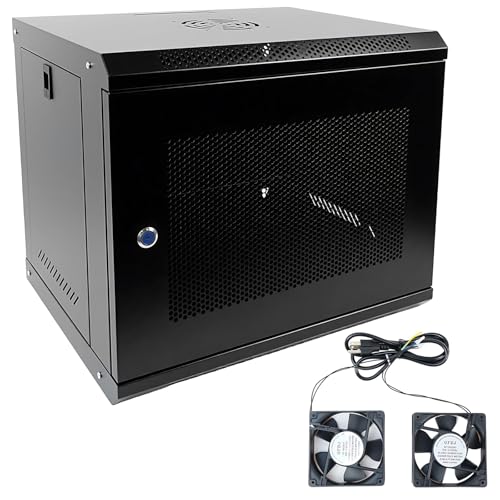
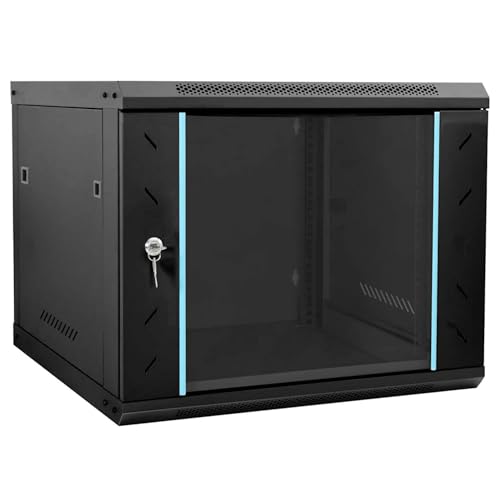
Selecting a suitable server or network rack for your homelab is crucial for organisation, cooling and future expansion. Amazon.co.uk offers various freestanding, wall-mounted and open-frame options. On Cyber Monday, check if the exact rack you need matches weekend prices and delivered totals, and always verify UK power compatibility and delivery terms before deciding to purchase or wait.
Assessing Rack Size and Form Factor
Start by determining the rack's height in U (rack units), overall depth, and width. Measure your equipment, including servers, switches and power units, to ensure compatibility. For example, many small homelab users are well served by a 6U or 12U rack, but if your network kit exceeds 400mm in depth, confirm the rack's internal measurements carefully in the listing.
Compare enclosed racks to open-frame designs, weighing dust protection and cooling requirements. Enclosed racks restrict airflow unless actively cooled, while open-frame racks simplify cable management. Read the Amazon listing's specifications and product gallery to confirm side venting, cable cut-outs and included mounting rails. Avoid racks without clear dimensional details or credible mounting instructions.
Checking Build Quality and Security
Material quality varies widely. Heavier steel racks offer improved stability but can require two-person assembly and special delivery. Lightweight, flat-pack units cost less but may restrict load capacity or equipment depth. Always check the total weight rating in kilogrammes and read user documentation for any fixings or anti-tip features required during installation.
Security matters for shared or open environments. If you need physical equipment protection, look for models with lockable doors and removable side panels. For example, a typical wall-mount rack may only include a front lock. Verify supplied hardware in the package contents and check whether the lock mechanism uses standard or proprietary keys before purchasing on Amazon.co.uk.
Evaluating Cooling and Cable Management
Cooling arrangements should reflect your intended hardware density. For high-wattage servers or routers, review whether the rack supports standard 120mm or 140mm fans, and if blanking panels can be added for unused slots. Some racks come with fan cut-outs or mesh top panels; confirm fan size compatibility before adding extra cooling systems.
Plan cable management early. Check for vertical cable channels, included cable rings, or dedicated rear spaces for patch panels. Listings should specify whether cage nuts, vertical cable trays or power distribution units (PDUs) are included or need separate purchase. For tight fit-ups, refer to dimensioned drawings or contact the Amazon seller for confirmation prior to Cyber Monday.
Delivery, Assembly and UK-Specific Considerations
Review the full delivered price including VAT and any shipping surcharges, as rack units are frequently oversized. On Cyber Monday, check whether Amazon.co.uk or a warehouse partner handles delivery, as service and assembly support may differ. Consider whether hallway access and final site location suit boxed dimensions before purchase.
If you require UK mains compatibility for built-in PDUs or fans, review whether the rack includes a power lead with a fused UK plug or requires an adapter. Double-check the returns policy, especially on heavy or custom-ordered items. Once an offer expires, review upcoming restocks or similar alternatives and compare any revised delivered total.