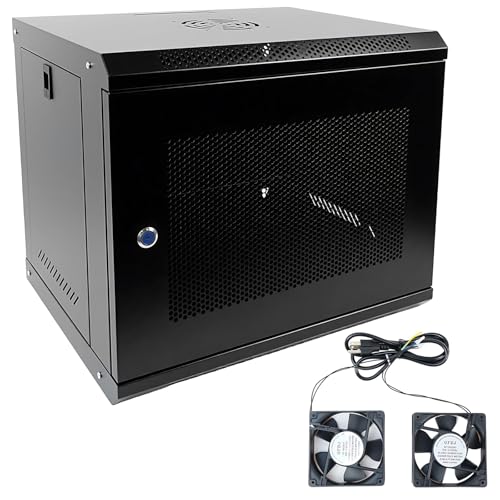
Selecting the right server or network rack for UK deployment involves confirming standards compatibility, sizing requirements and practical assembly or access. The best rack meets your equipment’s needs for cooling, cabling, and security while fitting your space and installation skills. This guide provides concrete steps for a confident server rack purchase.
Sizing and Fitting: Height, Depth and Internal Layout
Server racks are measured in “U” units, each 44.45mm high, with common full heights being 24U, 42U and 47U. Calculate the total space needed by adding the U heights of your planned servers, networking devices and spacers. Always add extra capacity for future expansion and reasonable cable management gaps between devices.
Depth is crucial: check both internal and external measurements, since some racks list overall size including doors or handles, while others give usable mounting depth. For deep server chassis (often above 600mm), verify they fit with room for rear cable bends. Short-depth racks work well for network kit but may limit the choice of rack servers or power distribution units.
Assembly, Doors and Security Features
Many Amazon.co.uk racks arrive flat-packed for home assembly. Confirm the required tools, number of people, and typical build time by reading listing fine print or user reviews. For office or data centre use, prefabricated or welded racks save time but may demand freight delivery due to their size and weight.
Rack doors and side panels can deter tampering or damage and may enhance airflow if perforated. Review listings for features like front-and-rear locking, removable sides or keyed security latches. Consider also rack castors, levelling feet, and cable entry cutouts—these can be vital for specific installations and may affect the placement or future relocation of your rack.
Mounting Hardware, Fan Options and Mains Cabling
Not all racks are supplied with cage nuts, fixing screws, PDU rails or cable management arms. Scrutinise what hardware is included by default and plan for additional purchases if mounting multiple servers or heavy equipment. High-quality racks specify weight limits and supply diagrams showing mounting points for rails or shelves.
For power, check whether the rack accepts standard vertical or horizontal mounting of UK power distribution units. Some entry-level racks only support horizontal strips, so verify dimensions. If the rack includes cooling fans, make sure they match UK voltage and plug standards; otherwise, source them separately. Always calculate the total rack power draw versus your site’s available supply.
Worked Example: Choosing a 12U Rack for Home Lab Use
Suppose you want a 12U rack to house two 2U servers, a 1U switch, a 2U UPS and leave 3U for future expansion. Confirm the rack is 19-inch standard, has minimum usable depth of 600mm, and comes with at least 20 cage nuts and screws. Locking, removable side panels are preferable for home environments where security and dust reduction are priorities.
Choose a rack with casters for movability, and adjustable rails for equipment fit. Check reviews for assembly ease and ventilation (fans optional if in open room). Itemise any add-ons needed, like extra cable management rings or blanking plates, and read seller details on delivery (kerbside or inside) and returns, as racks can be bulky and expensive to return if not suitable.