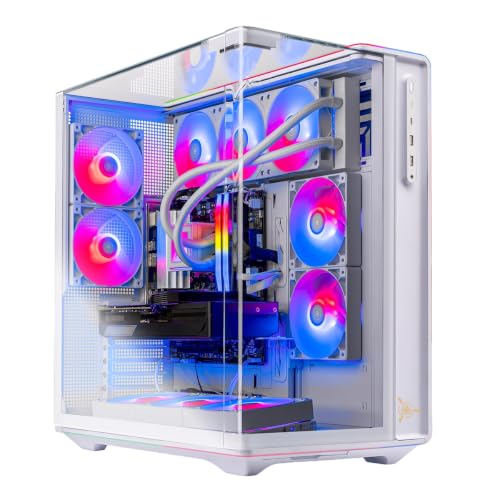
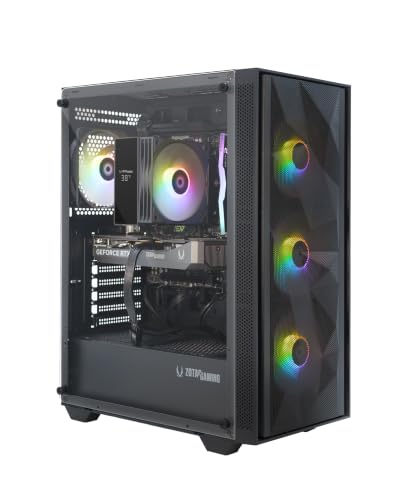
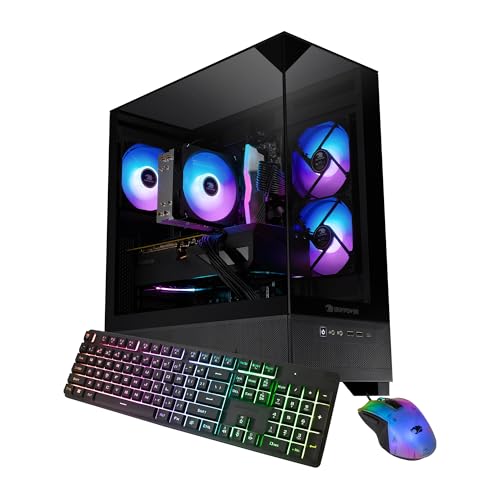
PCs for local LLMs Cyber Monday Deals 2026

Amazon.com · USDCyber Monday · November 30, 2026United KingdomDeutschlandFranceBlack Friday

Amazon Cyber Monday deals

As an Amazon Associate we earn from qualifying purchases. Prices and availability are accurate as of the time indicated and may change. The price and availability displayed on Amazon at the time of purchase apply.

Product and offerAmazon price
$2,269.00Typical price $2,842.71Checked
Buy on Amazon
$2,749.99List Price $3,199.99Checked
Buy on Amazon
$2,999.99List Price $3,299.99Checked
Buy on Amazon
$1,899.98List Price $1,999.99Checked
Buy on Amazon

Regular listings

Product and offerAmazon price
$279.99Checked
Buy on Amazon
$689.99Checked
Buy on Amazon
$854.99Typical price $899.99Checked
Buy on Amazon
$999.99List Price $1,399.99Checked
Buy on Amazon
$999.99Checked
Buy on Amazon
$1,099.99Checked
Buy on Amazon
$1,139.99List Price $1,199.99Checked
Buy on Amazon
$1,149.99Checked
Buy on Amazon
$1,169.99Checked
Buy on Amazon
$1,299.99Checked
Buy on Amazon
$1,781.00Checked
Buy on Amazon
$1,789.00Checked
Buy on Amazon
$1,999.99Checked
Buy on Amazon
$2,499.00Checked
Buy on Amazon
$2,499.99List Price $2,699.99Checked
Buy on Amazon
$2,699.99Checked
Buy on Amazon
$3,533.00Checked
Buy on Amazon

Buying guide

Running local large language models on a PC demands substantial GPU power and abundant memory. During Cyber Monday 2026, US shoppers should carefully verify the specifications and fit of each Amazon listing to ensure the system can handle AI workloads efficiently and reliably.

Confirming GPU and System Fit

Local LLM inference works best with modern discrete GPUs boasting high VRAM, such as NVIDIA RTX 4070 12GB or higher. Check the Amazon listing for the precise GPU model and its memory, since similar names may denote vastly different capabilities. Compare alternate SKUs to ensure you’re not getting propped-up entry-level cards marketed as AI-ready.

Check if the case and motherboard have adequate physical space and PCIe lanes for the GPU. Listings for compact or prebuilt systems may show size constraints—review technical diagrams and specs on the manufacturer’s site. Confirm power supply wattage and connector compatibility, as some powerful cards need specific cables or more amps than basic systems provide.

Evaluating RAM and Storage for LLMs

Training or running large LLMs needs substantial RAM, often 32GB or more. Confirm from the Amazon specs and images that total installed memory matches your required workloads. Some listings detail single-channel setups, which can be slower for memory-intensive tasks. Prefer dual-channel if available for better bandwidth.

For storage, look for fast NVMe SSDs over SATA drives to reduce model loading times. Many LLMs involve working with datasets that benefit from sequential write speed. Check if the PC supports future SSD upgrades by reading the motherboard’s maximum drive specifications. Compare Cyber Monday pricing for the same SSD model over the weekend before deciding.

Verifying LLM Environment Compatibility

Check the PC’s stated support for CUDA (NVIDIA) or ROCm (AMD) if running frameworks like PyTorch or TensorFlow. Listings may only list Windows compatibility, but model documentation often clarifies full OS support, PCIe version, and driver requirements essential for LLM deployment. For prebuilt systems, scan for preloaded bloatware that could eat into available resources.

Evaluate cooling and airflow, as LLM inference can create sustained thermal loads. Confirm the case has enough fans and the GPU has adequate cooling. Compact systems may get loud or throttle performance, impacting inference speeds. Compare Cyber Monday offers for the same model with alternate coolers or chassis if thermals are a concern.

Total Cost, After-Sale Support, and Missed Deals

Before buying, compare the full delivered price of the same PC configuration at checkout, not just the headline figure. Factor in tax and shipping options, as these can shift versus offers earlier in the weekend. Check if the offer includes only the tower, or a bundle with peripherals, as missing a keyboard or Wi-Fi card could raise your total cost.

After purchase, record your order details, note the full list of included parts, and download the latest AI framework installers using the confirmed hardware specs. If the deal ends before you decide, save your exact requirements and configuration notes for the next round of discounts. This ensures quick, informed decisions if the same hardware returns as a time-limited offer.

Frequently asked questions

How much VRAM do I need for running local LLMs?

At least 12GB of VRAM is recommended for meaningful LLM inference. For larger models or multiple concurrent sessions, 16GB or more may be required, especially if working with advanced AI frameworks.

What should I check before running LLM models on a new PC?

Validate OS and framework compatibility, confirm current drivers, and thoroughly test cooling. Reviewing the motherboard and GPU documentation ensures CUDA or ROCm support matches your intended AI workloads.

Related category guides

Browse all Cyber Monday categories