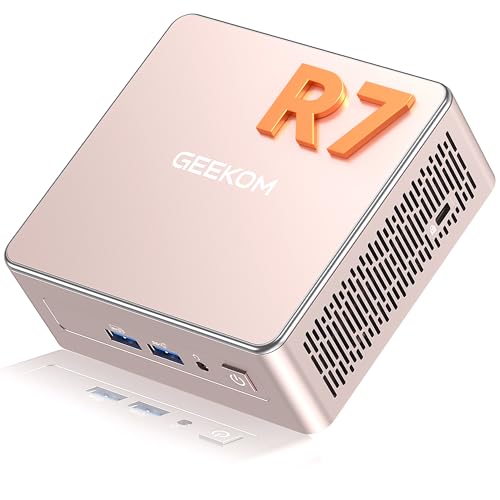
Shoppers seeking a compact, capable PC should carefully evaluate GEEKOM mini PCs. With varying configurations and port selections, GEEKOM offers models for most home and office uses. Compare Amazon listings for model, memory, storage, and warranty before checking out. Comparing deals, specs, and returns can help you lock in a suitable mini PC this Cyber Monday.
Model Selection and Configuration
GEEKOM mini PCs come in several series, including the IT and MiniAir models, each offering different CPU options like Intel Core i5 or i7 and various AMD Ryzen chips. For example, the GEEKOM Mini IT11 is available with both Intel Core i5-1135G7 or i7-1165G7, and configurations can differ in included RAM and SSD size. Cross-check the exact model identifier and full specifications in the Amazon listing with what is on the manufacturer’s website to confirm you’re getting the CPU and storage you expect.
Memory and storage are often upgradeable, but not every listing ships with the same base configuration. Some Amazon offerings bundle an extra SSD or memory, while others keep it minimal to lower the price. Always read whether a listing includes an operating system license. Screenshots and the “About This Item” section often clarify which parts are included, but checking customer Q&A can confirm details if you’re unsure.
Ports and Expandability
Physical connectivity should match your intended use. GEEKOM mini PCs vary in the types and count of ports: some provide dual HDMI for multi-display setups and USB-C with DisplayPort support, while others may offer fewer outputs. If you need to drive two 4K monitors or require specific USB-A or SD card access, check the rear and side port photos and the technical table.
Expansion and upgrade options matter over time. While most GEEKOM mini PCs provide NVMe M.2 slots and allow DDR4 RAM swaps, opening the chassis may void return policies or warranties. Compare Cyber Monday deals with listings from the same weekend and review return conditions before slotting in new hardware yourself. If the model is for business, look for listings including VESA mounts or extra accessories.
Comparing Offers and Delivered Cost
Cyber Monday weekend can show different prices or package contents, so compare the product’s model code and configuration line by line between Sunday night and Monday morning. Note any bundled accessories or software that is only included for a limited time. Check both the item subtotal and the final delivered price, which may include local tax or shipping on Amazon.com.
After deals expire, some listings revert to higher base prices or drop limited bundles. If you miss a specific GEEKOM offer, consider waiting for the next cycle or check certified renewed units. Always confirm the third-party seller’s rating and Amazon's return policy, especially if you encounter a post-event restock at a different price.
Compatibility and Use Cases
Not every mini PC matches every workflow. Home entertainment setups may need silent cooling and HDMI-CEC, while office deployments might prioritize dual Ethernet. Read the listing text to confirm features such as Wi-Fi 6, Bluetooth version, and preinstalled software.
If upgrading an existing setup, confirm that your current monitor, keyboard, and storage will connect—look for included USB adapters or read reviews for compatibility notes. Manufacturer PDF manuals posted online can verify BIOS features, memory support, and supported operating systems.