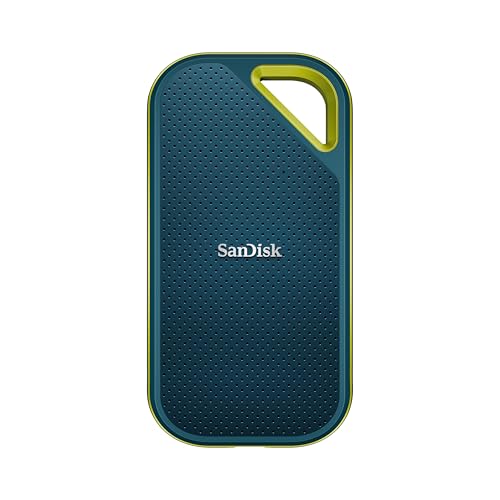
4 TB SSDs UK Black Friday Deals 2026

Amazon UK · GBPAmazon sale dates · 19–30 November 2026US listings

Amazon Black Friday deals

As an Amazon Associate we earn from qualifying purchases. Prices and availability are accurate as of the time indicated and may change. The price and availability displayed on Amazon at the time of purchase apply.

Product and offerAmazon price
£589.00RRP £945.79£147.25/TBChecked
Buy on Amazon
£581.55RRP £749.99£145.39/TBChecked
Buy on Amazon
£417.35RRP £521.69£104.34/TBChecked
Buy on Amazon
£648.01RRP £801.99£162.00/TBChecked
Buy on Amazon
£373.99RRP £439.99£93.50/TBChecked
Buy on Amazon
£429.99Was £469.99£107.50/TBChecked
Buy on Amazon

Regular listings

Product and offerAmazon price
£299.99Was £309.99£75.00/TBChecked
Buy on Amazon
£309.99£77.50/TBChecked
Buy on Amazon
£309.99RRP £319.99£77.50/TBChecked
Buy on Amazon
£315.01RRP £339.99£78.75/TBChecked
Buy on Amazon
£337.99Was £449.99£84.50/TBChecked
Buy on Amazon
£449.99£112.50/TBChecked
Buy on Amazon
£504.99£126.25/TBChecked
Buy on Amazon
£534.97Was £552.00£133.74/TBChecked
Buy on Amazon
£599.99RRP £816.19£150.00/TBChecked
Buy on Amazon
£600.00£150.00/TBChecked
Buy on Amazon
5% below reference
WD Red SA500 4TB NAS SATA SSD 2.5 Inch

New · Amazon · 4 TB

£665.08Was £698.99£166.27/TBChecked
Buy on Amazon
£859.97RRP £1,057.19£214.99/TBChecked
Buy on Amazon
£877.31RRP £1,367.79£219.33/TBChecked
Buy on Amazon

Buying guide

A 4 TB SSD offers substantial capacity for power users, professionals, or anyone seeking fast, silent storage. UK shoppers should weigh performance, endurance, and compatibility. Comparing options is easier with proper checks and price calculations. This guide covers what matters when buying a 4 TB SSD, from drive format and speed to reading listings and picking a reliable source.

Choosing the Right Slot and Interface

4 TB SSDs come in multiple formats. SATA drives use the standard 2.5-inch form factor and offer compatibility with most desktops and laptops, reaching speeds up to 560 MB/s. NVMe models with M.2 or PCIe add-in card connections offer far greater bandwidth, suitable for high-performance tasks. Check your system’s compatibility for slot type, interface version, and power requirements before purchase.

Listings should specify the interface—such as SATA III, PCIe Gen3 x4, or PCIe Gen4 x4—and the supported form factor. Confirm with your system’s documentation or motherboard manual which options fit. For external use, ensure the USB or Thunderbolt enclosure supports the SSD’s speed and physical size (2280, 22110, etc.). Mismatched slots will prevent successful installation and may invalidate warranty claims.

Assessing Endurance and Workload Ratings

Endurance, often measured in TBW (terabytes written), reflects the maximum data that can be written over the drive’s lifespan. Heavier workloads require higher TBW ratings. Professional and creative users storing and editing large files should prioritise drives with robust endurance to avoid premature failure.

Retail listings might only mention warranty length, but always check the manufacturer’s technical datasheet for actual TBW figures. For example, mainstream consumer models can offer around 600–1,200 TBW at 4 TB, while enterprise drives are higher. Purchase from reputable sellers and keep documentation, as warranty may depend on original packaging and proper installation.

Performance Characteristics and Cooling Needs

Sustained performance is key for 4 TB SSDs. NVMe drives can overheat under continuous load, triggering thermal throttling. Some models ship with heat spreaders or require motherboard-side cooling. Check drive specifications for sustained write speed, SLC caching, and cooling recommendations. Don’t assume all SSDs perform equally, especially under real-world, mixed-use demands.

Bulk data transfer, video production, and gaming benefit from higher IOPS and read/write speeds, but only if your use case needs it. For file storage or backups, a reliable SATA SSD may suffice, while video workflows need top-tier NVMe performance. Assess what you’ll use the SSD for, balancing cost per GB with actual throughput.

Comparing Offers and Making a Final Decision

Compare pounds per TB among models with the same interface. Be aware of single drives versus multipacks. Prices are sometimes quoted without VAT or delivery; always calculate the final delivered price. Check the seller’s returns policy and ensure a UK-based support channel. Amazon displays different sellers’ offers together, so review who actually fulfils the order.

Read reviews for consistency and check for confirmation of specifications such as DRAM cache, controller, and NAND type. NVMe 4 TB SSDs may advertise PCIe 4.0 support but can run at lower speeds on Gen3 slots. For best value, create a checklist: slot compatibility, interface, reliable vendor, endurance, cooling needs, and final price. Only purchase when these line up with your requirements.

Frequently asked questions

How do I check my system supports a 4 TB NVMe SSD?

Consult your device or motherboard manual for available M.2 slots, supported lengths (such as 2280), and PCIe generation. Not all older systems support booting from NVMe or using high-capacity drives, so confirm manufacturer compatibility first.

Is there a performance difference between major 4 TB SATA SSD brands?

Between major brands, read speeds are typically similar, but some drives offer superior sustained writes, caching, or endurance. Enterprise and high-tier products outperform entry-level models. Always check the precise model’s datasheet for performance benchmarks.

Related Black Friday guides

Browse all Black Friday categories