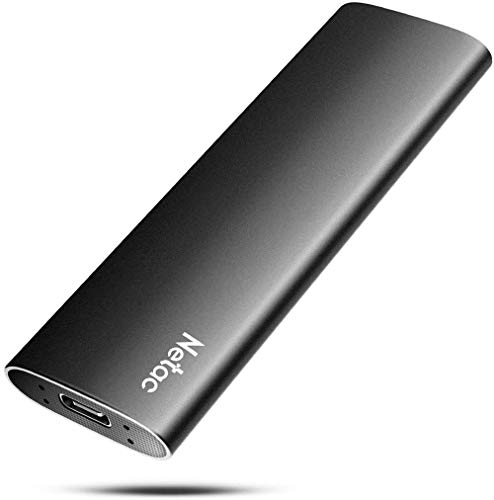
Portable and external SSDs UK Black Friday Deals 2026

Amazon UK · GBPAmazon sale dates · 19–30 November 2026US listings

Amazon Black Friday deals

As an Amazon Associate we earn from qualifying purchases. Prices and availability are accurate as of the time indicated and may change. The price and availability displayed on Amazon at the time of purchase apply.

Product and offerAmazon price
£50.15Was £62.69£100.30/TBChecked
Buy on Amazon
£31.99Was £39.99£127.96/TBChecked
Buy on Amazon
£80.28Was £97.99£160.56/TBChecked
Buy on Amazon
£119.99Was £142.99£239.98/TBChecked
Buy on Amazon
£264.99RRP £311.99£132.50/TBChecked
Buy on Amazon
£75.64RRP £88.99£151.28/TBChecked
Buy on Amazon
£63.74Was £74.99£127.48/TBChecked
Buy on Amazon
£144.99Was £168.99£144.99/TBChecked
Buy on Amazon
£429.99Was £469.99£107.50/TBChecked
Buy on Amazon

Regular listings

Product and offerAmazon price
£29.99£7.50/TBChecked
Buy on Amazon
£69.99£69.99/TBChecked
Buy on Amazon
£337.99Was £449.99£84.50/TBChecked
Buy on Amazon
£183.99RRP £304.99£92.00/TBChecked
Buy on Amazon
£76.99Was £79.49£150.37/TBChecked
Buy on Amazon
£186.70£186.70/TBChecked
Buy on Amazon
£225.99£225.99/TBChecked
Buy on Amazon

Buying guide

External SSDs provide fast, compact storage for backups, media libraries, and file transfers. United Kingdom buyers can choose models for USB or Thunderbolt, balancing speed, portability, and price. This guide outlines key compatibility and value considerations before purchase, ensuring smooth upgrades and reducing chances of costly mistakes or missed features.

Choosing Between USB and Thunderbolt Drives

External SSDs use USB 3.2, USB4, or Thunderbolt 3/4 interfaces. The practical speed you get depends on both the drive and your device’s port—check your laptop or desktop’s documentation for port labels and speed (e.g. USB 5Gbps, 10Gbps, or Thunderbolt). Genuine Thunderbolt SSDs fetch premium prices and are best justified for professional video work or large creative projects.

USB SSDs work universally, but make sure your device’s USB port can match the SSD’s claimed speed. For example, a USB 3.2 Gen 2 SSD will only reach full speed on a 10Gbps (or higher) port. Many current laptops cap at slower 5Gbps or older USB, limiting real-world performance. Always check official documentation for port specs, not just visible socket shapes.

Evaluating Portability, Capacity, and Durability

External SSDs come in ultra-compact or ruggedised housings, some with water and drop resistance. If you travel or work outdoors, prioritise drives rated IP54 or above and look for shock-resistant claims backed by test data. Slim USB-C drives tuck into pockets easily but may prove more fragile.

Capacity options usually range from 250GB to several terabytes. Higher capacities give lower cost per GB but be wary of hidden differences—some brands list “compressed” capacity. Check the actual usable storage in technical details before purchase. UK Amazon listings usually indicate real capacity, but verify in the manual for certainty.

Assessing Value Beyond Capacity

Price per terabyte is a helpful comparison tool only among similar types. For example, rugged models cost more than standard portable SSDs of the same capacity. Avoid mixing up single units with multi-packs as you compare; always divide all-in delivered price by actual usable capacity for a fair apples-to-apples metric.

Also review bundled extras: some offers include carry cases or backup software licences. These may matter for frequent travellers or backup users. For price comparisons, always include VAT and UK shipping, especially for third-party sellers outside Amazon.co.uk, and verify the seller’s returns and UK warranty cover.

Checklist for Secure and Compatible Buying

Before you buy: 1) Check your device’s port type and speed. 2) Confirm the SSD’s interface (USB 3.2, USB4, or Thunderbolt). 3) Specify rough size and preferred durability features. 4) Assess warranty and support. 5) Calculate the delivered price per TB. This simple checklist filters poor-value or incompatible choices quickly.

Those needing maximum transfer rates should focus on Thunderbolt models and double-check cable and port compatibility on both drive and device ends. For every user, it’s also wise to back up important data upon arrival, as hardware failures can happen regardless of branding or reputation.

Frequently asked questions

Will an external SSD work on Mac and Windows?

Most external SSDs are cross-platform but may need reformatting for seamless compatibility. Check the drive’s documentation for initial format and compatibility notes, and always backup data before reformatting.

Do I need special cables for Thunderbolt SSDs?

Thunderbolt SSDs require certified Thunderbolt cables for maximum speed and reliability. Double check that you receive the correct cable type in the listing, and do not confuse it with standard USB-C cables.

Related Black Friday guides

Browse all Black Friday categories