Choosing networking hardware for your home or business on Amazon.co.uk requires close attention to exact specifications, UK plug compatibility, and total delivered costs. For Cyber Monday, compare listings carefully by model, source, and bundle contents to ensure your selection not only fits your network but also meets your return and warranty expectations.
Identifying Specific Network Hardware Needs
First, clarify your requirements: are you seeking consumer Wi-Fi routers, Ethernet switches, access points, or business-grade firewalls? For example, home users upgrading Wi-Fi should check current router standards—such as Wi-Fi 6 or 6E—against device compatibility. For expanding a small business, consider the capability to support VLANs, multiple subnets, or mesh extensions. Document your top requirements before browsing Amazon.co.uk offers.
Directly compare each Amazon listing’s model code to official vendor documentation. Even similar hardware may differ in crucial details such as power supply type, wireless frequencies supported, or the supported software features. Always verify what is actually in the box—particularly when international or third-party sellers list hardware originally intended for other markets.
Checking UK Compatibility and Power Requirements
Networking hardware often comes with region-specific power adapters. Before buying, scrutinise the listing for confirmation of a UK mains plug and 230V compatibility. Equipment sold by non-UK vendors may require a separate plug adapter or transformer, which can complicate installation or void support. Check photos or ask via Amazon’s Q&A if the included power supply matches UK standards.
Delivery terms can affect both speed and cost, especially for critical infrastructure. Confirm the seller dispatches from within the UK to avoid customs charges or extended delivery times. Always check the stated return policy, as some Amazon Marketplace vendors offer only minimal or time-limited returns, making UK-based returns the safer bet for networking equipment purchases.
Evaluating Connectivity and Network Path
Ethernet switches, access points, and routers should be assessed for both port types and speeds. For example, a gigabit switch may appear sufficient, but if you plan to upgrade to multi-gigabit in future, consider models that support 2.5GbE or 10GbE. Inspect the product’s datasheet and the Amazon listing for the exact port specification, not just the general category.
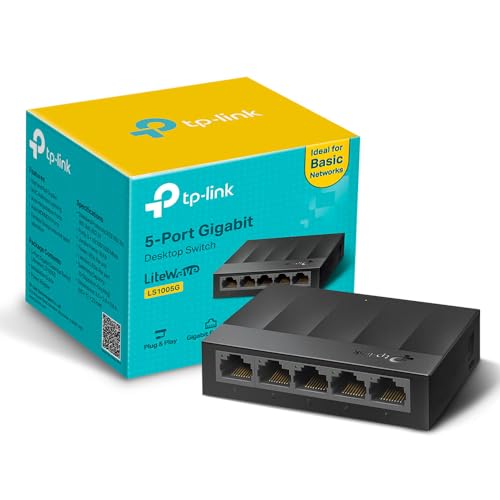
Check your current systems for compatible ports and cabling. Using an unmanaged gigabit switch as an example: both source and destination devices must support gigabit speeds, and your cabling (at least Cat 5e or above) must not be a bottleneck. For wireless access points, confirm your router will support it in access point mode if that is your intended setup.
Comparing Listings and Deciding When to Buy
On Cyber Monday, cross-reference the product’s model code and configuration with the full weekend listing. Use the ‘compare with similar items’ feature if available, but inspect the delivered price, including VAT and shipping, as Cyber Monday deals sometimes appear only after clicking through checkout.
If the Cyber Monday offer expires, revisit your requirements. You may find reconditioned or warehouse deals, or benefit by waiting for seasonal promotions or vendor-direct discounts. Keep screenshots of listings and final prices for records—this can help in any returns or price queries with Amazon.co.uk.