Selecting networking hardware in the UK involves understanding compatibility, speeds, wired and wireless standards, and real installation needs. Assess requirements for both home and professional use, budget realistically, and evaluate shipped contents and UK compliance. This guide helps you choose the right networking devices and avoid common shopping mistakes, so you establish a robust and futureproof local network.
Understanding Networking Hardware Types
Networking equipment includes routers, switches, wireless access points, powerline adapters, and cables. Each has a defined purpose, from directing internet traffic to extending connections into tricky locations. Compare specifications and standards like Wi-Fi 6 or 2.5GbE. If assembling a system from parts, confirm every component integrates smoothly and supports the speeds you want to achieve. Match network device ports to your needs.
When shopping in the UK, check if the product includes a genuine UK power supply and matches your socket type. Imported listings may lack valid CE or UKCA conformity. Consider Amazon sellers’ delivery policies and VAT-inclusive prices, particularly for business buys. Before purchase, verify whether accessories like rack-mount brackets, modules or cables are included in the box to avoid additional costs after arrival.
Wired versus Wireless: Making the Right Choice
Wired connections provide stable speeds, low latency, and less interference. Ethernet switches offer predictable performance for gaming, workstations, servers, or NAS. Wireless hardware delivers flexibility and coverage, essential for mobile devices and areas impractical to cable. Choose dual-band or tri-band Wi-Fi models for congested environments or larger properties.
Review your property’s potential for running cables, and check your device's Ethernet or wireless capabilities before buying. Note the maximum throughput you can realistically use, as home broadband often lags behind wired and wireless LAN capabilities. Check reviews and documentation to assess real-world performance in UK homes, as advertised figures rarely reflect wall and interference impacts.
Checking Compatibility and Expandability
Confirm compatibility with existing devices and future upgrades. Many UK users combine equipment from different vendors—ensure they support the same wireless standards, frequency bands, and security protocols. Older devices can often connect, but may limit overall speed. Examine switch and router configuration options, especially for managed equipment.
If you anticipate future expansion, check for enough available ports and modular upgrades. Some business-class gear allows module swaps or stacking for higher port counts. Always read the listing carefully to understand port types: a switch described as “eight-port” might only offer some at full speed. Check manufacturer documentation for full SKU specifications.
Worked Example: Home Network Upgrade
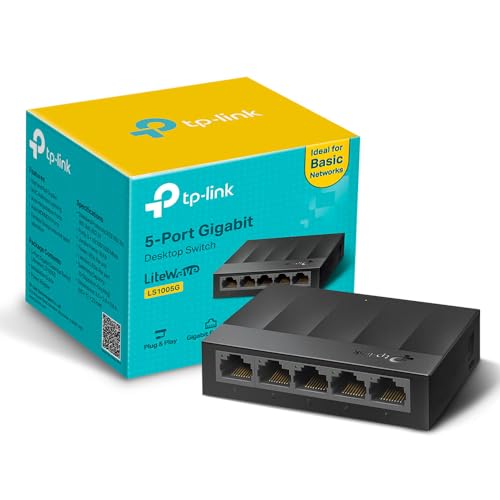
Suppose you are upgrading wired networking with a new Gigabit Ethernet switch and Wi-Fi 6 access point. Verify the switch's port speeds and check you have Cat6 or higher cabling to support gigabit speeds. Ensure the access point will run with your router—some need PoE or extra power adapters, which should be UK-certified.
Conduct a checklist: Match port numbers to your connected devices, confirm the switch has a UK plug, factor in the full delivered cost, and decide if a managed or unmanaged switch fits your needs. Assess each product’s return policy in case of compatibility or coverage issues. Double-check documentation for supported features, included accessories, and power requirements.