eero mesh Wi-Fi UK Black Friday Deals 2026
Amazon UK · GBPAmazon sale dates · 19–30 November 2026US listings
Amazon Black Friday deals
As an Amazon Associate we earn from qualifying purchases. Prices and availability are accurate as of the time indicated and may change. The price and availability displayed on Amazon at the time of purchase apply.
| Product and offer | Amazon price |
|---|---|
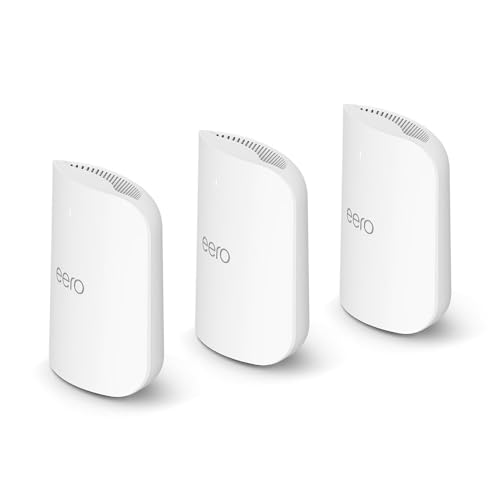
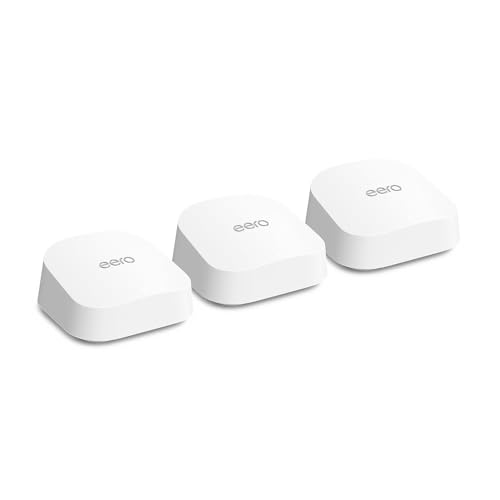
 Amazon Black Friday Deal 40% off Amazon eero 6+ mesh Wi-Fi router | 1.0 Gbps Ethernet | Coverage up to 420 m2 | Connect 75+ devices | 3-Pack | 2022 release | £179.99RRP Buy on Amazon |
 Amazon Black Friday Deal 40% off Amazon eero 6+ mesh Wi-Fi router | 1.0 Gbps Ethernet | Coverage up to 140 m2 | Connect 75+ devices | 1-Pack | 2022 release | £83.99RRP Buy on Amazon |
 Amazon Black Friday Deal 36% off Amazon eero 6 mesh Wi-Fi router | 900 Mbps Ethernet | Coverage up to 140 m2 | Connect 75+ devices | 1-Pack | £69.99RRP Buy on Amazon |
 Amazon Black Friday Deal 35% off Amazon eero 6 mesh Wi-Fi router | 500 Mbps Ethernet | Coverage up to 420 m² | Connect 75+ devices | 3-Pack | £149.99RRP Buy on Amazon |
£524.99RRP Buy on Amazon | |
£419.99RRP Buy on Amazon | |
£279.99RRP Buy on Amazon | |
£118.99RRP Buy on Amazon | |
£10.19Was Buy on Amazon |



Regular listings
| Product and offer | Amazon price |
|---|---|
£59.49Checked Buy on Amazon | |
£99.99Checked Buy on Amazon | |
£179.99Checked Buy on Amazon | |
£269.97Bundle Was Price Buy on Amazon | |
£299.99Checked Buy on Amazon | |
£399.99Checked Buy on Amazon |


Frequently asked questions
Can I add extra eero units to an existing mesh?
Yes, you can add compatible eero models to your network, but check generation—older eeros may only mesh with certain units. The app provides guidance for adding additional nodes.
Do eero systems work with any broadband provider?
Eero works with most UK providers, but some fibre modems may need extra configuration, like PPPoE or VLAN settings. Confirm eero support for your provider if you have special requirements.
Related Black Friday guides
19 guides
Networking and security
- Networking hardware
- Ethernet switches
- Managed switches
- PoE switches
- 2.5GbE switches
- NETGEAR switches
- Network adapters
- 10GbE networking
- 10GbE network cards
- 25GbE networking
- 100GbE networking
- Wi-Fi 7 routers and mesh
- Mesh Wi-Fi
- Ubiquiti UniFi
- GL.iNet routers
- Firewall appliances
- Security cameras
- PoE cameras
- Reolink cameras