eero mesh Wi-Fi Black Friday Deals 2026

Amazon US · USDAmazon sale dates · Nov 19–30, 2026

Amazon Black Friday deals

As an Amazon Associate we earn from qualifying purchases. Prices and availability are accurate as of the time indicated and may change. The price and availability displayed on Amazon at the time of purchase apply.

Product and offerAmazon price
$199.99List Price $299.99Checked
Buy on Amazon
$159.99List Price $239.99Checked
Buy on Amazon
$94.99List Price $139.99Checked
Buy on Amazon
$349.99List Price $499.99Checked
Buy on Amazon
$599.99List Price $799.99Checked
Buy on Amazon
$224.99List Price $299.99Checked
Buy on Amazon
$309.99List Price $399.99Checked
Buy on Amazon
$94.99List Price $119.99Checked
Buy on Amazon
$319.99List Price $399.99Checked
Buy on Amazon
$229.99List Price $284.99Checked
Buy on Amazon
$139.99List Price $169.99Checked
Buy on Amazon

Regular listings

Buying guide

eero mesh Wi-Fi systems are known for user-friendly setup, whole-home coverage and integration with Amazon Alexa. When choosing among eero models, compare protocol support, speed tiers and device connections. This guide details eero’s offerings and features, and explains checklist steps and documentation to consider before finalizing your purchase.

eero Generations and Model Differences

eero offers several model generations with distinct capabilities. Recent lines include the Wi-Fi 5-based eero, eero 6, and eero Pro 6, as well as Wi-Fi 6E models like eero Pro 6E and eero Max 7. Higher-end options add multi-gig performance and additional radio bands for faster, more reliable connectivity in dense device environments.

To compare, read the specific model numbers and documentation for support of features like tri-band operation, maximum speed and frequency range. Wi-Fi 6E and 7 models add new bands for less congested communication, but require compatible client devices to realize benefits. For budget-conscious homes, basic Wi-Fi 5 or 6 eero nodes can still deliver solid coverage for typical broadband usage.

Node Count, Coverage and Scalability

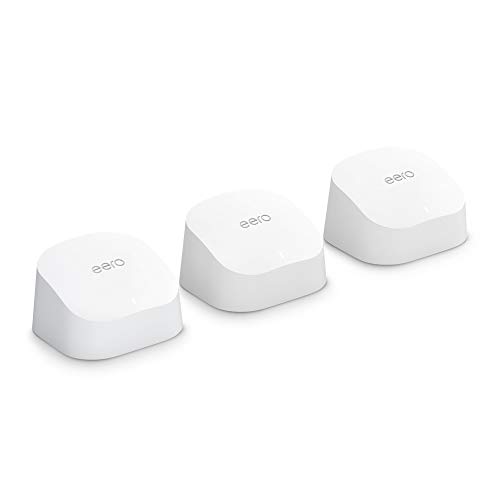
Kits may come with two, three or more devices, marketed for different home sizes. An eero 6 three-pack is rated for up to 5,000 square feet while a two-pack might suit apartments or smaller homes. Check official coverage estimates and consider the presence of thick walls or split-level layouts that may reduce real-world range.

eero systems are highly expandable. You can add extra nodes to improve coverage. Only certain eero models interoperate fully, so verify compatibility using eero’s official support documentation and the precise SKU of both new and existing units. This avoids issues with mesh integration or performance drops from mismatched generations.

Ethernet Backhaul and Wired Device Support

Every eero node provides at least one Ethernet port, but the number and speed depend on the model. Tri-band and Pro line models often offer multi-gig ports for faster backbone connections. For homes wired with Ethernet, select kits that support gigabit or multi-gigabit Ethernet backhaul for stable, high-performance mesh linking.

Connect wired devices like desktops or streaming boxes to any node for optimal speed. Check the documentation or product listing for each model’s LAN port count and speed. Some eero units have only one downstream port, requiring an additional switch if you need to connect several devices in a room.

App Experience, Features and Subscription Requirements

eero systems use a straightforward mobile app for installation, updates and management. This app handles network setup, device monitoring, guest access and firmware upgrades. For advanced administration such as settings for custom DNS or user preferences, check whether eero’s app or website provides adequate options for your needs.

Some eero features require a paid “eero Secure” subscription, including advanced parental controls, security scans and ad blocking. Review eero’s official list of free versus subscription-restricted options in the model documentation. Make sure core functions are included, and budget for ongoing costs if you need advanced protections or analytics.

Frequently asked questions

Are older eero and new eero Pro 6E nodes compatible?

Most eero models will function together, but advanced features may be limited to the capabilities of the oldest node. Always confirm compatibility with the manufacturer’s official compatibility chart before mixing different eero generations.

Will eero work with my existing modem or ISP?

eero mesh works with most modems and ISPs. Bridge mode setup may be required with gateway-provided routers. Check your provider’s modem requirements and eero’s setup documentation for any additional compatibility considerations.

Related Black Friday guides

Browse all Black Friday categories