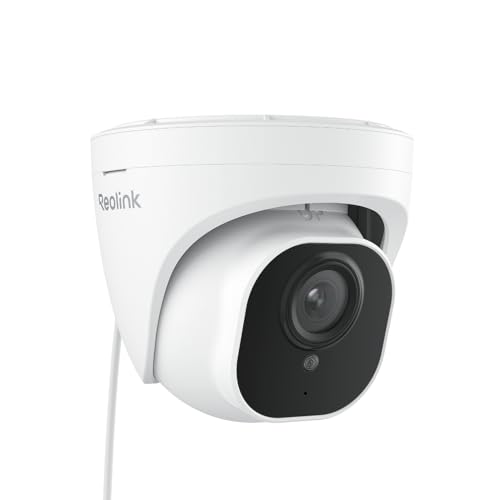
Reolink cameras Black Friday Deals 2026

Amazon US · USDAmazon sale dates · Nov 19–30, 2026

Amazon Black Friday deals

As an Amazon Associate we earn from qualifying purchases. Prices and availability are accurate as of the time indicated and may change. The price and availability displayed on Amazon at the time of purchase apply.

Product and offerAmazon price
$959.99List Price $1,599.99Checked
Buy on Amazon
$137.99List Price $229.99Checked
Buy on Amazon
$89.99List Price $149.99Checked
Buy on Amazon
$999.99List Price $1,599.99Checked
Buy on Amazon
$219.99List Price $349.99Checked
Buy on Amazon
$131.99List Price $199.99Checked
Buy on Amazon
$58.99List Price $89.99Checked
Buy on Amazon
$30.59List Price $45.99Checked
Buy on Amazon
$509.99List Price $749.99Checked
Buy on Amazon
$879.99List Price $1,259.99Checked
Buy on Amazon
$879.99List Price $1,259.99Checked
Buy on Amazon
$599.99List Price $859.99Checked
Buy on Amazon
$569.99List Price $819.99Checked
Buy on Amazon
$97.99List Price $139.99Checked
Buy on Amazon
$97.99List Price $139.99Checked
Buy on Amazon
$90.99List Price $129.99Checked
Buy on Amazon
$51.99List Price $69.99Checked
Buy on Amazon
$119.99List Price $159.99Checked
Buy on Amazon
$419.99List Price $542.99Checked
Buy on Amazon
$59.49List Price $74.99Checked
Buy on Amazon
$59.49List Price $74.99Checked
Buy on Amazon
$155.99List Price $194.99Checked
Buy on Amazon
$155.99List Price $194.99Checked
Buy on Amazon
$107.99List Price $134.99Checked
Buy on Amazon
$107.99List Price $134.99Checked
Buy on Amazon
$79.99List Price $99.99Checked
Buy on Amazon
$55.99List Price $69.99Checked
Buy on Amazon

Regular listings

Amazon hasn’t returned regular prices for these listings. Browse Amazon

Buying guide

Reolink cameras are known for offering a variety of wired and wireless models suitable for home or small business use. Each model supports a specific set of features, storage methods, and integration capabilities. Buyers should carefully compare model specifications, power options, and compatibility with their recording and network setups. This guide clarifies key Reolink camera buying decisions.

Choosing the Right Reolink Model

Reolink’s range includes budget indoor cameras, weather-resistant outdoor models, and versatile pan-tilt-zoom (PTZ) units. Some support Wi-Fi while others require Power-over-Ethernet (PoE). Always check the product listing and the model’s datasheet for supported power methods, as not all models support both PoE and Wi-Fi.

Verify the video resolution (2K, 4K, or higher), night vision technology, and smart motion detection in the specification tables. Narrow your options using a placement plan: outdoor weather ratings (IP66 or better) are essential for external cameras, while smaller, faster models may suit indoor locations. Compare features by model number and confirm via Reolink’s official compatibility charts.

Integration and Cloud Features

Reolink cameras commonly work with the Reolink app on both desktop and mobile devices for live view and playback. Some newer models also support Google Assistant or Alexa integration, but always consult the product listing or Reolink’s support site for specific integration availability before purchase.

For cloud services, review the terms: not every camera supports cloud storage, and there may be fees for extended retention. Local storage capacity and NVR support are also model-dependent. Make sure your preferred camera supports microSD slot or compatible NVR before committing, and check documentation for maximum memory card size.

Recording and Storage Options

Decide between standalone operation with microSD card storage, network-based NVR recording, or cloud storage. Confirm the size of supported memory cards for onboard storage—it varies by model and may affect how many days of footage you can keep. NVR compatibility offers greater expandability and centralized recording.

If you plan to use Reolink NVRs, check compatibility lists for the exact camera model. Some features, notably person or vehicle detection, may differ when recording through NVRs versus direct app access. Always verify expected feature support in technical manuals rather than relying only on marketing copy or box text.

Checklist: What to Confirm Before Buying a Reolink Camera

Draft a checklist by location: decide whether each site will be wired or wireless, require outdoor durability, and support local SD card storage. Use the model codes to download datasheets for power requirements, recording methods, and network compatibility. Note if smart detection or voice assistant support is needed as these are model-specific.

Check warranty and firmware update policies in the official documentation. For example, cloud features may need a subscription, and not all NVRs support the latest analytics. Compare multiple listings to ensure all needed cabling and mounts are included. Double-check user manuals for installation tips and compatibility notes before purchase.

Frequently asked questions

Can Reolink cameras record both to NVR and the cloud?

Some Reolink models support simultaneous NVR and cloud recording, but not all. Refer to the camera’s support documentation or Reolink’s official compatibility chart to confirm specific features for your chosen model.

Are all Reolink cameras compatible with third-party NVRs?

Many Reolink cameras support ONVIF, allowing basic third-party NVR compatibility. However, advanced detection features or audio sometimes work only with Reolink NVRs. Check ONVIF versions and cross-reference feature support in the documentation.

Related Black Friday guides

Browse all Black Friday categories