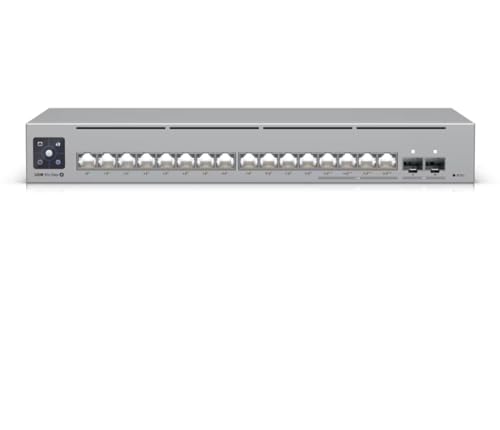
2.5GbE switches Black Friday Deals 2026

Amazon US · USDAmazon sale dates · Nov 19–30, 2026

Amazon Black Friday deals

As an Amazon Associate we earn from qualifying purchases. Prices and availability are accurate as of the time indicated and may change. The price and availability displayed on Amazon at the time of purchase apply.

Product and offerAmazon price
$85.49List Price $159.99Checked
Buy on Amazon
$41.99List Price $54.99Checked
Buy on Amazon
$57.99List Price $74.99Checked
Buy on Amazon
$51.99Typical price $64.99Checked
Buy on Amazon
$50.39Typical price $59.49Checked
Buy on Amazon
$28.10Typical price $33.12Checked
Buy on Amazon

Regular listings

Product and offerAmazon price
$39.99Checked
Buy on Amazon
$69.99Checked
Buy on Amazon
$84.99Checked
Buy on Amazon
$119.00Checked
Buy on Amazon
$145.11Checked
Buy on Amazon
$186.99Typical price $197.99Checked
Buy on Amazon
$224.98Typical price $249.98Checked
Buy on Amazon
$399.00Checked
Buy on Amazon
$426.00Checked
Buy on Amazon
$479.99Checked
Buy on Amazon
$849.00Checked
Buy on Amazon

Buying guide

2.5GbE switches are gaining popularity as more consumer and prosumer devices support faster-than-gigabit speeds over existing Cat5e cabling. Upgrading to 2.5GbE can greatly increase local transfer speeds without major infrastructure changes. This guide explains compatibility considerations, port variability, and how to reliably gauge if now is the right time to upgrade.

Device and Cable Compatibility

2.5GbE works over standard Cat5e or better cables, typically up to 100 meters. Check that your endpoints—PCs, NAS, or routers—have 2.5GbE-capable network adapters. Without compatible devices, switches will operate at gigabit or lower speeds, so check device specifications and update network cards if needed.

Verify the interface type (usually RJ45) in both your adapter and the switch’s documentation. Some switches mix 2.5GbE and gigabit-only ports. Consult the vendor’s datasheet for exact port speeds by port number and confirm backwards compatibility for legacy devices.

Port Count, Management and Expansion Potential

Audit the number of simultaneous devices requiring multi-gig connections. 2.5GbE switches come with 5, 8, 12, or 24 ports, sometimes with a mix of gigabit and multi-gig. Add at least one spare port for future devices. For demanding environments, look for switches with SFP+ uplink or stacking features.

Decide if you need management, such as VLANs or monitoring. Review manufacturer-provided feature lists. Managed switches are costlier and require extra setup but allow fine-grained control, while unmanaged versions are plug-and-play and cheaper. Newly launched models may offer fanless operation for quiet installs—verify noise specs in the manual.

Physical Layout and Power

Square footage and mounting options matter. Desktop switches suit home offices or studios, while rackmount designs fit server rooms. Consider ventilation; fanless models are silent but might dissipate less heat under load. Always check the number and style of included accessories like power adapters or rack ears in the listing.

Evaluate input power specs: some multi-gig switches need higher-wattage adapters. Review listing and datasheet for information regarding input voltage, power consumption, heat output and operating environment. Use this to match with your intended install space and electrical setup.

When to Buy or Upgrade

Buy if you have multiple devices needing faster-than-gigabit speeds and your cabling and network cards can support 2.5GbE. Confirm model compatibility by referencing vendor-provided compatibility charts and technical documentation with your exact environment.

If most endpoints are limited to gigabit or wireless, or higher speed is not currently required, waiting can be sensible. Track device upgrades and future-proof modestly by opting for combo-port models if your environment will gradually require more multi-gig capability.

Frequently asked questions

Will 2.5GbE work with my existing Cat5e cabling?

Yes, 2.5GbE is designed to run over most installed Cat5e cabling at distances up to 100 meters, provided cables are not damaged and connectors are in good condition.

Can I mix 2.5GbE and gigabit devices on one switch?

Yes, most 2.5GbE switches auto-negotiate down to gigabit or 100Mbps for older devices on the same ports. Always verify this in the manufacturer's documentation for the specific model.

Related Black Friday guides

Browse all Black Friday categories