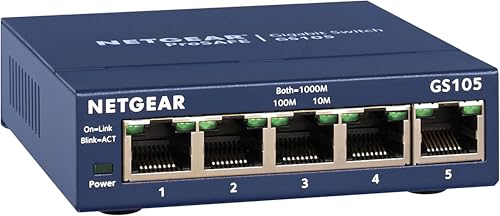
Ethernet switches Black Friday Deals 2026

Amazon US · USDAmazon sale dates · Nov 19–30, 2026

Amazon Black Friday deals

As an Amazon Associate we earn from qualifying purchases. Prices and availability are accurate as of the time indicated and may change. The price and availability displayed on Amazon at the time of purchase apply.

Product and offerAmazon price
$7.99List Price $16.99Checked
Buy on Amazon
$21.24List Price $39.99Checked
Buy on Amazon
Amazon Black Friday Deal 40% off
NETGEAR 24-Port Gigabit Ethernet Unmanaged Network Switch (GS324) | Desktop, Wall, or Rack Mount, Essentials Model

New · Amazon.com · Ends

$66.49List Price $109.99Checked
Buy on Amazon
$49.99List Price $79.99Checked
Buy on Amazon
$61.73List Price $89.99Checked
Buy on Amazon
$37.99Typical price $49.99Checked
Buy on Amazon
$7.99Typical price $9.99Checked
Buy on Amazon
$49.99Typical price $59.99Checked
Buy on Amazon
$16.98List Price $19.99Checked
Buy on Amazon

Regular listings

Product and offerAmazon price
$12.94List Price $19.79Checked
Buy on Amazon
$15.99Checked
Buy on Amazon
$20.99Checked
Buy on Amazon
$24.99Checked
Buy on Amazon
$26.99Checked
Buy on Amazon
$29.99List Price $39.99Checked
Buy on Amazon
$34.99List Price $49.99Checked
Buy on Amazon
$39.85List Price $59.99Checked
Buy on Amazon
$39.99Checked
Buy on Amazon
$54.99List Price $69.99Checked
Buy on Amazon
$79.99List Price $84.99Checked
Buy on Amazon

Buying guide

Ethernet switches are central to wired networking, enabling multiple devices to communicate on a local area network. With a broad range of options, choosing the right switch for your setup requires balancing speed, port count, manageability and future upgradability. This guide explains key features and offers a step-by-step approach to picking a functional and cost-effective switch.

Speed, Port Count and Use Case Alignment

Begin by matching switch port speeds to your wired devices. Gigabit (10/100/1000 Mbps) switches suit most homes and small offices, while 2.5GbE or higher is beneficial for workstations or file servers. Always verify listed speeds are available on every port, as some switches mix speed grades.

Count all devices you want connected, then add at least two extra ports for future needs. Note that switches come in both desktop and rackmount designs. For home use, fanless desktop switches are quieter, while rackmount options offer greater expandability in larger network closets or data centers.

Unmanaged vs Managed Switches

Unmanaged switches are plug-and-play with no configuration required, ideal for basic expansion. Managed switches offer VLANs, QoS, monitoring, and security settings, empowering administrators to tailor the network. Choose unmanaged for simplicity or managed if fine-tuned control or advanced diagnostics are needed.

Consult the product listing or vendor manual for management features. Often, web or CLI management requires initial setup over a specific port or using proprietary software. Make sure you have access rights and local expertise before choosing managed equipment, and confirm the management interface aligns with your use case.

Physical Fit, Power and Accessories

Verify switch dimensions match your intended installation area. Desktop switches need desk space, while rackmount switches require rack units and mounting brackets. Some switches come with external power adapters, others use standard IEC connectors—check compatibility with your environment and power supply.

Review the included accessories in the product listing, such as power cords, rack ears, or mounting hardware. If you intend to power devices like phones or access points via the switch, check for PoE capability and ensure the switch’s total power budget exceeds your device requirements.

Checklist for a Reliable Switch Purchase

Gather each device’s model code, then review the manufacturer’s documentation for port count, supported speeds, warranty terms and firmware update policies. For business-critical applications, investigate vendor support and replacements. Read listings for real-world noise, heat and power draw observations.

If your existing switch is outgrown on port count or speed, or if you need management features for security or traffic optimization, upgrading is worthwhile. Otherwise, postpone until a concrete new requirement arises. Always confirm all device compatibility before finalizing a purchase.

Frequently asked questions

How do I choose between managed and unmanaged Ethernet switches?

Pick unmanaged for simple networks with minimal configuration. Choose managed for features like VLANs or bandwidth control, but ensure staff can set up and manage the switch to get its full benefit.

What does a PoE switch add for wired networking?

Power over Ethernet (PoE) switches supply both data and electrical power to compatible devices, such as access points or phones, eliminating the need for separate power cables. Check total PoE wattage matches your endpoint needs.

Related Black Friday guides

Browse all Black Friday categories