2.5GbE switches UK Black Friday Deals 2026

Amazon UK · GBPAmazon sale dates · 19–30 November 2026US listings

Amazon Black Friday deals

As an Amazon Associate we earn from qualifying purchases. Prices and availability are accurate as of the time indicated and may change. The price and availability displayed on Amazon at the time of purchase apply.

Product and offerAmazon price
£35.99RRP £54.55Checked
Buy on Amazon
£41.53RRP £61.99Checked
Buy on Amazon
£41.99Was £59.99Checked
Buy on Amazon
£39.99RRP £56.99Checked
Buy on Amazon
£35.99RRP £49.99Checked
Buy on Amazon
£34.49Was £45.99Checked
Buy on Amazon
£30.38Was £39.98Checked
Buy on Amazon
£28.79Was £33.99Checked
Buy on Amazon

Regular listings

Product and offerAmazon price
£29.99RRP £44.99Checked
Buy on Amazon
£38.97Checked
Buy on Amazon
£119.99Checked
Buy on Amazon
£187.14Checked
Buy on Amazon
£218.81Checked
Buy on Amazon
£320.35Checked
Buy on Amazon
£540.22Checked
Buy on Amazon

Buying guide

2.5 Gigabit Ethernet (2.5GbE) switches are increasingly popular for UK users seeking faster LAN speeds without the expense of new cabling. Selecting a 2.5GbE switch requires careful port speed verification, endpoint compatibility checks, and scrutiny of power and support provisions. Here’s how to ensure you get a real upgrade and value for your next-generation wired network in Britain.

Port Speeds and Compatibility: Key Checks

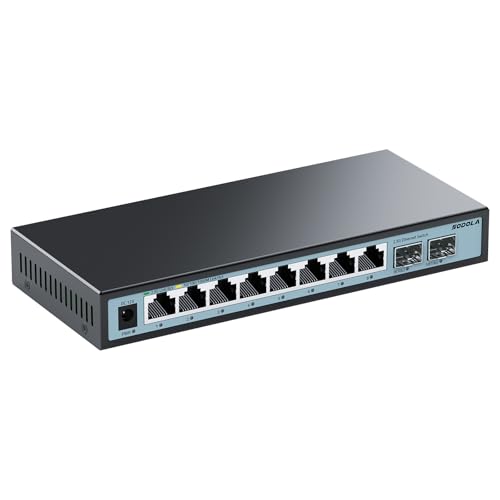
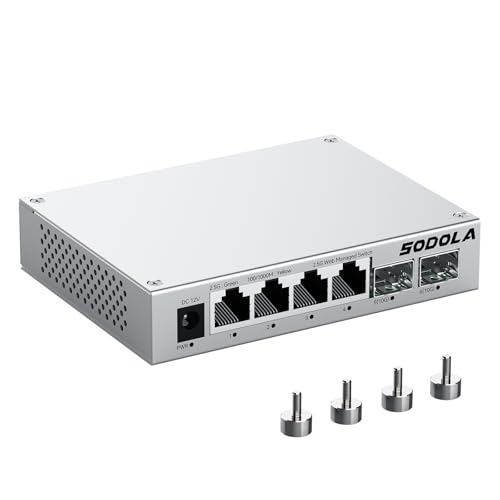
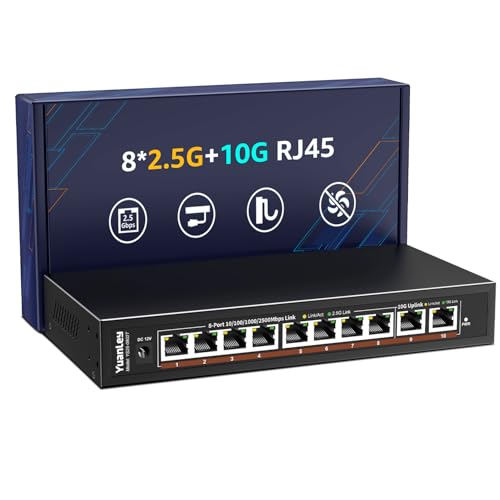
2.5GbE switches may offer all ports at 2.5GbE, or a mix of 1GbE and 2.5GbE. Scrutinise the port breakdown in listings: some models only provide two or four faster ports amongst slower ports. Look for clear multi-gig (1/2.5/5GbE) support.

Before upgrading, check if your PCs or NAS actually support 2.5GbE natively, or if adapters are needed. Maintain a list by device MAC and interface. Incompatibility will see devices default to 1GbE speeds. Always review documentation and guarantee policies for returns in case of mismatch.

Cabling and Installation Considerations

2.5GbE generally works over Cat5e, but Cat6 is preferable for reliability and longer distances. Check your current cabling before buying. For rack installs, verify switch dimensions and mounting hardware. Unlike 10GbE, 2.5GbE rarely requires specialist transceivers or cooling.

Look for UK voltage and plug compatibility when ordering, and inspect product photos for correct sockets. Some imported switches ship with EU plugs—budget for adapters or confirm the box contents before checkout. Install switches away from major heat sources for optimal reliability.

Performance and Value for Money

Factor in what you pay per 2.5GbE port, not for slower ones, when comparing offers. Premium switches deliver all ports at higher speed, but some cheaper models advertise multi-gig capability with only one or two true high-speed ports. Confirm actual backplane and per-port bandwidth in published specs.

For offices with mixed old and new devices, weighing partial 2.5GbE upgrades may save money. List critical endpoints needing higher speeds to decide if a hybrid or full-2.5GbE switch provides better value. Always read reviews and technical documentation for throughput under load before purchase.

Sample Upgrade: Small Business Storage Network

Suppose you want to accelerate file sharing between three workstations and a NAS. You need a switch with at least four 2.5GbE ports, and confirmed Cat6 cabling between these devices. Ensure your new NAS and workstations all have onboard 2.5GbE or compatible adapters.

Checklist: Spot-check each switch’s port layout, included UK power cord, and verify warranty from the UK seller. Review Amazon’s returns policy if an advertised full-speed port does not work as described. Compare concurrently via vendor documentation that all endpoints achieve the target speed after install.

Frequently asked questions

Will 2.5GbE work with my old Ethernet cables?

Most existing Cat5e cables handle 2.5GbE for usual UK home and office lengths. For best results or longer runs, use Cat6 or better. Confirm cabling standards if you’re upgrading longer cable runs.

Is it worth upgrading to 2.5GbE if my internet is only 500Mbps?

If you mainly use local network transfers, a 2.5GbE switch makes sense for NAS, gaming, or workstation use. For pure internet-only use under 1Gbps, the upgrade has less immediate value unless your endpoints already support 2.5GbE.

Related Black Friday guides

Browse all Black Friday categories