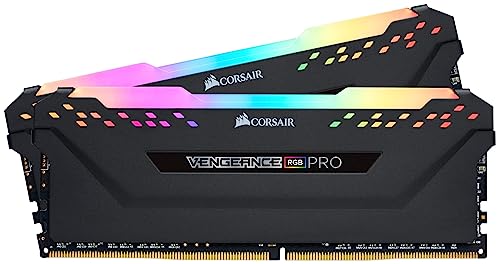
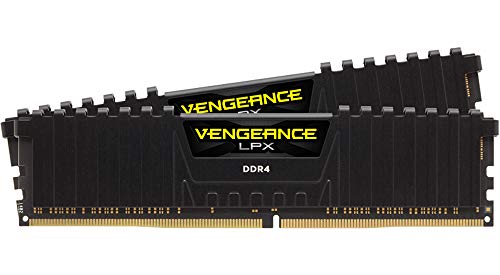
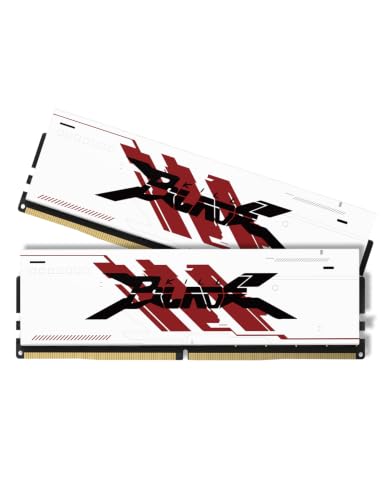
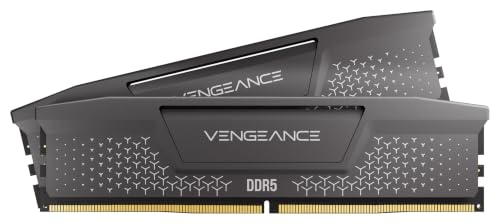
Desktop RAM UK Cyber Monday Deals 2026

Amazon.co.uk · GBPCyber Monday · 30 November 2026United StatesDeutschlandFranceBlack Friday

Amazon Cyber Monday deals

As an Amazon Associate we earn from qualifying purchases. Prices and availability are accurate as of the time indicated and may change. The price and availability displayed on Amazon at the time of purchase apply.

Amazon hasn’t reported a Cyber Monday deal for these listings. Check Amazon

Regular listings

Product and offerAmazon price
£33.88Checked
Buy on Amazon
£33.99Checked
Buy on Amazon
£54.99Checked
Buy on Amazon
£110.99Checked
Buy on Amazon
£145.00Checked
Buy on Amazon
£195.99Checked
Buy on Amazon
£198.99Checked
Buy on Amazon
£209.99Checked
Buy on Amazon
£220.00Checked
Buy on Amazon
£237.36Was £252.99Checked
Buy on Amazon
£243.00Was £299.99Checked
Buy on Amazon
£313.98Checked
Buy on Amazon

Other Amazon promotions

Product and offerAmazon price
£599.99Was £799.99Checked
Buy on Amazon
Black Friday deal 20% off
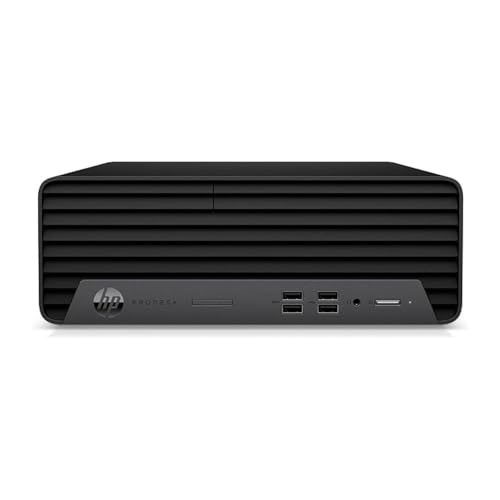
HP ProDesk 400 G7 SFF Desktop PC, Core i5-10400, 16GB RAM, 512GB SSD, Win 11

New · dr.memory · Ends

£280.22Was £349.00Checked
Buy on Amazon
£76.79Was £95.99Checked
Buy on Amazon
£108.29Was £129.99Checked
Buy on Amazon
£101.99Was £119.99Checked
Buy on Amazon
£439.99Was £485.99Checked
Buy on Amazon
£117.29Was £124.99Checked
Buy on Amazon

Buying guide

Upgrading desktop RAM can revitalise your PC, offering smoother multitasking and better performance. Cyber Monday deals on Amazon.co.uk often cover a range of module types, but checking delivered price, compatibility and specific model codes is crucial to landing the best buy for your system.

Checking Compatibility and Slot Requirements

Before committing to a RAM purchase, review your motherboard’s supported memory types, speed and capacity. Most modern desktops use DDR4 or DDR5, so check the exact module type, such as DDR4-3200 or DDR5-4800, in your manual or manufacturer’s website. Attempting to fit the wrong standard results in a non-functional upgrade, and mixing incompatible speeds might force slower operation.

Many motherboards limit memory expansion to two or four DIMM slots. Open your PC and physically confirm available slots before ordering. For a system with two vacant slots, consider whether to buy one larger DIMM or two smaller ones for dual-channel performance. Compare SKU details on Amazon.co.uk with those in your original listing to ensure a perfect fit.

Speed, Timings and Real-World Impact

Select RAM with a speed at least matching your motherboard’s rating. Faster RAM may help with memory-intensive workloads, but check the tradeoff with cost per GB. For example, DDR4-3600 can cost more per GB than DDR4-3200, but may yield minor real-world gains outside of benchmarks. Consult your motherboard documentation to verify whether higher speeds are supported via XMP or manual tuning.

Timings are specified in CAS latency (e.g., CL16). Lower timings are marginally better, but not critical for most users compared with capacity and rated speed. Amazon.co.uk listings may prioritise speed over timings, so always check the product description and model documentation, especially when you see several variations of the same part number.

Comparing Value and Packs

Inspect the unit price per GB or per module when browsing Cyber Monday offers. Single-stick packs and matched dual-channel kits differ in price and performance characteristics. For best results, select a kit with two identical modules. This avoids mismatched memory and enables dual-channel operation, which doubles effective bandwidth for compatible systems.

Read the listing carefully to distinguish between one-stick listings and packs of two or four. Misreading the quantity could mean buying less RAM than intended. Compare the total delivered price, including VAT and shipping, to your weekend listing for a true cost comparison. Prices sometimes vary by colour or heat-spreader style, so keep your focus on specifications.

After-Sale Plans and Troubleshooting

If a coveted deal expires, decide if you should wait for supply to stabilise or choose another reputable brand. Amazon.co.uk frequently features multiple sellers for the same SKU, each with varying bundles and return policies. Always confirm the UK seller’s return terms and customer support arrangements before making your purchase.

After arrival, inspect your modules and packaging for manufacturer seals and the correct model code. When fitting new RAM, always power down and ground yourself, then check for a beep code or check your BIOS to ensure all modules are detected at the correct speed. Consult the manufacturer’s QVL list if compatibility issues arise.

Frequently asked questions

How can I tell if a RAM kit is compatible with my desktop PC?

Review your motherboard manual for supported RAM standards (e.g., DDR4 or DDR5), speed and slot arrangement. Verify the exact SKU on the RAM kit and confirm system compatibility with your manufacturer’s documentation before buying.

Should I mix different RAM brands or capacities in my desktop?

Mixing different RAM brands or capacities can cause system instability or force all modules to lower speeds and timings. For optimal performance, always match RAM type, speed, and capacity as closely as possible.

Related category guides

Browse all Cyber Monday categories