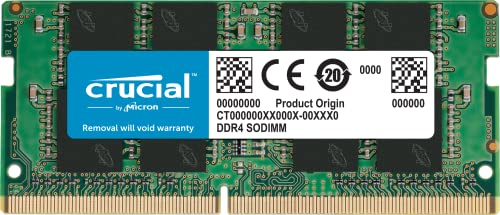
Upgrading SO-DIMM RAM, primarily for laptops and Mini PCs, can quickly boost overall system responsiveness. Not all SO-DIMM modules fit every device, so Amazon.co.uk shoppers should confirm module specs, slot size, voltage, and delivered pricing, comparing Cyber Monday offers with weekend listing details for maximum value and compatibility.
Physical and Electrical Compatibility
SO-DIMM RAM is smaller than desktop RAM and used in compact systems. Determine if your laptop or Mini PC requires DDR3, DDR4, or the newer DDR5 SO-DIMMs, and check whether the slot supports the intended capacity and speed. Reference your system or motherboard documentation to find the correct module type, often listed as 204-pin (DDR3), 260-pin (DDR4/DDR5).
Voltage and speed variations can lead to post-installation issues. Standard DDR4 SO-DIMM usually operates at 1.2V, but some devices demand low-voltage or specific OEM-certified modules. Verify this in your device’s manual or from the manufacturer's site using the precise model number. Cross-check the Amazon.co.uk SKU with your system’s requirements carefully.
Choosing Single Versus Dual-Module Kits
Many Mini PCs and laptops have only two RAM slots. Running dual-channel memory with two identical SO-DIMMs often yields significantly better performance than a single higher-capacity module. If all slots are occupied, swapping both modules with a compatible kit can double your capacity and bandwidth.
Read each Amazon.co.uk listing for module quantity and configuration—single stick, dual-channel kit, or larger set—and compare this to your device's maximum supported memory. Ensure the total delivered price includes VAT and shipping and compare it to prior listings. Choose reputable brands, and check that the part number matches exactly.
Evaluating Capacity and Performance Needs
Aim for at least 8GB for general productivity, though 16GB may be advantageous for demanding workloads or light content creation. Some laptops officially support only so much RAM, so consult your product’s specifications to avoid ordering unsupported modules. Even if the slot physically fits, BIOS or chipset limitations may apply.
Higher-speed SO-DIMMs, such as DDR4-3200, provide only modest improvements for most applications, but may be warranted for gaming laptops or workflows requiring high memory bandwidth. Validate if your system allows changing memory speed or timings in the BIOS, otherwise the modules will run at default supported speeds.
Upgrade Practicalities and Aftercare
Before purchasing, review the returns policy and ensure the Amazon.co.uk supplier is reputable for upgrades, as compatibility returns may be necessary. Keep original packaging for returns. If the Cyber Monday offer expires, track the listing for post-sale price corrections or check for alternative sellers with matching SKUs.
When your SO-DIMM arrives, unplug the device and ground yourself before swapping modules. Boot into your BIOS or operating system’s system information panel to confirm full detection and correct speed. Any discrepancies should be checked against the manufacturer’s QVL or support site.