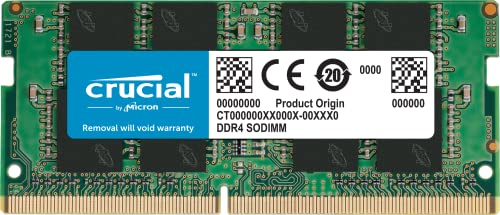
SO-DIMM RAM UK Black Friday Deals 2026

Amazon UK · GBPAmazon sale dates · 19–30 November 2026US listings

Amazon Black Friday deals

As an Amazon Associate we earn from qualifying purchases. Prices and availability are accurate as of the time indicated and may change. The price and availability displayed on Amazon at the time of purchase apply.

Product and offerAmazon price
£87.54Was £102.99Checked
Buy on Amazon

Regular listings

Product and offerAmazon price
£49.95Checked
Buy on Amazon
£61.95Checked
Buy on Amazon
£69.99Was £73.99Checked
Buy on Amazon
£89.99Checked
Buy on Amazon
£89.99Checked
Buy on Amazon
£95.99Checked
Buy on Amazon
£108.95Checked
Buy on Amazon
£109.99RRP £143.99Checked
Buy on Amazon
£118.99Checked
Buy on Amazon
£128.99Was £134.00Checked
Buy on Amazon
£184.99Checked
Buy on Amazon
£198.99Checked
Buy on Amazon
£219.00Checked
Buy on Amazon
£424.56RRP £456.99Checked
Buy on Amazon

Buying guide

SO-DIMM RAM is the standard upgrade for laptops and compact computers. Choosing the right module requires checking compatibility, speed, and capacity to ensure reliable performance. In this guide, we help UK buyers compare current SO-DIMM RAM offers for mini PCs and laptops with a focus on technical fit, real delivered costs, and return policies.

Identifying Compatible SO-DIMM RAM

Before buying, confirm your device’s RAM type, maximum supported capacity, and speed. Use your mini PC or laptop’s exact model code to check manufacturer documentation for supported SO-DIMM specifications. Common generations are DDR3, DDR4, and DDR5. Mixing types or using unsupported capacities may lead to instability or failed installation.

Check how many SO-DIMM slots your device has and if upgrades require matched pairs. For example, some mini PCs need identical modules for dual-channel operation. Consult the system or motherboard manual for slot layout and installation instructions. Genuine UK listings usually specify voltage, timings, and form factor, essential for correct selection.

Assessing Offers and Pound per GB Value

Compare the delivered price including VAT and transport, as some offers show ex-VAT or omit delivery. SO-DIMM RAM prices vary by capacity, speed, and brand, but also between single modules and kits. Calculate pounds per GB among equivalent modules for like-for-like comparison.

Read Amazon.co.uk listings carefully for details on included warranty, seller location, and returns process. Prefer authorised sellers or those with clear, UK-based returns and support. For high-value purchases, check that the pack is genuine and unopened to avoid compatibility or warranty problems.

Performance, Endurance and Usage

Higher frequency (MHz) modules may offer improved performance, but only if your device supports them. Some compact PCs benefit more from increased total capacity than from faster RAM, especially for multitasking or virtualisation. DDR4 is standard, but newer devices may use DDR5.

For heavy workloads such as video editing on a mini PC, consider 32GB or higher and opt for reputable brands with strong compatibility records. Low-latency modules may offer marginal gains in specialist tasks. Always verify that the listing specifies SO-DIMM, not full-size DIMM, to avoid fitting issues.

Practical Upgrade Checklist and Trade-offs

Begin by identifying the current RAM configuration using system tools like CPU-Z or Windows Task Manager. Determine if an extra module can be added or if existing memory must be replaced. Balance higher capacity with system maximums, as unsupported amounts will not work.

A realistic upgrade might be moving from a single 8GB DDR4-3200 SO-DIMM to a matched pair of 16GB modules. The trade-off is cost versus actual need; more memory is only useful if your workload demands it. Ensure modules are from a reputable UK or EU seller with clear customer support.

Frequently asked questions

Can I mix SO-DIMM RAM brands or speeds?

Mixing brands is often possible, but modules should match in speed, voltage, and latency for stability. The system will run at the speed of the slowest installed module. Always verify compatibility in your device’s manual.

What should I do if new SO-DIMM RAM is not detected?

First, reseat the RAM firmly in the slot. If it’s still not detected, double-check compatibility, slot orientation, and module size. If problems persist, consult the seller about return or exchange options under their UK returns policy.

Related Black Friday guides

Browse all Black Friday categories