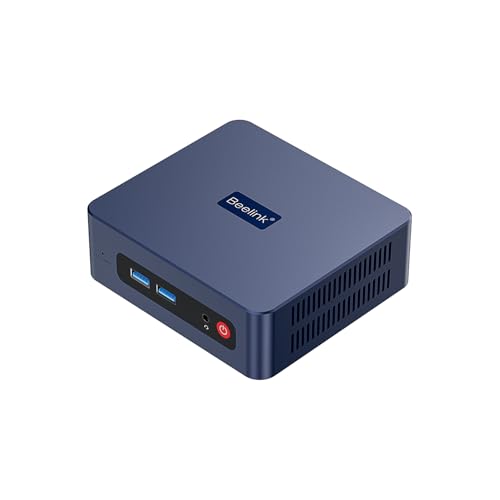
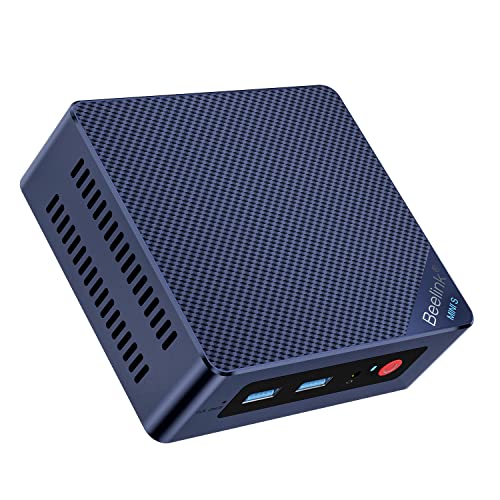
Beelink mini PCs UK Black Friday Deals 2026

Amazon UK · GBPAmazon sale dates · 19–30 November 2026US listings

Amazon Black Friday deals

As an Amazon Associate we earn from qualifying purchases. Prices and availability are accurate as of the time indicated and may change. The price and availability displayed on Amazon at the time of purchase apply.

Amazon hasn’t reported a Black Friday deal for these listings. Check Amazon

Regular listings

Product and offerAmazon price
£175.99Checked
Buy on Amazon
£209.00Was £219.00Checked
Buy on Amazon
£209.00Checked
Buy on Amazon
£249.00Checked
Buy on Amazon
£249.00Checked
Buy on Amazon
£259.00Checked
Buy on Amazon
£279.00Was £299.00Checked
Buy on Amazon
£299.00Was £309.00Checked
Buy on Amazon
£299.00Was £309.00Checked
Buy on Amazon
£329.00Checked
Buy on Amazon
£339.00Checked
Buy on Amazon
£339.00Checked
Buy on Amazon
£399.00Checked
Buy on Amazon
£409.00Checked
Buy on Amazon
£459.00Checked
Buy on Amazon
£459.00Checked
Buy on Amazon
£929.00Checked
Buy on Amazon
£929.00Checked
Buy on Amazon
£1,699.00Checked
Buy on Amazon

Buying guide

Beelink mini PCs are known for compactness and versatility, suitable for everything from media streaming to office tasks. This UK buying guide shows you how to compare Beelink models, check essential features, and confirm plug compatibility, ensuring informed choices and secure purchases for personal or professional setups.

Core Hardware Choices: Processor, RAM, and Storage

To match a Beelink mini PC to your workload, focus on the processor family and storage. Intel and AMD options vary from efficient Celeron and Ryzen chips to more powerful models suited for multitasking. For web, office, and media, a Celeron N5095 or Ryzen 3 with 8GB RAM suffices; heavier tasks benefit from 16GB RAM and SSD storage.

When choosing SSDs, identify whether the model supports SATA or NVMe and the potential for expansion. Some Beelink PCs include both 2.5-inch and M.2 slots. Always read the model listing for precise RAM type and user upgrade options, as some lower-priced models have RAM soldered and non-removable.

UK Listings: Plug, Warranty and Returns Checks

Before purchase, verify the included power supply has a UK 3-pin plug or adapter for safe operation. Shop listings may show plug details in images or description, so check closely or message the seller. For peace of mind, ensure the Beelink mini PC is sold by a reputable provider with a clear, UK-compliant returns process.

Check the vendor’s warranty and service arrangements for UK customers; some fulfilment from abroad can affect returns times. When buying on Amazon.co.uk, verify if the item is Amazon-fulfilled for easier support. Always factor in VAT, delivered price, and delivery timeframe before finalising the purchase.

Matching Features and Upgrade Options

Review exact model numbers on official Beelink documentation to confirm support for Wi-Fi standards, Bluetooth, display outputs, and USB-C. Some models add features such as 2.5Gb Ethernet or fingerprint readers—useful for certain setups. Check your requirements against the product page details, as different sub-variants may appear under similar names.

Plan potential upgrades: some Beelink units enable additional memory, larger SSDs, or a second storage drive. Be wary of deals for barebones units (no RAM or storage), which may seem lower-cost but require extra setup and compatible parts. Check teardown guides for upgrade accessibility.

Worked Example: Comparing Offers and Deciding When to Buy

Suppose you find a Beelink SER5 (Ryzen 5 5500U, 16GB RAM, 500GB SSD) for £309 and a U59 (Celeron N5095, 8GB RAM, 256GB SSD) for £189. List critical needs—such as extra cores or SSD space—and check actual included RAM and plug style before purchase.

Trade off immediate versus future needs: buy the higher-spec model if you need longevity for creative or multitasking work, or opt for the entry-level if your requirements are simple. Buy when seller reliability and returns policies meet your needs, especially before price or stock shifts.

Frequently asked questions

Are Beelink mini PCs suitable for playing modern games?

Most Beelink mini PCs use integrated graphics and are best for casual or older titles. For modern games, check for models with AMD Ryzen processors and confirm minimum graphics requirements in the official specs.

How do I verify if my Beelink mini PC can be upgraded?

Look up the exact Beelink model number and check the online user manual or product page for upgrade instructions and compatibility, as designs differ between models and sometimes between regional versions.

Related Black Friday guides

Browse all Black Friday categories