KAMRUI mini PCs provide an efficient, space-saving computing solution for a variety of UK users. From all-in-one home desktops to light office workhorses, these compact systems come in several configurations. Prospective buyers should compare specifications, verify UK compatibility, and carefully check Amazon.co.uk listings to ensure models and accessories meet local requirements and personal use cases.
Choosing the Right KAMRUI Model
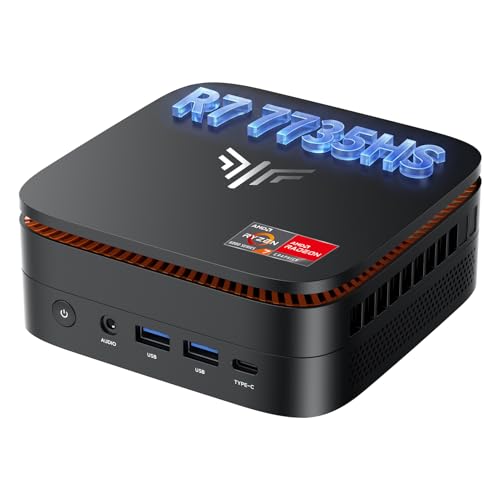
KAMRUI’s line-up includes small form factor PCs with different Intel or AMD chips—such as Celeron N5105, Core i5, or Ryzen variants. Begin your selection by matching the processor and memory configuration to your workload. Entry-level units excel at web, media, and basic office tasks, while upper-tier CPUs are suited for more demanding business or creative applications.
Scrutinise product listing details for the precise model code, processor generation, amount and type of RAM, and internal storage. Some versions offer only 4GB memory or eMMC storage, while others provide 8GB RAM and SSDs, which improve system responsiveness. Aim for at least 8GB RAM and an SSD in most modern use cases to avoid sluggish performance or upgrade expenses soon after purchase.
Connectivity, Network and Display
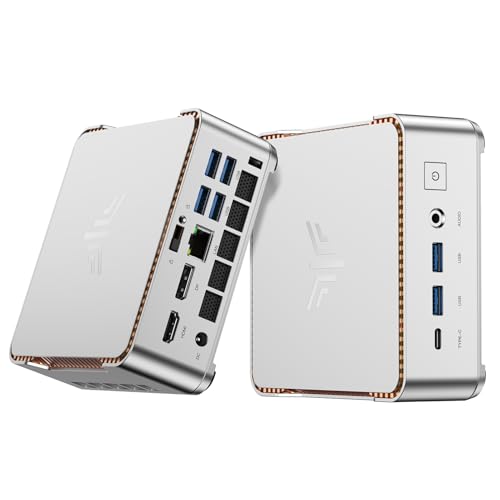
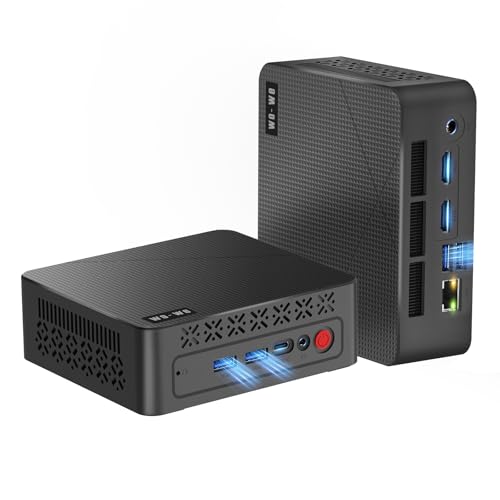
Before ordering, examine images and specification tables for available ports. KAMRUI mini PCs typically include HDMI, multiple USB sockets, Ethernet, and wireless networking, though versions differ in USB type and display support. Confirm if USB 3.0, Wi-Fi 5 or 6, and Bluetooth 5.2 are featured for future compatibility.
If you plan to run twin displays or require specific resolution support (such as 4K), read whether HDMI or DisplayPort outputs are present and what resolutions and refresh rates they deliver. Double-check the maximum number of connected monitors via the official datasheet. For home offices, prioritise units with gigabit Ethernet and robust Wi-Fi, as this provides flexibility for different UK router types.
UK Power, Warranty and Returns
For UK buyers, the power supply is crucial. Confirm the mini PC is supplied with a three-pin UK plug (Type G) and labelled for 220-240V. Some Amazon.co.uk listings from overseas may not include a UK-compliant power brick, necessitating an added adapter or replacement unit. Consider models clearly labelled as UK stock for straightforward setup.
Always check seller returns and warranty terms, as these can vary. Prefer listings with at least a one-year UK warranty and a returns policy that covers non-compatibility or damage. If details are not shown, message the seller for clarification or consider retailers with strong local support and verified returns handling through Amazon’s UK fulfilment network.
Practical Buying Example and Tradeoffs
Suppose you identify a KAMRUI mini PC listed with an Intel N5105, 8GB RAM, and 256GB SSD. For a home workstation, this configuration balances low noise, energy efficiency, and acceptable multitasking. However, upgrading to a Core i5 unit generally yields a more robust system for image editing or heavier browser use—at higher cost and possible greater cooling noise.
Check listings for upgrade potential, like an open M.2 slot or accessible SO-DIMM memory. Determine whether the operating system—usually Windows or Linux—is preinstalled. Weigh small chassis size against upgrade options. A quick checklist: compare all-in price (including shipping and VAT), plug type, warranty, upgrade paths, and the specific task requirements for each candidate mini PC.