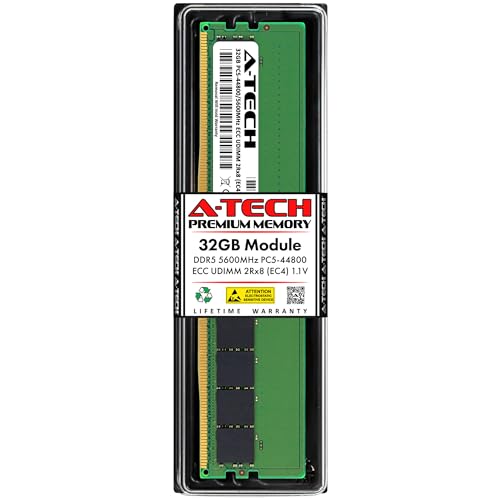
DDR5 ECC server RAM is essential for applications requiring high reliability and data integrity. Choosing the right modules involves understanding on-die ECC, system-level ECC, compatibility with CPUs and motherboards, and the operating environment. This guide explains how to assess specifications, compatibility, and buying signals to ensure the most appropriate and compatible memory for your enterprise or homelab server.
Decoding ECC and DDR5 Memory Types
DDR5 RAM comes equipped with on-die ECC, which helps correct single-bit errors occurring within each memory chip. This feature is standard and works automatically, but it does not replace full system-level ECC. System-level ECC memory modules, such as RDIMMs or ECC UDIMMs, can detect and correct multi-bit data errors across the entire memory channel, protecting workload stability.
When purchasing DDR5 ECC RAM, always verify what kind of ECC protection is required by your host. Enterprise and workstation motherboards, and CPUs such as Intel Xeon or AMD EPYC, support system-level ECC with specific modules. Consumer CPUs, even with DDR5 support, typically cannot utilize system-level ECC, so installing ECC-rated memory alone will not guarantee end-to-end protection.
Compatibility: Platform and Module Selection
Start by identifying your server’s physical DIMM slot type and supported memory configurations. DDR5 modules come in several formats: RDIMM, LRDIMM, and ECC UDIMM. Not all formats are interchangeable—check your motherboard manual and CPU vendor for supported module types and maximum memory speeds.
The memory’s JEDEC specification, including voltage, speed, and capacity, should match your system’s validated memory list. Differences in power or unsupported module capacity may prevent boot or cause instability. Always consult your platform’s qualified vendor list (QVL) and cross-check model numbers to avoid incompatibility.
Checklist for Buying DDR5 ECC Memory
Before buying, record your system’s processor, motherboard model, current installed memory, and intended workload intensity. Check the number of available slots and the maximum capacity supported per DIMM and overall. Decide if you need registered modules for server workloads or if ECC UDIMMs suffice for entry-level platforms requiring limited resilience.
When comparing offers, read product listings closely for full part numbers, module rank (single, dual), capacity, and kit size. Verify support for features like persistent memory or advanced power management if your application benefits. For homelab or budget-conscious buyers, look for single-module deals but consider multi-pack offers if upgrading in bulk; compare cost per gigabyte across equivalent module categories.
Signals to Purchase or Wait for DDR5 ECC RAM
If your system requires immediate upgrades—such as running virtualization, database, or scientific workloads—look for in-stock, fully matched kits to maintain stability and error correction. Wait if your installed memory configuration is barely used or if you plan to upgrade the platform soon, since module requirements may shift between generations or vendors.
Read the vendor's documentation and warranty terms for details on error reporting and memory replacement. Module availability changes rapidly as new DDR5 technologies roll out. If your preferred ECC module is backordered, cross-verify alternative validated part numbers or set alerts for restocking, but do not substitute non-ECC or incompatible DDR5 products to avoid instability or silent data loss.