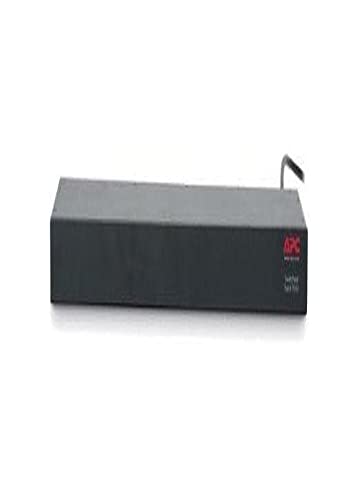
Managed PDUs Black Friday Deals 2026

Amazon US · USDAmazon sale dates · Nov 19–30, 2026

Amazon Black Friday deals

As an Amazon Associate we earn from qualifying purchases. Prices and availability are accurate as of the time indicated and may change. The price and availability displayed on Amazon at the time of purchase apply.

Amazon hasn’t reported a Black Friday deal for these listings. Check Amazon

Regular listings

Product and offerAmazon price
$224.90Checked
Buy on Amazon
$224.99Checked
Buy on Amazon
19% below reference
APC AP7900 Rack PDU/Switched/1U/15A/100/120V Surge Protector

New · Newfangled Networks

$350.00Typical price $431.95Checked
Buy on Amazon
$359.00Checked
Buy on Amazon
Managed DC PDU

New · ALGcompany

$375.00Checked
Buy on Amazon
$479.00Checked
Buy on Amazon
$519.99Checked
Buy on Amazon
$525.00Checked
Buy on Amazon
$663.61Checked
Buy on Amazon
$688.88Checked
Buy on Amazon
$1,249.00Checked
Buy on Amazon
$1,593.42Checked
Buy on Amazon
$1,807.31Checked
Buy on Amazon
$2,599.99Checked
Buy on Amazon
$3,210.78Checked
Buy on Amazon
$4,399.00Checked
Buy on Amazon

Buying guide

A managed PDU (Power Distribution Unit) offers remote switching, energy monitoring, and granular power control, critical for modern server rooms or homelabs. Selecting the right model depends on your equipment’s input needs, the network environment, and the features required for safe, efficient power management. Understanding specifications and installation requirements ensures a good fit and reliable uptime.

Core Features of Managed PDUs

Managed PDUs offer network-based outlet control, per-outlet monitoring, alerting, and automation options. Decide if you need just simple monitoring or advanced remote reboot and outlet sequencing. Examine the product listing for SNMP, HTTP/HTTPS interfaces, integration with datacenter management platforms, and security features like role-based access.

Outlet type and number matter. Confirm compatible plug types (NEMA, IEC variants) match your hardware’s power cords. Review if the PDU has horizontal or vertical mount options and the total number of individually switchable outlets. Check exact model specs to ensure the PDU fits your server rack’s dimensions and power density requirements.

Network and Power Considerations

Managed PDUs need robust network integration. Ensure each model supports your preferred IP management, whether static or DHCP, and offers firmware that's updatable for security. Most managed PDUs integrate with standard SNMP or RESTful APIs, but verify support for integration with your monitoring software by referencing product manuals or manufacturer sites.

On the power side, double-check the voltage and amperage rating matches your environment (e.g., 120V/208V, 15A/20A/30A). Many listings show total unit current, but check documentation for per-outlet limits. Single-phase and three-phase options exist; confirm which your racks support, and plan for protection devices as needed in your electrical plan.

Installation and Usability Tips

Before purchase, verify mounting requirements. Some managed PDUs need specific mounting brackets or minimum depth. Confirm cable length, included accessories, and outlet orientation to avoid installation surprises. Manufacturer datasheets list the dimensions, weight, and supported mounting configurations next to the model number.

Evaluate usability features: do you require LCD local displays for current monitoring, or rely solely on remote web interfaces? Look for PDUs that support alerting for current draw, temperature thresholds, or power anomalies. User manuals or product comparison tables show which extra sensing and alerting features are included by model.

Checklist for Buying or Waiting

Buy if you need remote outlet control, energy data, or are upgrading to denser racks. Prioritize UL-listed or certified hardware, and check for available support and replacement policy. Confirm all features on the official documentation, especially if your environment is mission-critical.

Consider waiting if your rack config is still changing, or you’re uncertain about the total number of outlets or power requirements. Avoid models with hard-to-source replacement parts or unclear network security updates. Compare using the exact model code, and always check that firmware is actively updated.

Frequently asked questions

Can I upgrade firmware on a managed PDU?

Many managed PDUs support firmware updates via web, USB, or serial. Always download official firmware from the vendor, verify hardware compatibility by model number, and follow update instructions carefully to avoid bricking the device.

How do I know if a managed PDU supports my monitoring software?

Check the manufacturer's specifications and documentation for SNMP, Modbus, or HTTP API support. Cross-reference your monitoring platform for tested integrations using the exact PDU model designation before purchasing.

Related Black Friday guides

Browse all Black Friday categories