Choosing the right server CPU balances core count, compatibility, and efficiency for your intended workloads. CPUs for servers differ sharply in socket, TDP, and feature set, affecting both performance and upgrade paths. This guide walks through how to select, verify, and time your server CPU purchase.
Matching Server CPUs to Use Cases
First, determine what your workloads demand. Virtualization or container hosts often benefit from higher core counts and abundant cache. Databases or web services may prioritize single-thread performance. Balance core count, per-core speed, and platform features for your actual service profile.
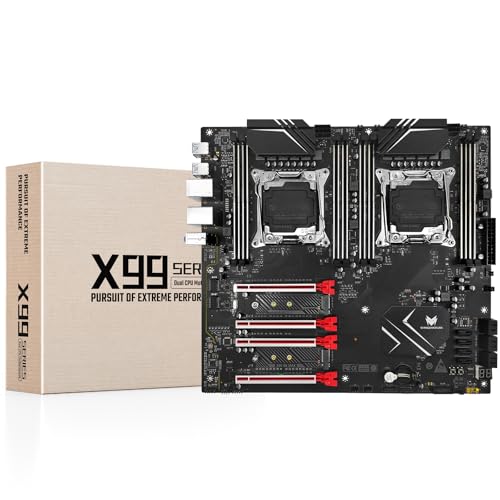
Note socket type and chipset support. Modern Intel Xeon, AMD EPYC, and some Core/i3/i5/i7/i9 CPUs can work in servers, but only on compatible boards. Double-check both socket code and platform generation before browsing prices or considering alternatives.
Evaluating Pricing, Configuration, and Alternatives
Calculate cost-per-core and per-watt for shortlisted CPUs, considering your expected power envelope. For budget builds, last-generation server CPUs can provide excellent price/performance—if your board is compatible. Cross-reference vendor documentation for official compatibility with your exact model code.
Check server firmware update support for newer CPU generations, as some boards may need major updates. If the documentation doesn’t explicitly state support for a given stepping or TDP, reach out to the server vendor before purchase. For mixed-use, weigh the merits of two lower-core chips versus a single high-core chip if your platform supports it.
Reading Documentation and Model Listings
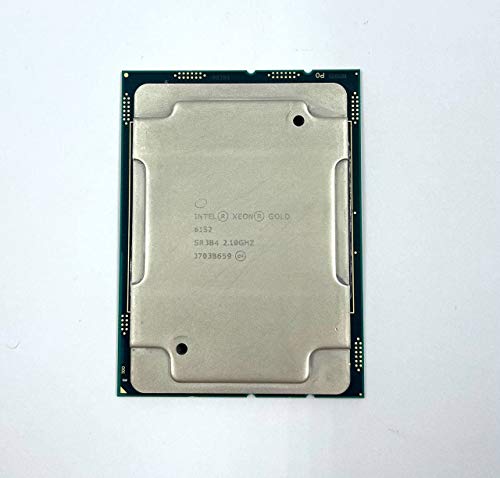
Verify the exact processor part number, stepping, and feature flags like Hyper-Threading or Turbo Boost. Listings should include the model’s full code (e.g., Xeon Silver 4214R), but always consult the manufacturer’s specification sheet for cache, TDP, and feature support. Be wary of listing errors; nuance in code can mean major compatibility differences.
Check if the listing notes tray (bulk OEM), boxed (retail), or used status. Boxed CPUs may include coolers and longer warranty. Confirm your server includes compatible cooling and power delivery (EPS connectors), especially for high core-count CPUs with elevated TDP.
When to Buy or Wait
Buy if your workloads are bottlenecked, your server board supports an in-stock CPU, and performance targets depend on specific core counts or features. Time purchases to align with your maintenance windows and verify that your power and cooling can handle the new chip's requirements.
Wait if firmware support for your platform is unclear, prices on your desired CPU class are unusually high, or upcoming CPU launches could provide better performance per watt or price. Consult documentation for upgrade paths if future expansion is important.