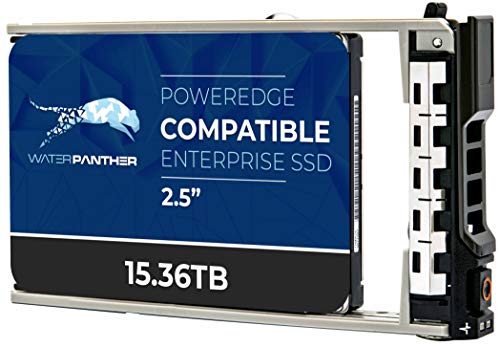
15.36 TB SSDs Black Friday Deals 2026

Amazon US · USDAmazon sale dates · Nov 19–30, 2026

Amazon Black Friday deals

As an Amazon Associate we earn from qualifying purchases. Prices and availability are accurate as of the time indicated and may change. The price and availability displayed on Amazon at the time of purchase apply.

Amazon hasn’t reported a Black Friday deal for these listings. Check Amazon

Regular listings

Product and offerAmazon price
$3,299.00$214.78/TBChecked
Buy on Amazon
$3,299.00$214.78/TBChecked
Buy on Amazon
$3,299.00$214.78/TBChecked
Buy on Amazon
$3,999.00$260.35/TBChecked
Buy on Amazon
$4,929.00$320.90/TBChecked
Buy on Amazon
$5,499.99$358.07/TBChecked
Buy on Amazon
$5,708.60$371.65/TBChecked
Buy on Amazon
$5,779.00New Price $8,500.00$376.24/TBChecked
Buy on Amazon
$5,899.00New Price $6,660.00$384.05/TBChecked
Buy on Amazon
$5,899.00$384.05/TBChecked
Buy on Amazon
$5,938.60$386.63/TBChecked
Buy on Amazon
$5,999.00$390.56/TBChecked
Buy on Amazon
$6,299.00$410.09/TBChecked
Buy on Amazon
$6,660.00$433.59/TBChecked
Buy on Amazon
$8,999.00$585.87/TBChecked
Buy on Amazon
Solidigm D7-P5520 15.36TB 3D NAND PCIe 4.0 x4 NVMe U.2 Internal Data Center SSD

New · SiliconValleySeller (SN# Recorded) · 15.36 TB

$9,975.00$649.41/TBChecked
Buy on Amazon
$10,929.00$711.52/TBChecked
Buy on Amazon
$27,059.00$1,761.65/TBChecked
Buy on Amazon

Buying guide

A 15.36 TB SSD delivers high performance and immense capacity for demanding workloads, from enterprise storage arrays to high-resolution media editing. Before investing, it’s essential to balance endurance, compatibility, workload needs, and connectivity. This guide covers the critical factors, options, and documentation details you should check to ensure the right fit for your storage infrastructure.

Understanding the Key Specifications

Start by identifying the SSD’s form factor, interface, and intended use-case. Common options for 15.36 TB SSDs include 2.5-inch U.2 NVMe or SAS, and PCIe AIC (add-in card) models. Each mounting type fits different slots and system designs. Check your system’s motherboard or backplane documentation for compatible formats before narrowing your search among available SSD models.

Check the interface and protocol: NVMe SSDs use PCIe for high throughput, while SAS SSDs target enterprise servers with robust error correction and dual-port capability for failover. Make sure your storage bay supports the specific interface. Documentation provided by both the server and SSD manufacturer confirms compatibility, preventing mismatches that could waste time and money.

Evaluating Endurance and Performance

Workload endurance, often measured in Drive Writes Per Day (DWPD), is vital for SSDs in heavy-write environments. For example, high-performance 15.36 TB data center drives can support up to three or more DWPD, while standard models might be lower. Analyze your actual write demands and select a drive with sufficient endurance to meet projected workloads over its warranty period.

Performance metrics like sequential read/write speeds and random IOPS (input/output operations per second) define responsiveness for specific tasks. Review datasheets for sustained speeds rather than peak, and look for independent endurance reports if available. While some SSDs tout higher numbers for edge use cases, matching the model code to your real-world applications ensures your investment delivers.

Checklist for Selecting the Right Model

Use a concrete checklist: Confirm form factor (U.2, AIC, etc.), interface (PCIe Gen3/4, SAS), required DWPD, cooling method (passive or active), and firmware compatibility. Some SSDs target read-intensive workloads, others mixed or write-intensive. The model code, such as a Samsung PM1733 or Micron 9300 MAX, links directly to the vendor’s spec sheets for truth.

Scrutinize the total usable capacity after formatting and overprovisioning, which can differ by manufacturer. Not all 15.36 TB SSDs deliver the exact same usable space. Also examine the drive’s power requirements and stated support for features like PLP (power loss protection). Cross-check all claims in the model documentation with your system’s qualified part list before purchase, especially if hot-swapping or redundancy is required.

Making Informed Buying Decisions

Compare cost per TB only between similar drives with matching warranty terms and intended use. Avoid mixing consumer-focused QLC SSDs, which may offer lower endurance, with enterprise MLC/TLC varieties in the same calculation. Inspect Amazon and other listings for pack size (single drive or bundle) and verify warranty terms and return policies.

If your workload or infrastructure is rapidly evolving, it may be smart to wait if your system supports later-generation PCIe or emerging interfaces, or if available firmware upgrades require a newer drive. If your current storage cannot keep up or is near end-of-life, buying now with an eye for cross-generational compatibility can provide the needed boost and ensure longevity.

Frequently asked questions

How can I confirm if a 15.36 TB SSD will work in my server or workstation?

Check your system’s documentation for compatible drive form factors and interfaces, then match them to the SSD’s model number. Verify firmware support and refer to the server vendor’s qualified component list for the exact SSD series.

Are all 15.36 TB SSDs suitable for write-intensive applications?

No. Endurance varies widely; some models are designed for read-intensive or mixed-use, with lower drive writes per day. Review the drive’s DWPD rating and the application’s requirements before purchase to avoid premature wear.

Related Black Friday guides

Browse all Black Friday categories