U.2 SSDs Black Friday Deals 2026

Amazon US · USDAmazon sale dates · Nov 19–30, 2026

Amazon Black Friday deals

As an Amazon Associate we earn from qualifying purchases. Prices and availability are accurate as of the time indicated and may change. The price and availability displayed on Amazon at the time of purchase apply.

Amazon hasn’t reported a Black Friday deal for these listings. Check Amazon

Regular listings

Product and offerAmazon price
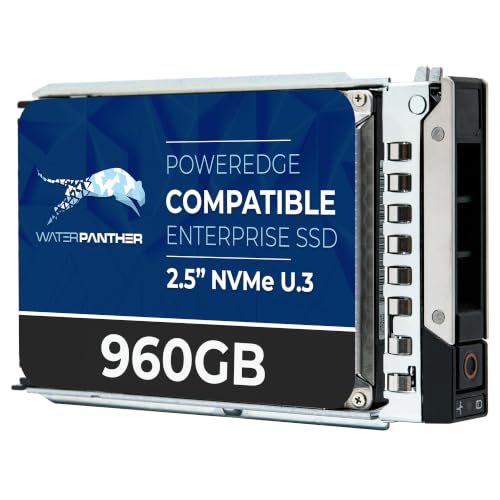
$234.99List Price $249.00$244.78/TBChecked
Buy on Amazon
$1,623.74$422.85/TBChecked
Buy on Amazon
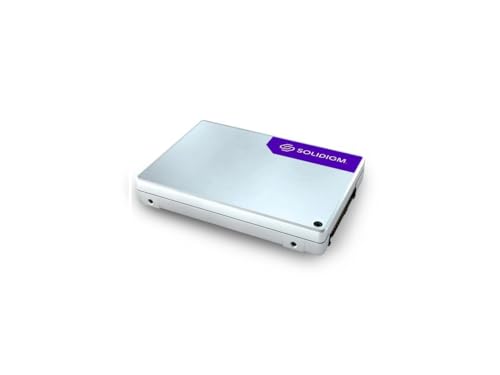
Solidigm D7-P5520 15.36TB 3D NAND PCIe 4.0 x4 NVMe U.2 Internal Data Center SSD

New · SiliconValleySeller (SN# Recorded) · 15.36 TB

$9,975.00$649.41/TBChecked
Buy on Amazon
PM9A3 SSD 2.5 U.2 NVME GEN 4 960GB

New · SiliconValleySeller (SN# Recorded) · 960 GB

$698.77$727.89/TBChecked
Buy on Amazon
$23.99Checked
Buy on Amazon
$2,866.00Checked
Buy on Amazon

Related alternatives

Compare related models or capacities and check the exact specifications and fit before buying.

Product and offerAmazon price
$3,225.00$403.13/TBChecked
Buy on Amazon
$10,242.08$3,200.65/TBChecked
Buy on Amazon
$1,799.99$234.37/TBChecked
Buy on Amazon
Samsung PM883 MZ7LH3T8HMLT 3.84TB SATA 6Gb/s 2.5-Inch Enterprise SSD

Regular listing · New · SiliconValleySeller (SN# Recorded) · 3.84 TB

$1,079.57$281.14/TBChecked
Buy on Amazon
$899.00$234.11/TBChecked
Buy on Amazon
Samsung PM893 3.84TB SATA III 2.5" Internal SSD

Regular listing · New · Brute Networks Corporation · 3.84 TB

$1,694.75$441.34/TBChecked
Buy on Amazon
SAMSUNG PM893 SSD 2.5 SATA 480GB

Regular listing · New · SiliconValleySeller (SN# Recorded) · 480 GB

$629.00$1,310.42/TBChecked
Buy on Amazon
Samsung PM883 MZ7LH1T9HMLT 1.92TB SATA 6Gb/s 2.5-Inch Enterprise SSD

Regular listing · New · Brute Networks Corporation · 1.92 TB

$1,061.45$552.84/TBChecked
Buy on Amazon
$684.45$356.48/TBChecked
Buy on Amazon

Buying guide

U.2 SSDs offer high-performance, enterprise-grade storage with wide compatibility for workstations and servers. Buyers face distinct choices in interface, endurance, and capacity. This guide explains how to compare U.2 SSD models, check your system, and weigh the tradeoffs among price, workload, and longevity when shopping for U.2 drives.

Understanding U.2 SSD Compatibility

U.2 SSDs use a unique connector that typically supports PCIe NVMe drives, integrating high-speed storage into enterprise servers or some high-end desktop systems. Before buying, inspect both sides of the storage path. Verify your motherboard or backplane has U.2 ports or that you have the correct U.2 to M.2 adapter, paying attention to electrical compatibility and slot length requirements.

Consult your system or motherboard documentation for supported U.2 drive formats, maximum slot speeds, and thermal expectations. Some U.2 bays support hot-swap, while others do not. A U.2 connector may look like standard SATA but often carries PCIe lanes, so physical fit alone is not enough. Confirm your drive matches the port’s protocol, voltages, and mechanical mount.

Comparing U.2 SSD Specifications and Models

When browsing U.2 SSDs, pay close attention to capacity, interface version, and endurance ratings. Most U.2 SSDs use PCIe Gen3 x4, but newer models may include Gen4. Higher end drives often trade capacity for endurance, supporting mixed or heavy-write environments. For enterprise use, Total Bytes Written (TBW) and Drive Writes Per Day (DWPD) matter more than pure capacity.

Manufacturers list sequential and random performance differently. For demanding databases or virtualization, focus on IOPS and sustained writes rather than just peak throughput. Compare endurance specifications between models of the same capacity, and look for posted warranty lengths. Check if the drive uses TLC or more durable SLC/MLC NAND, which affects both endurance and price.

Checklist for Choosing a U.2 SSD

Start your checklist by confirming your system supports PCIe NVMe U.2 drives. Next, define your capacity needs (e.g., 1.6 TB, 3.84 TB, or higher) and workload (read-centric, mixed use, or write-heavy). Match endurance to workload using TBW or DWPD figures listed in seller or manufacturer specs. Only compare similar interface generations, as Gen4 drives require compatible infrastructure.

Include in your checklist the required power supplies or cables. Identify whether your use case needs power loss protection, which is important for servers or storage arrays. Check cooling and airflow in your chassis, as U.2 SSDs can produce significant heat in sustained workloads. Make sure to verify part numbers and confirm they match the listings and your intended application.

Tradeoffs and When to Buy or Wait

Choosing a U.2 SSD involves balancing endurance, performance, and cost. Drives with higher DWPD or SLC NAND command steeper prices but last much longer. If your workload is predominantly reading data or you only need moderate writes, choosing a TLC-based drive with lower DWPD can save money without sacrificing reliability in lighter-duty use.

If the latest PCIe Gen4 drives are not required by your workload, prior generation Gen3 U.2 SSDs often deliver excellent value for the majority of storage deployments. Waiting for new models may drop older models’ prices, but verify firmware support and warranty coverage for discontinued or discounted SKUs. Confirm with the documentation for compatibility before committing to a new technology cycle.

Frequently asked questions

What should I check in the product listing for U.2 SSDs?

Confirm the precise interface, endurance rating (TBW/DWPD), compatibility with your system, and the correct model number. Cross-reference specifications with the manufacturer’s documentation to verify that the drive fits both your workload and hardware infrastructure.

How do I determine if my server supports U.2 SSDs?

Consult your server’s manual or support site for the list of supported storage types. Look for documentation specifying U.2 bays, NVMe support, and the correct PCIe version and power delivery before purchasing U.2 SSDs.

Related Black Friday guides

Browse all Black Friday categories