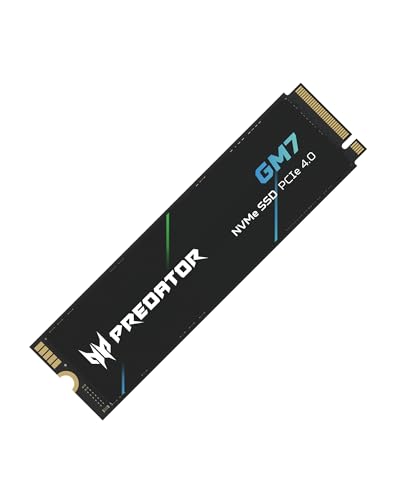
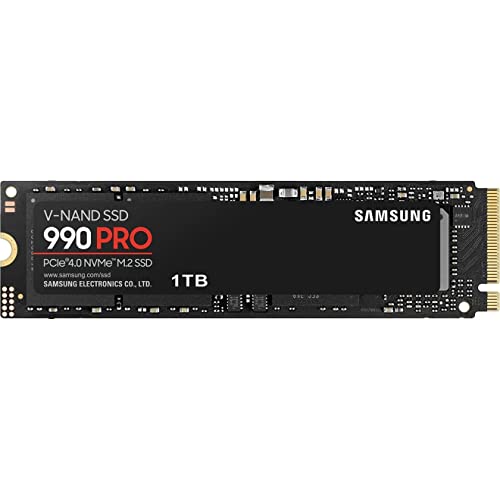
NVMe SSDs Black Friday Deals 2026

Amazon US · USDAmazon sale dates · Nov 19–30, 2026

Amazon Black Friday deals

As an Amazon Associate we earn from qualifying purchases. Prices and availability are accurate as of the time indicated and may change. The price and availability displayed on Amazon at the time of purchase apply.

Product and offerAmazon price
$349.99List Price $679.97$175.00/TBChecked
Buy on Amazon
$209.99List Price $339.99$209.99/TBChecked
Buy on Amazon
$699.99List Price $1,099.99$175.00/TBChecked
Buy on Amazon
Amazon Black Friday Deal 35% off
Kingston NV3 1TB M.2 2280 NVMe SSD | PCIe 4.0 Gen 4x4 | Up to 6000 MB/s | SNV3S/1000G

New · Amazon.com · 1 TB · Ends

$139.99List Price $215.99$139.99/TBChecked
Buy on Amazon
$45.64Typical price $62.97$178.28/TBChecked
Buy on Amazon
$179.99List Price $229.99$179.99/TBChecked
Buy on Amazon
$69.69Typical price $86.99$136.11/TBChecked
Buy on Amazon
$245.99Typical price $299.99$123.00/TBChecked
Buy on Amazon
$148.74List Price $179.99$148.74/TBChecked
Buy on Amazon
$159.99Typical price $189.00$159.99/TBChecked
Buy on Amazon

Regular listings

Buying guide

NVMe SSDs deliver fast storage with minimal latency by connecting directly through PCIe, making them a popular upgrade for modern PCs and workstations. Choosing the right model involves matching interface, fit, speed, endurance, and system compatibility. This guide covers important factors, tradeoffs, and specific features to review before you buy an NVMe SSD this season.

Interface and Slot Compatibility

NVMe SSDs use the PCIe interface, typically through M.2 slots. Always check your motherboard or laptop documentation for supported PCIe versions and form factors. Most desktop boards use M.2 2280, but smaller or specialized devices can use 2230, 2242, or 22110 lengths. Not all M.2 slots support NVMe; some are SATA-only. Confirm support for both NVMe protocol and desired PCIe lane count.

Before buying, verify the number of PCIe lanes (x2 or x4) provided by the slot. PCIe 4.0 and PCIe 5.0 SSDs offer higher speeds but require matching support from both motherboard and CPU. A PCIe 4.0 drive fits in a PCIe 3.0 slot, but performance drops to PCIe 3.0 limits. Refer to your system manual or manufacturer’s qualified parts lists to avoid incompatibility.

Performance and Endurance Considerations

Look at sequential and random read/write speeds but match these to your workload. PCIe 4.0 models can hit 7,000 MB/s or more, while PCIe 3.0 is usually capped under 3,500 MB/s. Real-world benefits depend on the applications you use; for general tasks, even PCIe 3.0 often suffices. Check product documentation for controller type and flash memory (TLC vs QLC).

Endurance, expressed as TBW (terabytes written) or drive writes per day, matters for frequent writes or professional workloads. Higher TBW signifies longer lifespan. SSDs in the same capacity category may differ by endurance rating, affecting suitability for gaming, editing, or content creation. Check warranty terms and note that high endurance models usually cost more.

Thermal Management and Reliability

High-performance NVMe SSDs generate significant heat, especially under sustained workloads. Throttling can occur if inadequate cooling is present, impacting speeds. Some drives include heatsinks, but always verify clearance inside your system. Motherboards may provide M.2 cooling or shields, but these only fit some SSDs. Review physical measurements and explicitly check for slot location impacts by inspecting your device's layout documentation.

Reliability is linked to both controller quality and memory type. Enterprise or workstation-class drives offer power loss protection and extra validation. Assess reviews for firmware stability and consider vendor firmware update support. Owners should register their SSD to access any firmware, management tools, and support services directly from the manufacturer for ongoing reliability after purchase.

Worked Example and Buying Checklist

Suppose you’re upgrading a PC with an M.2 PCIe 4.0 x4 slot and want a 2TB NVMe SSD for mixed gaming and productivity. First, check the supported form factor and thermal clearance. Next, compare products’ PCIe version, controller, NAND type, endurance (TBW), and the presence or absence of a heatsink.

Prioritize models with TLC NAND, TBW ratings above 1,000 for 2TB, and manufacturer firmware support. Check that your system can accept a double-sided SSD if needed. If more demanding tasks or sustained write performance are required, trade up to prosumer or workstation-oriented drives. If seeing new models launch soon, waiting may be wise for extra features or better endurance ratings.

Frequently asked questions

How do I verify NVMe SSD compatibility before buying?

Check your system or motherboard documentation for supported M.2 lengths, PCIe interface version, and whether the slot runs PCIe (NVMe) or only SATA. Match the SSD form factor and interface exactly to your device’s specifications.

When should I pay extra for a heatsink on an NVMe SSD?

Buy an SSD with a heatsink if installing in a high-performance desktop, gaming rig, or workstation with heavy or sustained use. For laptops or systems with tight space, ensure added height doesn’t prevent installation.

Related Black Friday guides

Browse all Black Friday categories