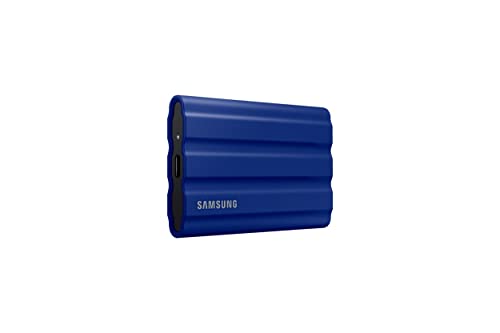
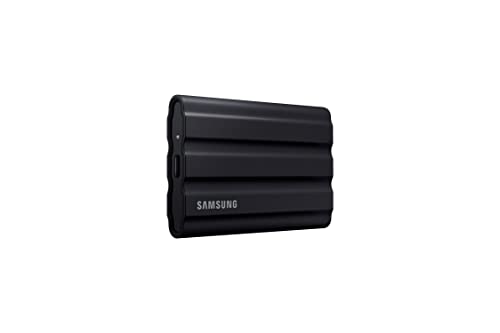
Samsung T7 Shield Black Friday Deals 2026

Amazon US · USDAmazon sale dates · Nov 19–30, 2026

Amazon Black Friday deals

As an Amazon Associate we earn from qualifying purchases. Prices and availability are accurate as of the time indicated and may change. The price and availability displayed on Amazon at the time of purchase apply.

Amazon hasn’t reported a Black Friday deal for these listings. Check Amazon

Regular listings

Related alternatives

Compare related models or capacities and check the exact specifications and fit before buying.

Product and offerAmazon price
$159.99$159.99/TBChecked
Buy on Amazon
$198.55List Price $299.99$198.55/TBChecked
Buy on Amazon
$349.99List Price $489.99$175.00/TBChecked
Buy on Amazon
$269.99Typical price $299.99$135.00/TBChecked
Buy on Amazon
$354.49Typical price $420.00$177.25/TBChecked
Buy on Amazon
$289.99$145.00/TBChecked
Buy on Amazon
$229.99List Price $274.99$229.99/TBChecked
Buy on Amazon
$719.99List Price $1,144.99$180.00/TBChecked
Buy on Amazon
$99.99$199.98/TBChecked
Buy on Amazon
$699.99Typical price $799.99$175.00/TBChecked
Buy on Amazon

Buying guide

The Samsung T7 Shield stands out as a rugged portable SSD, ideal for demanding users seeking durability, speed, and compatibility. Buyers must evaluate storage needs, device support, and real-world workload before selecting the best T7 Shield capacity and variant. Understanding interface requirements, bundle differences, and physical features ensures you invest in portable storage that truly fits your workflow and platform.

Choosing the Right Capacity and Model

Samsung’s T7 Shield external SSD comes in multiple capacities, such as 1TB, 2TB, or 4TB. Assess your storage needs by estimating the size and number of files you’ll regularly move or back up. Video editors, photographers, and those transferring large archives often benefit from higher capacities, reducing future upgrade costs and effort. Lower capacities suit light backups and general file transport.

Compare dollars per terabyte when evaluating T7 Shield offers. Amazon and other retailers may list single drives or multipacks, so always check the price breakdown to avoid overpaying. Review whether the drive comes with both USB-C to USB-C and USB-C to USB-A cables for device compatibility. Be wary of retailer bundles that include unnecessary accessories if your priority is price performance or specific connectivity features.

Understanding Interface and Performance

The T7 Shield uses USB 3.2 Gen 2 interface, supporting up to 1,050 MB/s sequential reads and 1,000 MB/s writes on compatible systems. Confirm that your laptop, desktop, or mobile device supports USB 3.2 Gen 2 or higher for optimal speeds. If you use older USB ports, performance will be limited by the slowest connection along the chain, so check both ends before purchasing.

Solid-state drives have no moving parts, but thermal throttling can impact sustained transfers. The T7 Shield’s rubberized casing improves impact resistance and helps dissipate heat under load. Look for model documentation specifying drop resistance (up to 3 meters) and ingress protection (IP65), confirming resistance to dust and water spray. If maximum durability matters, watch for T7 Shield and not the base T7 or T7 Touch models.

Compatibility and Setup Checklist

Before committing to a T7 Shield, verify operating system compatibility. Samsung supports Windows, macOS, Android, and game consoles, but always check the full model code against Samsung’s documentation. Ensure your system provides enough power through its USB port for bus-powered drives unless you’ll use a powered dock or hub for desktop use.

When reading Amazon listings or the manufacturer’s page, confirm included cable types, physical dimensions, and warranty period. The T7 Shield is often formatted with exFAT out of the box for broad compatibility, but some workflows may require reformatting. If you use security features, ensure your environment supports Samsung’s Portable SSD software for password and hardware encryption, especially on managed or enterprise PCs.

When to Buy or Wait for the Samsung T7 Shield

Watch for steady capacity-based price trends rather than one-off discounts. If you frequently see the TB you need on sale at or below its last quarterly average, it’s a reasonable time to buy, especially if your current storage is near full or unreliable. Older T7 variants may run cheaper but often drop IP or speed ratings.

If your use case is flexible and you expect to move to faster Thunderbolt or USB4 systems soon, consider waiting for next-generation models. However, the T7 Shield remains a proven option for robust portable backup or worksite reliability. Check Samsung’s support resources for current firmware and desktop software to avoid surprises related to device recognition or security features at the time of purchase.

Frequently asked questions

How do I confirm the T7 Shield will work at full speed on my laptop?

Check your laptop’s USB port specifications for USB 3.2 Gen 2 (10Gbps) support. Consult the system manual or motherboard documentation. Using older USB generations may reduce speeds well below the T7 Shield’s stated maximum.

What should I look for in Amazon listings before purchasing a T7 Shield?

Check the exact model number, included cable types, official warranty coverage, and whether it lists T7 Shield (not T7 or T7 Touch). Read customer Q&A and verify that the listing matches Samsung documentation.

Related Black Friday guides

Browse all Black Friday categories