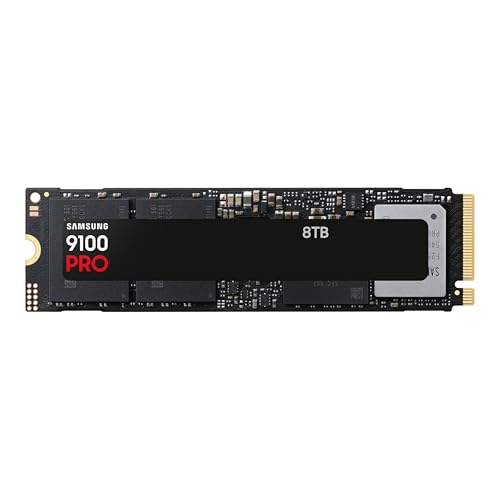
PCIe 5.0 SSDs Black Friday Deals 2026

Amazon US · USDAmazon sale dates · Nov 19–30, 2026

Amazon Black Friday deals

As an Amazon Associate we earn from qualifying purchases. Prices and availability are accurate as of the time indicated and may change. The price and availability displayed on Amazon at the time of purchase apply.

Product and offerAmazon price
$349.99List Price $679.97$175.00/TBChecked
Buy on Amazon
$209.99List Price $339.99$209.99/TBChecked
Buy on Amazon
$349.99Typical price $444.43$175.00/TBChecked
Buy on Amazon
$155.99Typical price $194.99$155.99/TBChecked
Buy on Amazon
$319.99List Price $379.99$160.00/TBChecked
Buy on Amazon

Regular listings

Product and offerAmazon price
$145.49Typical price $166.30$145.49/TBChecked
Buy on Amazon
$309.99List Price $324.99$155.00/TBChecked
Buy on Amazon
$628.99$157.25/TBChecked
Buy on Amazon
$349.99$175.00/TBChecked
Buy on Amazon
$749.99$187.50/TBChecked
Buy on Amazon
$399.00Typical price $419.00$199.50/TBChecked
Buy on Amazon
$199.99$199.99/TBChecked
Buy on Amazon
$199.99$199.99/TBChecked
Buy on Amazon
$209.99$209.99/TBChecked
Buy on Amazon
$425.99$213.00/TBChecked
Buy on Amazon
$999.45List Price $1,359.99$249.86/TBChecked
Buy on Amazon
$249.99$249.99/TBChecked
Buy on Amazon
$2,287.88List Price $2,719.99$285.99/TBChecked
Buy on Amazon
$84.99Checked
Buy on Amazon

Buying guide

PCIe 5.0 SSDs offer the latest leap in storage speed, doubling the bandwidth of PCIe 4.0. Selecting one for your new or upgraded system requires careful attention to motherboard support, slot fit, cooling requirements, endurance ratings and price, ensuring you receive practical benefit from your investment and do not exceed your actual performance needs.

Motherboard and Slot Compatibility

PCIe 5.0 SSDs require a motherboard and CPU supporting PCIe 5.0 lanes routed to an M.2 slot. Check your system’s manual for slot specifications, as not all M.2 slots will be wired for PCIe 5.0, even on the latest boards. Without this, the SSD will default to earlier generation speeds, so slot accuracy directly affects realized performance.

Slot length and keying matter. M.2 2280 remains the most common size, but some PCIe 5.0 drives use longer or double-sided modules due to added controller and cooling hardware. Always check the maximum supported length and thickness in both your motherboard’s manual and the SSD’s technical datasheets before purchasing, especially in compact or ITX chassis.

Performance, Workload, and Endurance Ratings

PCIe 5.0 SSDs promise sequential read/write speeds up to 14,000 MB/s, but actual benefit depends on your workload. Heavily threaded professional or scientific applications see the most benefit, while for gaming or casual use, improved load times may be marginal. Examine drive reviews for sustained performance and thermal throttling, not just peak values.

Endurance is especially critical at these speeds. Check the TBW or DWPD rating, and review the warranty terms for limits on write volume. Higher-performance and enterprise-tier models come with longer warranties and greater write endurance, ensuring suitability for content creation, virtualization, or multi-user applications. Always compare price per gigabyte and per warranted TBW across models for best value.

Cooling Requirements and Form Factor Considerations

PCIe 5.0 SSDs generate more heat than previous generations, so nearly all models ship with robust pre-installed heatsinks or vapor chambers. Verify fitment before purchasing; pre-attached cooling solutions can interfere with GPUs, case panels, or adjacent M.2 slots. Motherboards with built-in M.2 armor may require SSDs without integrated heatsinks, or offer an alternative cooling method.

For workstation or server setups with multiple high-speed drives, plan for system-level airflow. Consult the SSD vendor’s documentation to ensure proper mounting, and review case airflow guidelines to prevent speed degradation. If you are considering multiple drives, stagger workloads or employ fan-assisted cooling to avoid thermal throttling, maximizing consistent performance during intensive use.

Smart Upgrading: Practical Checklist and Tradeoffs

Record the exact SSD model and intended motherboard slot before purchasing. Review QVLs (qualified vendor lists) for compatibility and firmware update requirements. Compare package contents for bundled accessories or software. Calculate the cost per gigabyte and check for bonus features or warranty differences, including bundled cloning tools or extended support.

If your application cannot fully utilize PCIe 5.0 speeds, consider high-end PCIe 4.0 SSDs as a cost-effective alternative. For video editing, machine learning or database applications where parallel reads and writes dominate, PCIe 5.0 SSDs provide justifiable performance. If your current system lacks PCIe 5.0 support, upgrade only when the full platform can deliver the performance you’ve paid for.

Frequently asked questions

Will a PCIe 5.0 SSD work in a PCIe 4.0 slot?

Yes, PCIe 5.0 SSDs are backward compatible with PCIe 4.0 slots but will run at PCIe 4.0 speeds. Verify slot compatibility and consider performance needs before making the investment, as you may not see the full benefit.

What systems support PCIe 5.0 SSDs?

Currently, some Intel 13th Gen/14th Gen Core systems and AMD Ryzen 7000 platforms provide PCIe 5.0 M.2 slots. Always consult your motherboard’s specifications and user manual to confirm you have direct PCIe 5.0 lane support for SSDs.

Related Black Friday guides

Browse all Black Friday categories