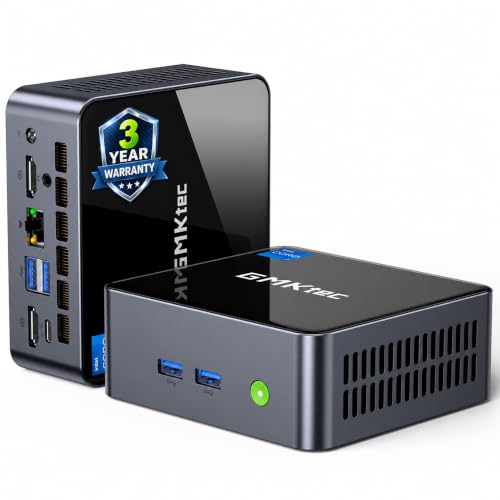
GMKtec mini PCs Black Friday Deals 2026

Amazon US · USDAmazon sale dates · Nov 19–30, 2026

Amazon Black Friday deals

As an Amazon Associate we earn from qualifying purchases. Prices and availability are accurate as of the time indicated and may change. The price and availability displayed on Amazon at the time of purchase apply.

Product and offerAmazon price
$224.99List Price $349.99Checked
Buy on Amazon
$322.98List Price $499.99Checked
Buy on Amazon
$199.99List Price $299.99Checked
Buy on Amazon
$199.99List Price $299.99Checked
Buy on Amazon
$322.98List Price $459.99Checked
Buy on Amazon
$427.47List Price $599.99Checked
Buy on Amazon
$288.79List Price $399.99Checked
Buy on Amazon
$275.48List Price $379.99Checked
Buy on Amazon
$474.98List Price $649.99Checked
Buy on Amazon
$269.99List Price $369.99Checked
Buy on Amazon
$224.99List Price $299.99Checked
Buy on Amazon
$446.49List Price $549.99Checked
Buy on Amazon

Regular listings

Other Amazon promotions

Product and offerAmazon price
$679.99List Price $799.99Checked
Buy on Amazon

Buying guide

GMKtec mini PCs combine compact footprint and capable hardware, appealing to office users, students, and light creative professionals. GMKtec offers builds with Intel or AMD CPUs, various RAM/storage setups, and connectivity suited for productivity or media. Comparing technical details across listings and documentation ensures you select a GMKtec mini PC that fits your requirements and upgrade plans.

Processor, RAM, and Use Case Matching

To choose a GMKtec mini PC, start with the processor family and code for workload matching. Models range from Intel N-series chips to Ryzen mobile CPUs, each with different performance scaling. Check the number of cores/threads, clock speeds, and the integrated GPU, such as Intel Iris Xe or AMD Vega, depending on your needs.

RAM capacity can vary; look for 8GB or 16GB DDR4 in most recent units, and consult the official documentation for maximum upgrade options, including slot or soldered status. For users handling multitasking or light software development, consider 16GB configurations, but office and light streaming needs may be met with 8GB if the RAM is upgradeable later.

Storage Type, Expandability, and Fit

GMKtec mini PCs offer primary SSD storage, often in NVMe M.2 or SATA M.2 formats. Check the exact storage size and type in the product listing (e.g., 256GB NVMe), and consult documentation or teardown guides to confirm availability and size of expansion slots or bays.

If you intend to store media or run software directly from the drive, prioritize NVMe over SATA for better speed, but only if your workflow benefits from it. Compact models may sacrifice internal expansion, so verify in the specs if you plan on upgrades. Look for tool-free access features mentioned in the manual as a plus.

Connectivity Options and Networking Compatibility

Ensuring the mini PC fits your setup means reviewing port options and network support. GMKtec usually equips multiple USB-A and sometimes USB-C ports, HDMI outputs for dual monitors, and a gigabit Ethernet jack. Some models may support Wi-Fi 6 or 6E for fast wireless networking; confirm this detail in the technical documentation.

Review your primary display and peripheral requirements against the port map in the listing. If you need multiple displays, ensure the exact model supports it and specifies max output resolution. Gigabit Ethernet is typical, but always check for higher speeds or Wi-Fi 6 if network speed is a critical factor.

Assessing Value and Buying Timing

Finalize your decision using a checklist: target CPU code, minimum and upgradeable RAM, SSD speed and size, essential ports, network features, and available warranties. Compare like-for-like listings on total spec, and check for upgrade options that may save costs later.

If important features are missing, such as a key port or upgrade slot, consider waiting or selecting another GMKtec model. Check warranty terms and after-sales support in the listing. If a current model matches your criteria and includes new-generation features, buying now is sensible; otherwise, clarifying upcoming options with the vendor documentation may be worthwhile.

Frequently asked questions

How can I determine if a GMKtec mini PC is compatible with my monitor?

Check the type and number of display outputs (HDMI, USB-C) in the product specifications and match them to your monitor’s inputs. Review official documentation for supported resolutions and refresh rates.

Is it possible to add storage to a GMKtec mini PC later?

Many GMKtec mini PCs allow SSD upgrades via M.2 slots or 2.5-inch SATA bays. Always verify expansion options in the model documentation or teardown guides to ensure compatibility before buying.

Related Black Friday guides

Browse all Black Friday categories