Mini PCs Black Friday Deals 2026

Amazon US · USDAmazon sale dates · Nov 19–30, 2026

Amazon Black Friday deals

As an Amazon Associate we earn from qualifying purchases. Prices and availability are accurate as of the time indicated and may change. The price and availability displayed on Amazon at the time of purchase apply.

Product and offerAmazon price
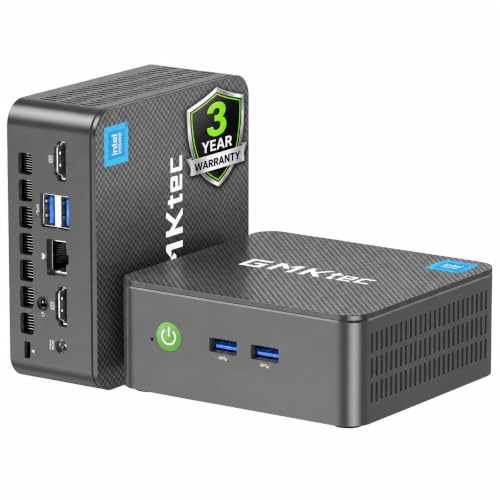
$439.99List Price $685.99Checked
Buy on Amazon
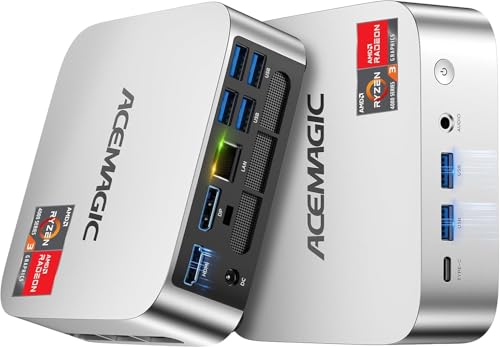
$224.99List Price $349.99Checked
Buy on Amazon
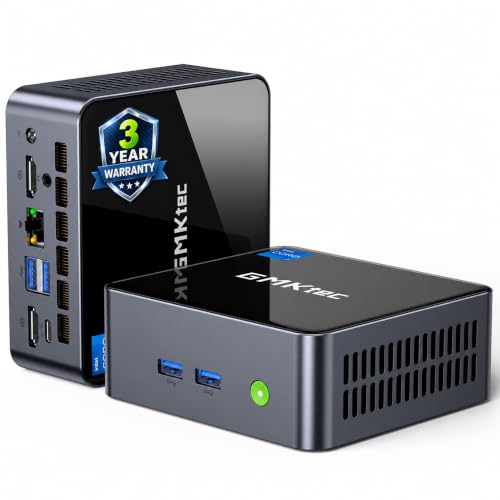
$502.00List Price $759.00Checked
Buy on Amazon
$284.05List Price $429.99Checked
Buy on Amazon
$322.00List Price $459.99Checked
Buy on Amazon
$322.98List Price $459.99Checked
Buy on Amazon
$189.99List Price $249.99Checked
Buy on Amazon
$446.49List Price $549.99Checked
Buy on Amazon
$284.99List Price $349.99Checked
Buy on Amazon

Regular listings

Other Amazon promotions

Buying guide

Mini PCs offer compact, energy-saving performance across home, office, and media applications. The ideal mini PC depends on your intended workloads, space constraints, and expansion needs. Comparing actual hardware specs, included accessories, and operating system options ensures a smooth buying journey. This guide details what matters most when selecting a mini PC.

Understanding Hardware Specifications

The heart of every mini PC is its processor: offerings range from basic Intel Celeron to more capable Core i5, i7, or AMD Ryzen chips. Match your CPU selection to workload: simple office tasks require less power, while content creation or virtualization calls for higher-end models. Cross-check the exact processor model in the vendor datasheet for performance benchmarks.

Check RAM and storage: many mini PCs list "barebones" (no RAM or storage) or preconfigured versions. Confirm RAM type (typically DDR4 or DDR5 SODIMM) and upgradable capacity. For storage, verify if the device comes with SSD, HDD, or merely a slot. Read listings and manuals for maximum support, drive sizes, and slot types (M.2, 2.5-inch, SATA/NVMe).

Connectivity and Expansion Options

Ports and expansion slots define a mini PC’s usefulness. HDMI and DisplayPort outputs enable dual or triple monitor setups, while USB 3.0, Thunderbolt, and SD card readers expand flexibility. Some models support Wi-Fi 6 and Bluetooth 5, which are beneficial for modern peripherals.

Assess physical size and ventilation layout for your environment. Small, fanless models excel for silent use but may throttle under heavy load, while larger mini PCs can include better cooling and more ports. Pictures, specifications, and detailed manuals reveal these differences—avoid assumptions by confirming with exact model codes.

Operating System and Accessories

Mini PCs sometimes ship without an operating system, letting you choose your own. If you need immediate use, select a unit specified as coming with Windows or Linux preinstalled. Bundled accessories—such as VESA mounts or power adapters—should be checked in the box contents or listing details.

Keyboard, mouse, and extra adapters may be required and are often not included. Always cross-check what’s bundled versus what is pictured, as regional variations can exist. Review the vendor’s policy on preinstalled bloatware, restore media, or support for driver updates from the included documentation or support site.

Checklist: Making a Mini PC Purchase Decision

Make a short checklist: intended use case, CPU and RAM needs, required storage and graphics capabilities, ports for your display setup, and preferred operating system. For example, a media center build may need quiet cooling, HDMI output, and a remote-capable USB port.

Verify compatibility by examining model numbers referenced in the vendor’s manual. Confirm warranty length, support channels, and upgrade options, as well as whether simple upgrades like adding memory or an SSD will void support. Use tested reviews for your model code for thermal and noise performance insights.

Frequently asked questions

Can I upgrade the RAM or storage in any mini PC?

Many mini PCs allow RAM or storage upgrades, but not all do. Check the precise model’s manual to see if components are socketed or soldered, and look for official upgrade instructions or compatibility notes.

Do all mini PCs come with Wi-Fi and Bluetooth?

Not all mini PCs offer built-in Wi-Fi and Bluetooth. Review the technical specification and supported wireless standards in the official datasheet to confirm before purchasing if wireless connectivity is important to you.

Related Black Friday guides

Browse all Black Friday categories