MeLE mini PCs Black Friday Deals 2026

Amazon US · USDAmazon sale dates · Nov 19–30, 2026

Amazon Black Friday deals

As an Amazon Associate we earn from qualifying purchases. Prices and availability are accurate as of the time indicated and may change. The price and availability displayed on Amazon at the time of purchase apply.

Product and offerAmazon price
$428.99List Price $549.99Checked
Buy on Amazon
$428.99List Price $549.99Checked
Buy on Amazon
$299.99Typical price $379.99Checked
Buy on Amazon
$277.49Typical price $349.99Checked
Buy on Amazon
$415.99List Price $519.99Checked
Buy on Amazon
$343.99List Price $429.99Checked
Buy on Amazon
$335.99List Price $419.99Checked
Buy on Amazon
$331.19List Price $413.99Checked
Buy on Amazon
$303.99List Price $379.99Checked
Buy on Amazon
$303.99List Price $379.99Checked
Buy on Amazon
$239.99List Price $299.99Checked
Buy on Amazon
$239.99List Price $299.99Checked
Buy on Amazon
$309.99Typical price $379.99Checked
Buy on Amazon
$429.99List Price $519.99Checked
Buy on Amazon
$409.49List Price $489.99Checked
Buy on Amazon
$297.49List Price $349.99Checked
Buy on Amazon

Regular listings

Buying guide

MeLE mini PCs deliver small-form-factor computing with a focus on silent operation and energy efficiency. Selecting the right MeLE model depends on intended workload, connectivity requirements, and planned expansions. This guide explains how to verify critical features such as passive cooling, storage compatibility, and network support, so buyers can avoid disappointment and match a MeLE unit to their actual workspace and usage.

Understanding MeLE CPU and Cooling Profiles

MeLE mini PCs use low-power Intel CPUs such as Celeron or Pentium Silver. These processors are suitable for web browsing, office work, and light media consumption. They trade raw speed for quiet and low heat generation. Consult the MeLE model code and datasheets to verify the exact CPU and its capabilities for video playback or light multitasking.

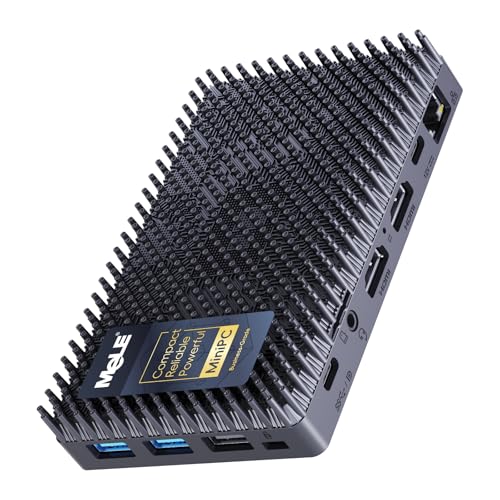
Unlike many mini PCs with small cooling fans, most MeLE units use passive (fanless) cooling. This means absolute silence and minimal dust intake, important for libraries or bedsides. Review listings for power design, heat sink details, and user feedback on temperatures during continuous use. Understand that heavy loads will throttle performance to stay fanless and cool.

Evaluating Memory and Storage Options

MeLE mini PCs often have non-upgradable soldered memory—typically 4GB or 8GB of LPDDR4. This makes choosing adequate RAM at purchase crucial, as expansion is not possible. For basic productivity, 4GB is usable, but 8GB is recommended for multiple browser tabs and streaming. Always confirm actual memory specs from the vendor documentation and reviews.

Internal storage usually combines fast eMMC (up to 128GB) with one or more slots for SSD expansion, commonly M.2 SATA, but rarely NVMe. Check the specific M.2 type (2242 or 2280) and slot interface in the product manual before buying aftermarket SSDs. Consider the tradeoff of immediate savings versus future capacity needs when picking a configuration.

Checking Port Selection and Network Capabilities

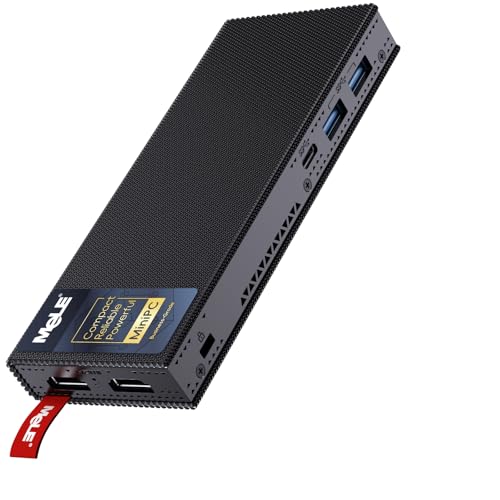
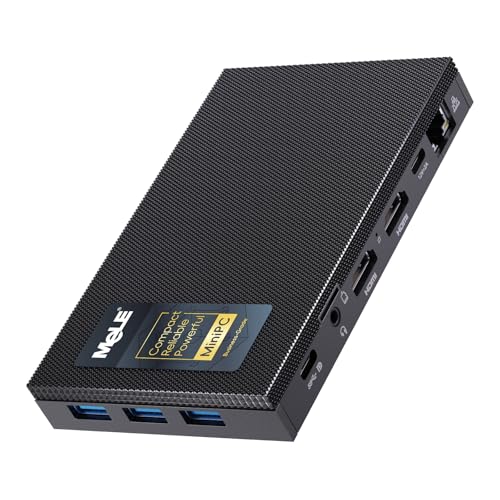
MeLE mini PCs typically feature USB-A, HDMI, Ethernet, microSD readers, and USB-C power input, but not all models ship with every port. Always review the sheet for number and speed of each port, such as USB 2.0 versus USB 3.0, especially if connecting multiple peripherals or storage devices.

For networking, many models offer gigabit Ethernet and dual-band Wi-Fi. If you rely on wireless networks, confirm if Wi-Fi 6 support is present or only Wi-Fi 5. Wired users should note Ethernet chipset compatibility for operating systems beyond Windows. Use the product’s official support list or driver documentation to avoid headaches.

Making the Smartest MeLE Mini PC Choice

Use a checklist: decide on passive vs. fan-cooled operation, minimum RAM, needed storage, and exact port requirements. For example, a MeLE PC for conference room signage could prioritize fanless design, 4GB RAM, reliable HDMI output, and easy VESA mounting.

Weigh budget against non-upgradability. If a MeLE mini PC with 8GB memory and 128GB eMMC fits your current needs, make sure it supports storage expansion for future file growth. Confirm the software environment needed (Windows, Linux) is compatible with the shipped BIOS or UEFI version referenced in the official manual.

Frequently asked questions

Can I upgrade the RAM in a MeLE mini PC after purchase?

Most MeLE mini PCs have soldered, non-upgradable RAM. Check the model datasheet before purchase. If you expect to use memory-intensive software, select a unit with higher factory memory installed.

What should I check for Linux compatibility on a MeLE mini PC?

Verify that the network chipsets, storage controllers, and UEFI or BIOS are supported by your chosen Linux distribution. Check both MeLE documentation and community forums for successful installation reports on the exact model code.

Related Black Friday guides

Browse all Black Friday categories