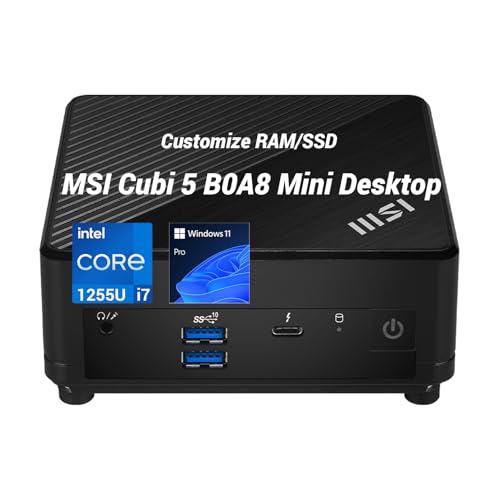
MSI mini PCs combine compact dimensions with desktop-level performance, appealing to users needing space efficiency or flexible deployments. Choosing the right model involves balancing performance, connectivity, upgradability, and value. This guide explains essential factors for selecting an MSI mini PC, what to look for in each model’s listing and documentation, and how to weigh different configuration options for work, study, or home entertainment.
Comparing MSI Mini PC Models and Processors
MSI offers several mini PC lines, such as Cubi and PRO series, each targeting different workloads. When reviewing a listing, check the exact processor model code. Cubi N and Cubi 5 models often use Intel Core processors, typically 11th or 12th Gen, while PRO mini PCs may use similar or AMD Ryzen chips. Processor choice influences multitasking, content creation, and general responsiveness.
It's important to compare model codes to ensure the system meets your intended workloads. Entry-level Intel Core i3 or Pentium models suit browsing and office tasks, while Core i5, i7, or Ryzen 5 models better support creative or multitasking roles. For specialized uses, such as virtualization or light rendering, prefer models with higher-core and thread counts. Always cross-reference specifications with MSI’s product documentation to confirm CPU details.
Memory and Storage Considerations
Some MSI mini PCs come pre-populated with RAM and storage, while others ship barebones. To compare offers, check if the listing states exact memory and storage configuration or if you need to purchase RAM or an SSD separately. Verify the number of accessible RAM slots, maximum supported memory, and supported drive formats reviewing the product’s official datasheet.
For users needing upgradability or specific performance targets, choose a model with two RAM slots and an M.2 PCIe NVMe slot for SSDs. For example, a Cubi 5 10M can typically handle up to 64GB RAM and supports both M.2 SSDs and 2.5-inch SATA drives. Always check accessible slots and supported drive lengths and speeds in MSI documentation for the exact configuration.
Ports, Connectivity, and Expandability
Port selection varies noticeably across MSI mini PC models. Cubi and PRO series may offer HDMI, DisplayPort, VGA, USB-C, and legacy USB-A ports. Confirm whether you need multiple monitor support or USB-C for modern peripherals. Listings should specify port types and counts. Check datasheets or MSI's user manuals to match your requirements to the actual rear and front I/O panel layout.
Networking features also require careful review. Entry-level MSI mini PCs provide gigabit Ethernet and basic Wi-Fi, while some higher-end PRO models include 2.5-Gigabit Ethernet or Wi-Fi 6. Ensure compatibility with your environment—home offices may require robust wireless performance, while professional settings may benefit from faster wired networking. Always review vendor documentation for the network card chipset and antenna configuration.
Worked Example and Key Buying Checklist
Consider an MSI Cubi 5 12M for mixed office and home entertainment. Review the Amazon listing: Confirm the i5-1235U processor, dual-channel RAM support, and PCIe Gen 4 SSD slot. Read the specifications tab for HDMI plus DisplayPort outputs, two SODIMM slots, and included power adapter. Compare barebones and pre-configured versions to set your preferred price-to-features balance.
A buying checklist for MSI mini PCs: Confirm the exact CPU and generation, RAM and drive slots, supported OS, required display outputs, number of USB ports, and network options. Cross-check these against product sheets and reviews. Assess physical dimensions if using VESA mounting. Signals to buy include stable inventory, updated processors, and needed ports; wait if new CPUs are imminent or you need more display outputs.