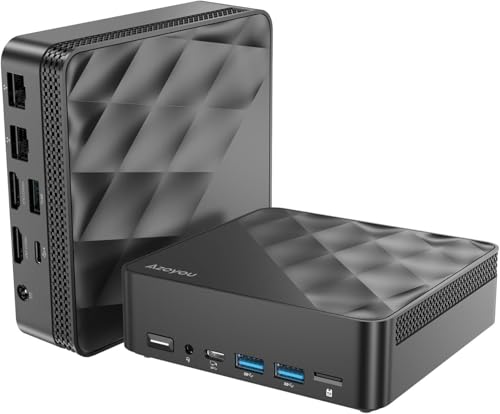
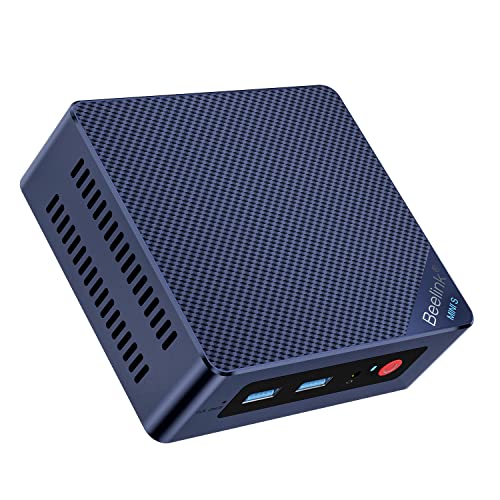
Intel N100 mini PCs Black Friday Deals 2026

Amazon US · USDAmazon sale dates · Nov 19–30, 2026

Amazon Black Friday deals

As an Amazon Associate we earn from qualifying purchases. Prices and availability are accurate as of the time indicated and may change. The price and availability displayed on Amazon at the time of purchase apply.

Product and offerAmazon price
$227.98List Price $289.99Checked
Buy on Amazon
$297.49Typical price $349.99Checked
Buy on Amazon
$254.99Typical price $299.99Checked
Buy on Amazon
$449.00Typical price $499.00Checked
Buy on Amazon

Regular listings

Product and offerAmazon price
$147.70Checked
Buy on Amazon
$205.99Checked
Buy on Amazon
$299.00Checked
Buy on Amazon
$329.00Checked
Buy on Amazon
$329.00Checked
Buy on Amazon
$339.00Checked
Buy on Amazon
$339.00Checked
Buy on Amazon
$339.00Checked
Buy on Amazon
$339.00Checked
Buy on Amazon
$339.00Checked
Buy on Amazon
$349.00Checked
Buy on Amazon
$349.00Checked
Buy on Amazon
$349.00List Price $369.00Checked
Buy on Amazon
$369.00Checked
Buy on Amazon
$399.00Checked
Buy on Amazon

Buying guide

Intel N100 mini PCs deliver efficient, silent computing for tasks like web browsing, office work, and media playback. This class of mini PC prioritizes low power draw and simple design. Selecting the right N100 system means checking RAM, SSD, ports, and thermal design to suit your setup. Here’s how to evaluate and compare Intel N100 mini PCs.

Processor Capabilities and Typical Use Cases

The Intel N100 is a quad-core processor from the Alder Lake-N family, aimed at low-power desktops and compact PCs. It is ideal for light office work, streaming, and digital signage where minimal heat and noise are priorities but higher-end performance is not required.

Always check the listed base and burst clock speeds as well as thermal management in the technical documentation. Benchmark results available for the N100 indicate modest multi-tasking ability, and integrated graphics are sufficient for non-gaming 4K media playback. Avoid these models for demanding workloads like video editing or 3D rendering.

Memory, Storage, and Upgrade Choices

N100 mini PCs may ship with 4 GB to 16 GB RAM, sometimes soldered to the board. Verify whether memory is upgradable in the documentation or listing. Likewise, storage configurations range widely: some models have soldered eMMC, while others offer expandable M.2 slots for NVMe or SATA SSDs.

Look for precise information on SSD slot type, supported maximum sizes, and bundled components by consulting the model number and the product’s downloadable manual. If intending to upgrade, check which slots are accessible and if upgrades void the warranty. Confirm your planned operating system works with included drivers.

Ports, Networking, and Cooling Considerations

Connectivity options often include USB 3.x, HDMI or DisplayPort, Gigabit Ethernet, and sometimes Wi-Fi 6. Always confirm the presence and version of each port or wireless feature from the official product detail page or data sheet. Note if antennae are internal or external for Wi-Fi reception strength.

Cooling design matters: fanless (passive) models are silent and dust-resistant but may slow down under full load, while tiny fans support short, high-load bursts. For always-on setups, check power supply ratings and idle power draw in the specifications and make sure your installation environment supports adequate airflow.

Buying Checklist for an N100 Mini PC

Prepare a checklist: required RAM for multitasking, SSD capacity, display outputs for the number of monitors, and Ethernet or Wi-Fi as required by your network layout. Cross-reference each point with the model’s official documentation or reputable reviews by model code for clarity.

If pre-installed software matters, verify the listed operating system and bundled support apps. Assess your warranty and upgrade support: some vendors tie repairs to registered upgrades. Confirm dimensions, mounting support (like VESA), and included power adapters before choosing. This prevents surprises when setting up or later expanding your N100 mini PC.

Frequently asked questions

Is the Intel N100 mini PC suitable for coding or light development work?

For basic coding, web development, or compiling small projects, the N100 can suffice. For heavier integrated development environments or multitasking, check RAM and consider higher-end CPUs for smoother experience.

Can I use an N100 mini PC as a media center?

Yes, most N100 mini PCs handle 4K video playback and basic streaming well. Confirm your unit has HDMI 2.0 or higher, stable Wi-Fi or Ethernet, and enough USB ports for peripherals.

Related Black Friday guides

Browse all Black Friday categories