12 TB hard drives Black Friday Deals 2026

Amazon US · USDAmazon sale dates · Nov 19–30, 2026

Amazon Black Friday deals

As an Amazon Associate we earn from qualifying purchases. Prices and availability are accurate as of the time indicated and may change. The price and availability displayed on Amazon at the time of purchase apply.

Product and offerAmazon price
$359.99List Price $409.99$30.00/TBChecked
Buy on Amazon

Regular listings

Product and offerAmazon price
$319.99$26.67/TBChecked
Buy on Amazon
$339.49New Price $541.45$28.29/TBChecked
Buy on Amazon
46% below reference
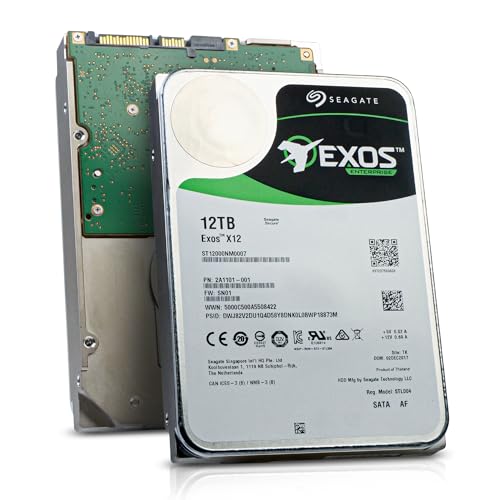
Seagate Exos x12 12TB SATA 6Gb/s 256MB Cache Enterprise Hard Drive 3.5in (ST12000NM0007) (Renewed)

Renewed · Worldwide Product Importer · 12 TB

$349.99New Price $645.59$29.17/TBChecked
Buy on Amazon
Seagate ST12000VN0008 12 TB Ironwolf Hard Drive SATA 7.2K 3.5 256 MB

Used · ALL4COMPUTERS ----- SIGNATURE REQUIRED ----- · 12 TB

$399.99$33.33/TBChecked
Buy on Amazon
$399.99$33.33/TBChecked
Buy on Amazon
$401.50Typical price $474.45$33.46/TBChecked
Buy on Amazon
$444.99Typical price $474.99$37.08/TBChecked
Buy on Amazon
$459.00$38.25/TBChecked
Buy on Amazon
$479.99$40.00/TBChecked
Buy on Amazon
$495.45$41.29/TBChecked
Buy on Amazon
$499.99$41.67/TBChecked
Buy on Amazon
$519.52$43.29/TBChecked
Buy on Amazon
$589.99$49.17/TBChecked
Buy on Amazon
$594.48$49.54/TBChecked
Buy on Amazon
$650.00$54.17/TBChecked
Buy on Amazon
$694.45$57.87/TBChecked
Buy on Amazon

Buying guide

A 12TB hard drive provides significant storage for sizable backups, media, or high-density NAS setups. Navigating differences in warranty, interface, and drive workload rating helps buyers find the right fit. This guide covers dollar-per-terabyte comparison, technical considerations, and documentation review for fully informed buying decisions when shopping for 12TB drives.

Comparing Price per Terabyte and Warranty

When comparing 12TB hard drives, calculate dollar per terabyte for drives with equivalent specs and condition. Larger multi-packs may lower per-unit cost but check carefully for warranty coverage and drive health guarantees. Organize comparisons in a chart with capacity, warranty, condition, and interface to pinpoint best value and suitability for your workload.

Extended warranty length, either from the manufacturer or seller, adds peace of mind with high-capacity drives. New retail drives generally offer three to five years of coverage, while recertified or refurbished units may vary widely. Review warranty policy in the listing or vendor documentation to avoid surprises, especially with secondary-market or bulk-packed drives.

SATA vs. SAS, and System Compatibility

Most consumer and SMB 12TB drives use SATA, suitable for desktops, many NAS units, and USB 3.0 enclosures. SAS 12TB drives, however, target enterprise environments, supporting advanced features like higher sustained throughput and improved reliability. Confirm your server or NAS supports the drive’s interface by referencing the hardware documentation using the model or part number.

Form factor is nearly always 3.5-inch. Physical compatibility means more than just size: check that your enclosure or NAS has enough power capacity and cooling to reliably handle additional thermal and power demands. Many NAS appliances list supported models and maximum tested capacities on their official websites—check these details before finalizing your purchase.

Recording Method and Workload Requirements

Most 12TB drives use CMR, providing consistent performance and stable write speeds for demanding, multi-user, or RAID-intensive environments. Some lower-cost models use SMR, suited to light-archive or infrequent-write roles; these should be avoided in most NAS or RAID applications due to slow write and rebuild performance.

Always check the drive’s data sheet or cross-reference the exact model code against the manufacturer’s technical specifications for confirmation of the recording method. For environments with frequent rewrites or sustained mixed workloads, prioritize CMR-based models, which generally provide better long-term reliability and higher peak throughput.

Listing Review Checklist and Buying Triggers

First, match the drive’s model code in the listing versus the technical documentation to validate interface and recording type. Confirm the provided warranty period, physical condition, and return policy, especially for used or refurbished units. Look for seller-provided drive health summaries such as SMART attributes, particularly with recertified or bulk drives.

Buy when you find a reputable seller offering a strong warranty, explicit return support, and transparent specs at a competitive dollar-per-terabyte rate for your chosen interface. Wait if key technical information or warranty details are missing or if upcoming system purchases might influence interface or redundancy decisions. Use alerts to monitor price and inventory fluctuation on popular models.

Frequently asked questions

Are all 12TB hard drives suitable for NAS use?

No. Some 12TB drives use SMR recording, which is not suitable for most NAS or RAID environments. Cross-verify the recording method and model code with the official manufacturer data before using in multi-drive setups.

How do I check if my NAS supports 12TB drives?

Reference your NAS model’s official compatibility or tested drive list on the manufacturer’s support page. Always compare physical and interface compatibility as well as maximum supported capacity to ensure seamless integration for 12TB drives.

Related Black Friday guides

Browse all Black Friday categories