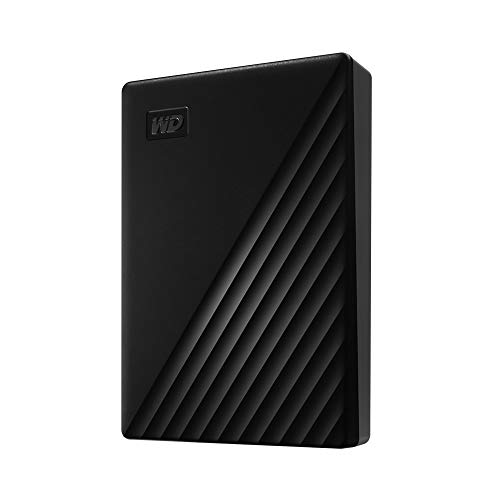
External hard drives Black Friday Deals 2026

Amazon US · USDAmazon sale dates · Nov 19–30, 2026

Amazon Black Friday deals

As an Amazon Associate we earn from qualifying purchases. Prices and availability are accurate as of the time indicated and may change. The price and availability displayed on Amazon at the time of purchase apply.

Product and offerAmazon price
Amazon Black Friday Deal 38% off
WD 20TB Elements Desktop External Hard Drive, USB 3.0 drive for plug-and-play storage - WDBWLG0200HBK-NESN

New · Amazon.com · 20 TB · Ends

$549.99List Price $879.99$27.50/TBChecked
Buy on Amazon
$299.99List Price $414.99$37.50/TBChecked
Buy on Amazon
Amazon Black Friday Deal 15% off
UnionSine 1TB Ultra Slim Portable External Hard Drive HDD-USB 3.0 | for PC, Mac, Laptop, PS4, Xbox one, Xbox 360-(Black)

New · KESHUO-US · 1 TB · Ends

$73.24List Price $86.17$73.24/TBChecked
Buy on Amazon
$73.09List Price $85.99$73.09/TBChecked
Buy on Amazon
Amazon Black Friday Deal 15% off
UnionSine 500GB Ultra Slim Portable External Hard Drive HDD-USB 3.0 | for PC, Mac, Laptop, PS4, Xbox one, Xbox 360-(Black)

New · KESHUO-US · 500 GB · Ends

$33.52List Price $39.43$67.04/TBChecked
Buy on Amazon
$30.59Typical price $35.99$61.18/TBChecked
Buy on Amazon

Regular listings

Product and offerAmazon price
$259.99List Price $279.99$32.50/TBChecked
Buy on Amazon
$275.49$34.44/TBChecked
Buy on Amazon
$199.99List Price $274.99$40.00/TBChecked
Buy on Amazon
$162.49$40.62/TBChecked
Buy on Amazon
$169.99Typical price $189.99$42.50/TBChecked
Buy on Amazon
$129.79$64.90/TBChecked
Buy on Amazon
$129.99$65.00/TBChecked
Buy on Amazon
$119.80$119.80/TBChecked
Buy on Amazon
$129.99$129.99/TBChecked
Buy on Amazon

Buying guide

External hard drives provide a convenient way to expand storage or back up important data for desktops, laptops, and game consoles. Choosing an external hard drive involves considering capacity, connectivity, speed, and reliability. This guide will help you compare options, interpret key specifications, and decide between different models based on real-world needs and situations.

Comparing Storage and Price per TB

When weighing options, always divide the price by the listed capacity for each drive to get the cost per terabyte. External drives of similar capacity can have very different prices depending on speed and brand, but this metric keeps comparisons fair. Make sure to distinguish between true usable capacity and what’s advertised, as some drives format with slightly less space.

Check if the model is sold as a single unit or in packs—bundles may appear cheaper per drive, but only make sense if you will use every unit. Major sellers often stock both portable and desktop-class external drives, which differ in size, enclosure, and actual storage technology. Portable models run solely on USB power, while desktop drives often require separate power supplies.

Interface and Compatibility Details

Carefully review the interface listed for each model. USB 3.0 and USB 3.2 Gen 1 drives are common and backward-compatible, but units with USB-C (Gen 2 or higher) or Thunderbolt offer much higher transfer speeds for compatible computers. Always match your available ports for max performance: a USB 3.0 drive on a USB 2.0 port will be much slower than advertised.

Check out the system requirements and supported operating systems in the product listing or manual. Most external drives are preformatted for Windows or macOS, though they can be reformatted as needed. Verify if bundled software or hardware encryption features align with your platform and backup preferences.

Durability, Warranty, and Enclosure

Durability varies by enclosure: rugged drives feature reinforced cases, rubber bumpers, or water resistance, ideal for travel and rough handling. Slim portable models offer convenience but less drop protection. Check listings for shock ratings, ingress protection, or drop test claims, and confirm warranty coverage specifics in the vendor documentation.

Some drives offer password protection, automatic backup, or hardware encryption. Decide which features are essential for your workflow before purchasing. Typically, desktop-class external drives include active cooling or better airflow, reducing the risk of overheating in long backup sessions compared to portable units.

Concrete Checklist and When to Buy

Before purchasing, double-check capacity, cable type, compatibility with your systems, warranty length, and bundled features like backup utilities. For example, someone upgrading from a 1 TB USB 2.0 drive might shortlist 4 TB USB 3.2 portable options, checking each for cross-system compatibility and drop protection. Always compare several listings side by side, verifying model numbers and specs.

Consider buying if you see the price per terabyte aligns with similar recent offers and the features meet your actual needs. Wait if you find the model lacks key features, appears outdated, or specs don’t match your intended systems. Always consult manufacturer documentation using the model code to confirm advertised specifications and warranty terms.

Frequently asked questions

How do I check if an external hard drive is compatible with my computer?

Confirm your computer’s available USB, USB-C, or Thunderbolt ports and verify the drive’s listed interface. Also, ensure the drive supports your operating system by reviewing product details or compatibility in the user manual.

What is the difference between portable and desktop external hard drives?

Portable external drives run on USB power, are compact, and easy to travel with. Desktop models are larger, require external power, often use faster, higher-capacity drives, and may offer extra durability or better thermal management.

Related Black Friday guides

Browse all Black Friday categories